
归档

All posts by 3dani

Post Cover

Duration 3h 53m Project Files Included MP4


Info

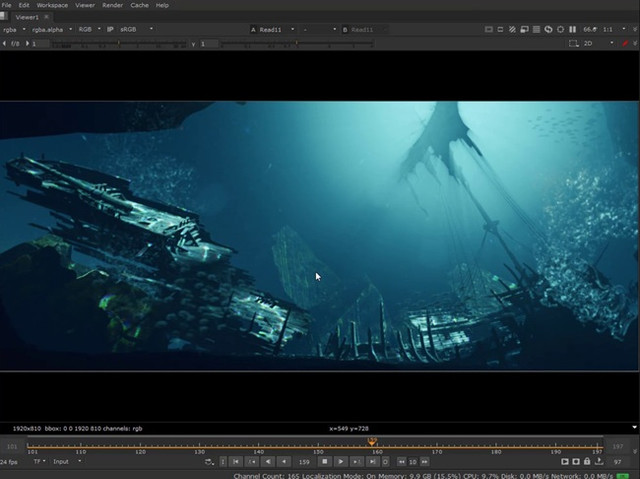
Title: CGFastTrack – Multi Pass Compositing In Nuke

Info:

The easiest way to follow along
Standard video tutorials can be exhausting. We know, we’ve been there. The CG Fast Track tutorial format combines videos and screenshots so you don’t have to keep up with the video. Simply click through every step of the way with the screen shots. It’s an incredibly intuitive way to learn.

Part 1
Secrets to managing difficult render passes are revealed in Part 1. Get to know beauty and utility passes and how to properly use them within a workflow at the beginning of your multi-pass journey.

Part 2
You don’t necessarily need 3D when you can use 2D! Part 2 helps you take control of your renders with techniques using relighting, depth, atmosphere, and utility passes. Bring your composite to life by integrating 2D stock elements in this workflow.

Part 3
Creating multi-pass setups from scratch can be tricky. Use the multi-pass cookbook in Part 3 – which includes render pass, element, and AOV setups – to speed up the learning curve and your workflow!

Download

此隐藏内容仅限VIP查看升级VIP

Post Cover

Duration 2h 8m Project Files Included MP4


Info

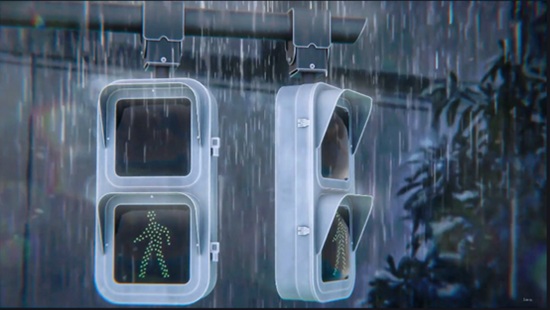
Title: Udemy – Create Anime Traffic Light Scene in Blender

Info:

What you’ll learn
Create a Rainy Anime Traffic Light Animation in Blender.
Learn to Create Stylized and Anime-Inspired Environments
Learn 3D Modelling in Blender by creating various 3D Props
Master Anime-Style Lighting in Blender
Learn to use HDRIs and Lights to add Mood and Atmosphere to your Blender Scene
Enhance Renders with Compositing in Blender
Improve Composition & Camera Work
Learn to work with Reference Images and use them to create 3D models from 2D images

Welcome to this new course, where you’ll learn to create a beautiful anime-inspired traffic light animation from start to finish using just Blender.

You will get:

12+ Full HD video lectures with over 2+ hours of content and audio commentary.

All the project files, including the .blend files, textures, HDRIs, and reference resources used throughout the course.

We’ll cover the complete workflow from modelling and texturing to lighting, animation, rendering, and post-processing learning the techniques used to create a cinematic anime-style scene.

We’ll begin by modeling the traffic light from scratch, building every part of the scene step by step. We’ll then set up the camera and composition to establish the overall look and framing of the scene.

Once the modeling is complete, we’ll create stylized materials for the entire scene, including painted metal, glass, traffic signals, and other surfaces that give the project its distinctive look.

Next, we’ll set up the lighting and rainy atmosphere, creating rain, reflections, glow, and adjusting the color settings to achieve a soft anime-inspired aesthetic.

After that, we’ll polish everything using Blender’s compositor along with a few Photoshop enhancements to produce a portfolio-ready render and finished animation.

Finally, we’ll animate the traffic light signals and create a realistic rain animation, adding subtle motion that transforms the scene into a cinematic anime-inspired shot.

Whether you’re a beginner or an experienced Blender user, this course will teach you practical techniques that you can apply to your own stylized projects.

So, if you’re ready to create this beautiful rainy anime traffic light in Blender, join me in this course, and let’s get started.

Who this course is for:
Whether you’re a beginner or an experienced Blender user looking to explore anime aesthetics, this course will give you the skills to create eye-catching, stylized 3D scenes.

Download

此隐藏内容仅限VIP查看升级VIP

Post Cover

Duration 25h 19m MP4


Info

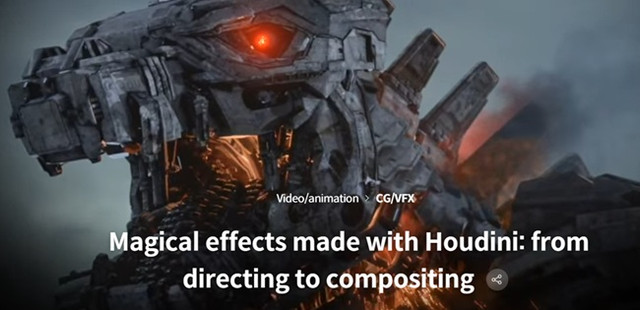
Title: Coloso – Magical effects made with Houdini: from directing to compositing

Info:

Get away from the water, fire, and smoke you’ve always made
Unrealistic and fantastic effects
Want to create?

Sparking mega-mechanical device,
A blade that emits an aura,
Even monsters that turn into powder and scatter
With my own hands
A curriculum that can be implemented!

With God, Fantastic Beasts 3,
Wandering Earth, Golden Compass, etc
Of numerous science fiction/fantasy films at home and abroad
Responsible for effects
FX technical director Taehyung Kim
Check out the class.

Download

此隐藏内容仅限VIP查看升级VIP

Post Cover

Duration 7h 2m Project Files Included MP4


Info

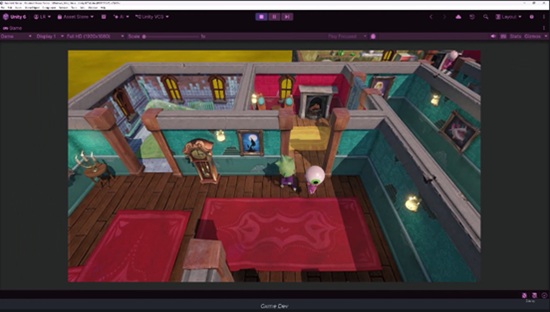
Title: Udemy – Unity and Claude Code AI Game Developer Course

Info:

What you’ll learn
Use Claude Code efficiently to write code & build games with AI
Work with Unity’s MCP
Get better at agentic engineering using Claude Code
Program game mechanics: Puzzles, Dialogue, Player Detection
Use Unity’s Latest Packages: UI Toolkit, Behavior, Splines
Generate Models, Apply Rigging, and Animate Humanoid Characters
Generate Audio, Sprites, and Cubemaps

This course contains the use of artificial intelligence.

Are you ready to create a game with the aid of Claude Code? Whether you’ve only created one game or are a seasoned developer, this comprehensive and standalone course will guide you step by step through building a complete game from scratch using Unity and Claude Code.

If you’ve never used AI before with Unity, that’s not a problem. This course offers a crash course in prompting, connecting your agent to Unity, and establishing a steady workflow to become accustomed to using AI to help you build your dream game.

Once your skills have been solidified, we ramp things up by learning how to generate models, sprites, textures, audio, and so much more. Here’s what you can expect to learn:

So, what are we going to be creating in this course? We’ll be creating a stealth game. Escape the haunted house. If the ghosts let you. Build a complete stealth game where the player has to reach the other side of a house while ghosts and statues prowl the halls looking for them.

Make your project AI-ready from day one – Set up a project overview document that teaches Claude your files and structure, then lock in coding standards so the code you get back is code you’d actually ship.

Add Coding Standards – Learn how to tame Claude to generate code in the exact way you want it, from naming conventions to implementing design patterns.

Learn to prompt like an engineer – Learn how to properly create prompts using plan mode to review each step AI will take to perform your task. If it doesn’t seem right, you’ll know how to refine it to get the desired result.

Master Unity’s Behavior package – Choose between player states with event, action, and flow nodes, then extend the system with your own custom behavior actions.

Direct the AI, don’t just ask it – Learn to read the documentation and tell your agent exactly which methods and properties to use, so you get the implementation you wanted the first time.

Bring your enemies to life – Animate with code through motion tweening, move enemies along patrol paths with the Spline package, and work around its limits to get the behavior you actually want.

Build a detection system with real consequences – Fade the screen, freeze the player, respawn them, and make getting caught feel like it matters.

Design a keys-and-doors puzzle system – Generate concept art with AI, turn it into models, create your own materials, and wire it all up through the event system you’ve already built.

Generate a fully rigged 3D character – Model, rig, and animate an NPC with Unity’s assistant. Afterward, we’ll build a dialogue system to talk to your characters and display dialogue to the player.

Work fearlessly with the checkpoint system – Make bold changes to your project and roll them back safely whenever an experiment goes sideways.

Never just generate and move on – Review, refactor with enums, and optimize. The habits that separate developers who use AI well from developers who ship broken code fast.

Set the mood with sound. Add music and effects, and learn to generate your own soundtrack for your game.

Polish it until it’s genuinely creepy. Craft cubemaps for an ominous sky and write a shader that renders an X-ray silhouette of your player through walls.

Who this course is for:
Beginner and experienced game developers who want to efficiently use Claude Code

Download

此隐藏内容仅限VIP查看升级VIP

Post Cover

Duration 11h 22m Project Files Included MP4


Info

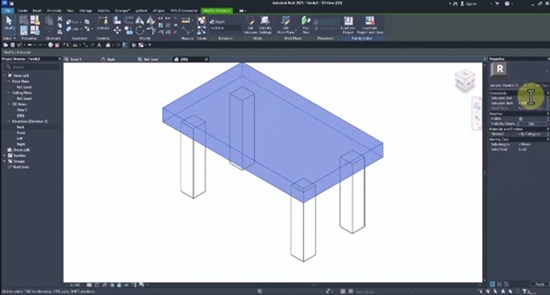
Title: Udemy – Revit Family Creation – From Beginner to Advanced

Info:

What you’ll learn
Professional Revit Families from basic to advanced
Build parametric BIM Family with smart parameters and controls
Model Doors, Windows, Cabinets, Furniture, Columns, and Curtain Wall Families
Create Lighting Fixture, Glass Railing, RPC, and Drywall Framing Families
Use Nested Families, Type Catalogs, Visibility Parameters, and Detail Levels

Note: This course is a complete, project-based guide to Revit Family Creation, covering everything from the fundamentals to advanced Parametric BIM Families used in real-world projects.

Have you ever downloaded a Revit Family and realized it wasn’t flexible enough for your project?

Have you ever wanted to create your own professional Revit Families instead of relying on online libraries?

Have you ever wondered how experienced BIM Modelers build smart, parametric families with adjustable sizes, visibility controls, nested components, and multiple Detail Levels?

If your answer is yes, this course is for you.

This course takes you step by step through the complete workflow of Revit Family Creation. Starting with the basics, you’ll gradually learn advanced techniques by building real-world families from scratch. Every lesson is project-based, allowing you to understand not only how Revit tools work, but also how professional BIM content is created for production projects.

What You Will Learn:

Revit Family Creation from beginner to advanced

Smart Parametric BIM Families with advanced family parameters

Nested Families, Type Catalogs, Visibility Parameters, and Detail Level controls

Custom Revit Families for architectural and construction projects

Model Doors, Windows, Curtain Walls, Lighting Fixtures, Furniture, and Cabinets

Lighting Fixture Families including Spotlights, Recessed Lights, and Linear Lights

Curtain Wall Systems with detailed aluminum profiles and double-glazed panels

Modular Drywall Framing Systems with adjustable spacing and parametric controls

Produce reusable, production-ready Revit Families

Throughout the course, you’ll build dozens of practical families, including tables, cabinets, doors, windows, curtain wall components, lighting fixtures, furniture, glass railings, RPC objects, drywall framing systems, and many other production-ready BIM families.

By the end of this course, you’ll have the confidence to create your own professional Parametric Revit Families for virtually any project, improving your BIM workflow while reducing modeling time and increasing project flexibility.

Plus: If you enroll in this course, you can ask me questions anytime, and I’ll provide ongoing support throughout your learning journey.

Who this course is for:
Architects
BIM Modelers
Revit Users
Interior Designers
Structural Engineers
Civil Engineers
MEP Modelers
BIM Managers
Architecture Students

Download

此隐藏内容仅限VIP查看升级VIP

Post Cover

Duration 3h 4m Project Files Included MP4


Info

Title: CGFastTrack – Nuke Fast Track Vol 1: Fundamentals

Info:

Release Date: April 4, 2020

The easiest way to follow along
Standard video tutorials can be exhausting. We know, we’ve been there. The CG Fast Track tutorial format combines videos and screenshots so you don’t have to keep up with the video. Simply click through every step of the way with the screen shots. It’s an incredibly intuitive way to learn.

Part 1
Node-based compositing can be confusing! Learn the basics with this easy-to-follow introduction. From navigation to creation, Part 1 will get you up to speed with the fundamental workflows inside Nuke.

Part 2
Avoid flat, generic 3D renders with the key workflows of light wrapping, atmosphere, and color grading you’ll learn in Part 2. Get ready to amp up your composite with these simple professional techniques.

Part 3
Rendering sequences out of 3D can take days. Speed that process up by taking a single frame and turning it into a realistic camera sequence. In Part 3 you’ll create modular setups to populate your shot with vfx stock elements and bring it to life as a fully animated scene!

Download

此隐藏内容仅限VIP查看升级VIP

Post Cover

Duration 3h 9m MP4


Info

Title: Udemy – AI Video Creation for Beginner: Build Your AI Solo Business

Info:

What you’ll learn
Create professional AI images, videos, voiceovers, music, and short films using different AI models like Nano banana, VEO, Sora, Seeddance
Master prompt engineering to generate high-quality AI video quickly and consistently.
Build a consistent AI character and transform it into engaging videos with lip sync and animation.
Create cinematic AI short films using OpenArt Director, from story planning to the final production
Use latest AI features, including Text-to-Image, Text-to-Video, Image-to-Video, Motion Sync, and AI Audio.
Produce professional AI videos for YouTube, TikTok, Instagram, marketing, education, and social media.
Master the skill of face swapping, modify any videos as you like

Are you interested in creating AI videos but don’t know where to start?

Have you ever watched amazing AI-generated videos on YouTube, TikTok, or Instagram and wondered how they were made? If so, this course is for you.

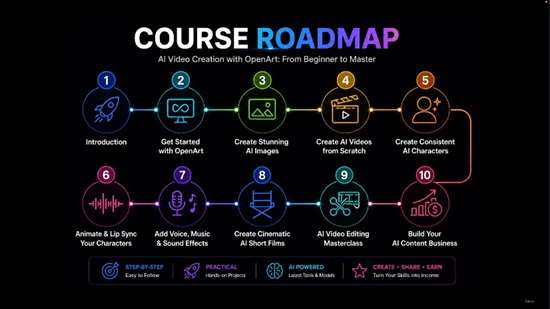
In this course, I’ll guide you step by step through the exciting world of AI video creation. You’ll learn how to use powerful AI tools like OpenArt and explore the latest AI models, including Nano Banana Pro, Veo, Sora, and SeedDance, to create stunning AI videos, realistic AI characters, cinematic short films, and engaging social media content.

Best of all, you don’t need expensive equipment, advanced editing skills, or years of experience. Whether you’re a complete beginner, a content creator, or an entrepreneur looking to build an AI-powered solo business, this course will give you the practical skills and confidence to start creating professional-quality AI content today.

This course is designed for complete beginners who want to master OpenArt and use the latest AI technology to create professional-quality content quickly and efficiently.

You’ll learn the entire creative workflow, from generating AI images to producing fully animated videos with realistic lip sync, voiceovers, music, and cinematic storytelling. Every lesson is practical and easy to follow, allowing you to build real projects as you learn.

By the end of this course, you’ll be able to create content for YouTube, TikTok, Instagram Reels, online marketing, education, and your own AI-powered solo business.

In this course, you’ll learn how to:

Create stunning AI images with Text-to-Image

Generate professional AI videos with Text-to-Video

Transform images into animated videos

Build consistent AI characters for your brand

Create realistic lip sync and motion animations

Generate AI voiceovers, music, and sound effects

Use Motion Sync and advanced OpenArt features

Build immersive 3D worlds

Produce cinematic AI short films with Director

Organize and manage your AI projects efficiently

Write effective prompts that consistently generate better results

Create content for YouTube, TikTok, Instagram, and other social media platforms

This course focuses on practical skills rather than theory. Every lesson demonstrates real examples that you can immediately apply to your own projects.

Whether you’re a content creator, marketer, educator, entrepreneur, or simply curious about AI creativity, this course will give you the confidence to start creating professional AI content today.

Let’s begin your AI creation journey with me!

Who this course is for:
Beginners who want to create AI videos without any prior experience
Content creators looking to produce videos faster with AI
YouTubers, TikTok creators, and social media marketers
Entrepreneurs and small business owners creating promotional content
Teachers, educators, and online course creators
Anyone interested in learning the latest AI videos creation tools


Download

此隐藏内容仅限VIP查看升级VIP

Post Cover

Chaos Enscape 4.19.0.2748 Win


Info

Title: Chaos Enscape 4.19.0.2748 Win

Info:

Enscape provides fast, intuitive visualization directly inside your CAD/BIM environment. With real-time feedback, connected workflows, integrated AI, and collaborative sharing, it helps you move ideas forward without adding complexity.

Download

此隐藏内容仅限VIP查看升级VIP

Post Cover

Duration 10h Project Files Included MP4


Info

Title: Coloso – Motion Design – Pre-production Planning and Creating 2D Artwork

Info:

Concept development skills, an essential element for a complete motion designer!
No matter how good your aesthetic sense and technique are, a video without a concept cannot have high value! Learn in depth about good ‘concepts’ for motion design.

Gain an in-depth understanding of design basics and 2D artwork
We learn in detail the basics of design and 2D artwork that are easily missed by students as well as current designers working in design practice.

Practical know-how learned through case studies of overseas TOP studio works
Through case studies of in-depth and diverse projects, we will experience the art director’s know-how accumulated based on domestic motion design practice and overseas freelancing career.

Audio: Korean
Subtitles: Chinese, English, Spanish, Korean, Traditional Chinese

Download

此隐藏内容仅限VIP查看升级VIP

Post Cover

Duration 13h 23m Project Files Included MP4


Info

Title: Udemy – Video Editing Masterclass for Content Creation

Info:

What you’ll learn
Edit professional-quality videos with precise cuts, transitions, effects, and audio enhancements.
Create engaging motion graphics, animated titles, and visual effects in Adobe After Effects.
Record and edit high-quality screen recordings, tutorials, and presentations using
Apply color correction and basic color grading techniques to improve the visual quality of videos.
Improve editing speed and productivity with professional shortcuts, workflow tips, and best practices.

Are you ready to become a professional video editor?

This complete Video Editing Combo Pack is designed for beginners, content creators, YouTubers, freelancers, students, marketers, and anyone who wants to master video editing using the industry’s most popular software.

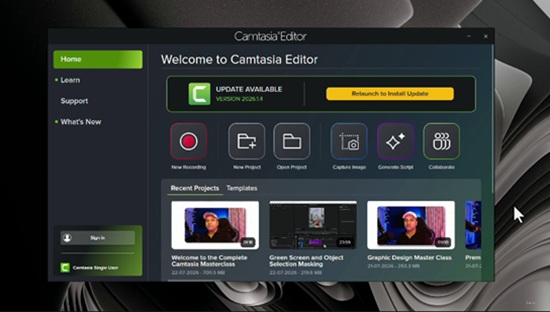
Instead of learning only one application, you’ll gain practical skills in Adobe Premiere Pro, Adobe After Effects, and Camtasia—giving you everything you need to create professional-quality videos for YouTube, social media, business, education, and client projects.

What You’ll Learn

Master Adobe Premiere Pro from beginner to advanced.

Create professional video edits with smooth cuts and transitions.

Learn color correction and color grading techniques.

Edit YouTube videos like a professional.

Add cinematic effects and visual storytelling.

Create motion graphics and animations in Adobe After Effects.

Design eye-catching titles, intros, and lower thirds.

Use keyframes and animation principles effectively.

Record and edit screen recordings using Camtasia.

Create software tutorials, online courses, and presentation videos.

Improve audio quality and remove background noise.

Export videos for YouTube, Instagram, Facebook, LinkedIn, and other platforms.

Build a complete workflow from importing footage to final export.

This Course Includes

Adobe Premiere Pro Complete Training

Adobe After Effects Complete Training

Camtasia Complete Training

Real-world editing projects

Practical exercises

Professional editing workflow

Tips and shortcuts to edit faster

Beginner-friendly explanations

Lifetime access and future updates

Who This Course Is For

Beginners with no editing experience

YouTubers and content creators

Social media managers

Freelancers

Digital marketers

Students

Teachers creating online courses

Business owners

Anyone who wants to build a career in video editing

Why Choose This Course?

This isn’t just another software tutorial. It’s a complete video editing learning path that teaches you three powerful editing tools in one course. By the end of this course, you’ll have the confidence to edit professional videos, create engaging motion graphics, produce high-quality screen recordings, and work on real client projects.

Start your video editing journey today and master Premiere Pro, After Effects, and Camtasia in one complete course.

Who this course is for:
Complete beginners who want to learn professional video editing from scratch.
YouTubers and content creators looking to produce high-quality videos.
Social media creators who want to create engaging content for Instagram, Facebook, LinkedIn, and TikTok.
Freelancers who want to offer professional video editing services to clients.
Teachers, trainers, and educators who want to create online courses and screen-recorded tutorials.
Anyone interested in learning Adobe Premiere Pro, Adobe After Effects, and Camtasia in one complete course.

Download

此隐藏内容仅限VIP查看升级VIP