归档

All posts by 3dani

Post Cover

Maxon Cinema 4D 2026.3.2 Win


Info

Title: Maxon Cinema 4D 2026.3.2 Win

Info:

What is Cinema 4D?
Cinema 4D is a professional 3D animation, modeling, simulation and rendering software solution. Fast, powerful, flexible, and stable, this powerful toolset makes 3D workflows more accessible and efficient for design, motion graphics, VFX, AR/MR/VR, game development, and all types of visualization.

2026.3.2 contains various fixes and is recommended for all users of 2026.3.

Bug Fixes

Deformer
Fixed an issue where Displacer Custom Shader bitmaps produced incorrect displacement orientation

Exchange
Fixed an issue where UVs were exported incorrectly from Cinema 4D to ZBrush using GoZ

Fixed an issue where UVs were flipped when exporting and importing Alembic files

Modeling
Fixed a crash when using Render Instances in a Cloner after merging scenes

Fixed an issue where editing Text Spline HUD values deleted the text

Fixed a crash when importing certain OBJ files containing invalid geometry

Objects
Fixed an intermittent crash when opening file dialogs on Windows

Redshift
Fixed a crash when processing UV data for Redshift rendering

Timeline
Fixed an issue where Timeline track selections were not updating after ChangeNBit() calls

UV Tools
Fixed incorrect scaling values displayed in the UV Coordinate Manager

Fixed an issue where switching UV layouts could scale selected geometry

Fixed an issue where GoZ imports created unmerged UV vertices

Fixed a crash that could occur when processing UV tags during mesh conversion

Fixed a crash when using UV projection tools in the UV Editor

Viewport
Fixed an issue where OpenSubDiv caused isolines to disappear in the viewport

Other
Fixed a crash when processing tablet input events on Windows

Fixed a crash that could occur when drawing HUD elements in the viewport

Fixed memory leak with Geometry Abstraction
Download

此隐藏内容仅限VIP查看升级VIP

Post Cover

Duration 6h 20m Project Files Included MP4


Info

Title: Voxyde – Houdini For Generalists

Info:

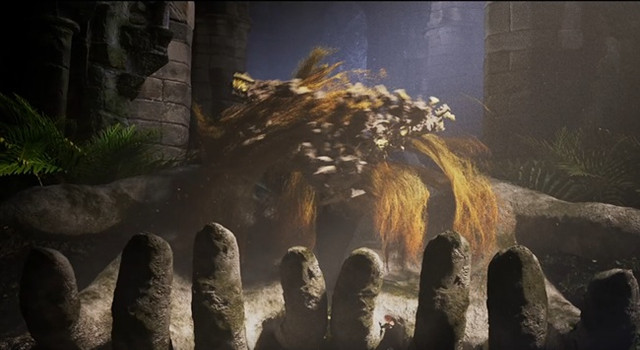
Develop real-world generalist skills by building scenes with simple, scalable, and artist-friendly procedural workflows. Learn techniques for modeling, simulations, rendering, and scene assembly in Houdini.

Houdini for Generalists is a project-based course focused on building complete scenes from scratch using fast, efficient, and production-friendly workflows.
Throughout the course, students will create 6 unique scenes while learning how to approach Houdini as a versatile all-in-one tool for procedural environments, simulations, rendering, and FX.

What you will learn
Procedural Modeling
Create flexible procedural systems that let you build complex assets and environments quickly while staying fully art-directable.
Simulations
Learn practical simulation workflows for creating dynamic effects that are fast to iterate on and easy to integrate into full scenes.
Lighting, Rendering & Materials
Develop clean lookdev workflows for stylized renders using efficient lighting setups, procedural materials, and production-ready rendering techniques.
Build Scenes Fast
Focus on simple, scalable workflows that help you assemble complete Houdini scenes quickly without unnecessary complexity.

Download

此隐藏内容仅限VIP查看升级VIP

Post Cover

Plasticity 26.1.3 Studio Win/Mac/Lnx


Info

Title: Plasticity 26.1.3 Studio Win/Mac/Lnx

Info:

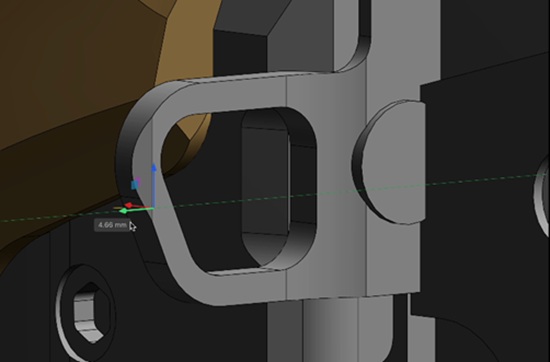
Powerful solid and surface modeling, no subscription
A workflow optimized for creativity, unparalleled fillets, sophisticated surface modeling, and the most advanced direct editing tools.
From vehicle design to industrial design to video game art, Plasticity gives you the tools to create perfect solids and surfaces.

Plasticity 26.1.3 Win Patch (Tested & Working on Win11)

Runs Plasticity 26.1.3 as Studio, perpetual, fully offline.

1. Install Plasticity 26.1.3 with Setup in torrent or via Github installers.
2. Follow patch instructions in readme.

Patcher needs elevation to patch hosts file.

VirusTotal Report: https://www.virustotal.com/gui/file/c68120baccf2de371e2347073b9b173328ca6c7512a678efdc98e29e148ab7f8

Download

此隐藏内容仅限VIP查看升级VIP

Post Cover

Adobe Master Collection 2026 RUS-ENG v4 Win x64


Info

Title: Adobe Master Collection 2026 RUS-ENG v4 Win x64

Info:

This build is based on the standalone Adobe installer version 6.10.0.252.3, which is not publicly available.
The Adobe Desktop Common module, which is required by the original installer, has been removed from the installer except for the bare minimum.
The Adobe Creative Cloud module, which is required by the original installer, has been completely removed from the installer.
The installer allows you to choose the installation path and, in most cases, the program interface language.
I’ve enabled an animated Creative Cloud logo in the installer window to keep things interesting during installation.
Whenever possible, all language packs except Russian and English have been excluded from the distributions included in this build.
Unlocked the ability to install programs on Windows 10/11 versions.
Adobe Acrobat Pro 64-bit has been updated to version 26.1.21691.
Adobe Acrobat Pro 32-bit has been updated to version 26.1.21691.
Adobe After Effects 2026 has been updated to version 26.3.0.87.
Adobe Animate 2024 has been updated to version 24.0.13.5.
Adobe Bridge 2026 has been updated to version 16.0.4.40.
Adobe Dimension has been updated to version 4.1.8.4754.
Adobe Dreamweaver 2021 has been updated to version 21.8.0.15898.
Adobe Fresco has been updated to version 5.7.0.1447. – Adobe InCopy 2026 has been updated to version 21.4.0.074.
Adobe InDesign 2026 has been updated to version 21.4.1.004.
Adobe Illustrator 2026 has been updated to version 30.6.0.109.
Adobe Lightroom Classic has been updated to version 15.4.1.202606201310.
Adobe Media Encoder 2026 has been updated to version 26.3.1.1.
Adobe Photoshop 2026 has been updated to version 27.8.0.13.
Adobe Premiere Pro 2026 has been updated to version 26.3.0.93.
Adobe Substance 3D Designer has been updated to version 16.0.4.11309. – Adobe Substance 3D Modeler has been updated to version 1.22.7.1239.
Adobe Substance 3D Painter has been updated to version 12.1.0.5529.
Adobe Substance 3D Sampler has been updated to version 6.0.2.10247.
Adobe Substance 3D Stager has been updated to version 3.1.8.6499.
Adobe XD has been updated to version 61.0.12.1.
The Adobe Animate HLAN helper has been updated to version 24.0.13.2.
The Adobe Camera Raw helper has been updated to version 18.4.0.25.
The Adobe Content Synchronizer (Core Sync) helper has been updated to version 7.8.10.1.
The Adobe Substance 3D Viewer for Photoshop helper has been updated to version 0.25.1.13.
The Creative Cloud Content Manager (CCX Process) helper has been updated to version 7.8.0.2 and removed from OS startup.
The Microsoft VC 2022 Runtime helper has been updated to version 2.0.0.2.
The UXP WebView Support helper has been updated to version 1.6.1.46.
Speech to Text Language Pack helper modules are excluded from installing Adobe Premiere Pro and Adobe Media Encoder.
Remove Tool advanced components helper modules (local AI version) are excluded from installing Adobe Photoshop.
The Adobe Genuine Software Integrity Service spyware module will be removed, even if it was previously installed with other Adobe programs.
The Log Transport Application, CRLog Transport Application, Adobe Crash Processor, Adobe Crash Report Window, Adobe Crash Report Service, and Crashpad Handler spyware modules are disabled.
The Adobe Acrobat Pro auto-update service, installed and launched by the original program installer, is disabled.
Shortcuts for Adobe Acrobat of different bit depths are now separated.
The ability to install Photoshop and Lightroom Classic on computers with processors that do not support Advanced Vector Extensions 2 (AVX2) instructions is now unlocked. – For some programs, saving projects to the cloud and using some other online services becomes available when you log in with your Adobe ID.
All programs have already been repaired. The start screens for almost all programs are working.
Maxon Cinema 4D, included in the Adobe After Effects 2026 distribution, has also been repaired.

Download

此隐藏内容仅限VIP查看升级VIP

Post Cover

Adobe Substance 3D Designer v16.0.4 Win


Info

Title: Adobe Substance 3D Designer v16.0.4 Win

Info:

16.0.4
(Released July 2nd, 2026)

Added:

[3D View] Clamp the render resolution to 4096 in X and Y
[Bakers] Update bake-sdk to 3.22.3
[Engine] Update Substance engine to v9.4.4
[OpenGL][OpenPBR] Reduce noise in specular lobe for high roughness + anisotropy
[Scenes] Preserve the UV primvar interpolation mode
Fixed:

[3D View] USD export: resources path are stored with absolute path
[Bakers] Bake fails when loading of high poly mesh is cancelled (Windows)
[Bakers] List of high poly 3D scenes does not include resources with same identifier as low poly
[Bakers] Normal world space: A WS normal is always returned when there is an input normal
[Content] Incorrect normal when scaling pattern non uniformly in the Shape Splatter V2
[Content] Shape splatter V2: Black normals for ‘Plane’ and ‘Disc’ shapes
[Content] Shape splatter v2: first shape is not correctly blended with the background
[Crash] Random crash possibly linked to video (rich tooltips)
[Graph] Crash when pasting a node copied from a new graph with blank identifier
[PSD] PSD files are loaded too many times

Download

此隐藏内容仅限VIP查看升级VIP

Post Cover

Duration 1h 41m MP4


Info

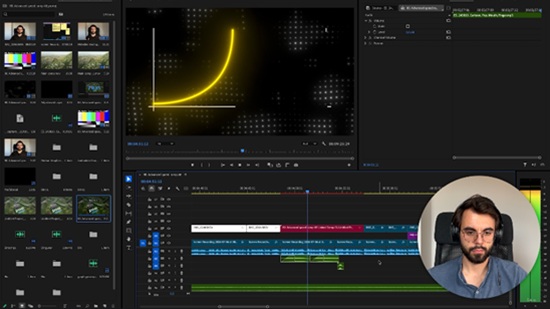
Title: Udemy – Long Form Video Editing: Premiere Pro & After Effects

Info:

What you’ll learn
MASTER VIDEO PSYCHOLOGY – Use Hormozi’s hook-value-reward loop, Neistat’s story structure, and Abdaal’s listicle framework to keep viewers watching
BUILD A REPEATABLE EDITING WORKFLOW – Organize your project, cut with Firecut, add overlays and zooms, then finish in After Effects every single time
CREATE SCROLL-STOPPING VISUALS – Study what top creators do, replicate it fast, then build your own reusable templates
EDIT FASTER WITH THE RIGHT TOOLS – A full breakdown of every tool worth using for long-form editing, free and paid
USE MY PERSONAL TOOLKIT – Get QuickImport, Vlad Tools, and Depth Script to shave hours off every edit
NAIL YOUR INTRO & SOUND DESIGN – Craft openings and audio that stop the scroll and hold attention
GROW WITH DATA, NOT GUESSWORK – Read your analytics and scale your output the right way
LEARN FROM A REAL FULL EDIT – Watch an entire video get broken down from raw footage to final export

Editing a long-form video isn’t hard. Editing one that people actually watch — that’s the skill.

Most YouTube videos lose the majority of their audience in the first 30 seconds, before the editing even gets a chance to work. Not because the footage is bad, but because nobody taught the creator why certain edits keep people watching and others make them click away.

This course fixes that.

You’ll learn the psychology behind retention (Hormozi’s hook-value-reward loop, Casey Neistat’s beginning-middle-end structure, Ali Abdaal’s listicle framework), then go step by step through my exact editing workflow — from organizing raw files, to cutting with Firecut, to overlays, After Effects work, sound design, and the final watch-through before you hit publish.

By the end, you’ll be able to take any raw footage and turn it into a video that holds attention from the first second to the last — using a repeatable process, not guesswork.

What you’ll walk away with:

MASTER VIDEO PSYCHOLOGY – Use Hormozi’s hook-value-reward loop, Neistat’s story structure, and Abdaal’s listicle framework to keep viewers watching

BUILD A REPEATABLE EDITING WORKFLOW – Organize your project, cut with Firecut, add overlays and zooms, then finish in After Effects every single time

CREATE SCROLL-STOPPING VISUALS – Study what top creators do, replicate it fast, then build your own reusable templates

EDIT FASTER WITH THE RIGHT TOOLS – A full breakdown of every tool worth using for long-form editing, free and paid

USE MY PERSONAL TOOLKIT – Get QuickImport, Vlad Tools, and Depth Script to shave hours off every edit

NAIL YOUR INTRO & SOUND DESIGN – Craft openings and audio that stop the scroll and hold attention

GROW WITH DATA, NOT GUESSWORK – Read your analytics and scale your output the right way

LEARN FROM A REAL FULL EDIT – Watch an entire video get broken down from raw footage to final export

With over 10 years of experience editing videos for YouTube, Instagram, and TikTok, I know what it takes to create content that performs. I’ve managed two of the biggest YouTube channels in their niches, and the videos I’ve edited have generated millions of views across platforms.

The workflow taught in this class isn’t theory—it’s the same system I use every day in Adobe Premiere Pro and After Effects to create high-performing content for clients and creators. You’ll be guided through the same tools and structure I use to edit with confidence—whether you’re building your own channel or creating for others.

Who this course is for:
Beginner video editors who want to learn long-form YouTube editing from start to finish
YouTube creators who edit their own videos but struggle to keep viewers watching
Freelance editors who want a repeatable workflow to speed up client work
Content creators looking to grow their channel using proven retention techniques
Editors who know Premiere Pro basics but want a professional, efficient workflow
Anyone who wants to turn video editing into a skill that gets real results, not just views

Download

此隐藏内容仅限VIP查看升级VIP

Post Cover

Duration 18h 8m Project Files Included MP4


Info

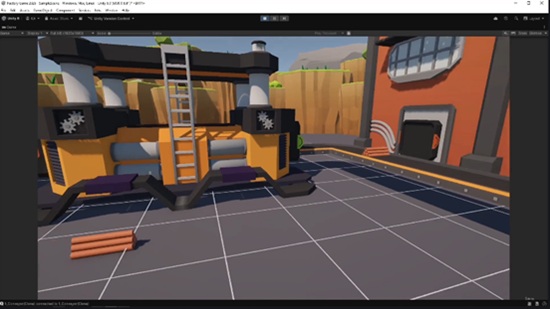
Title: Udemy – The Ultimate UNITY 3D & BLENDER Factory Game Course || 2026

Info:

What you’ll learn
Build a complete factory automation game using Unity 6 and C#
Model, texture, and optimize game assets in Blender
Create a flexible grid-based building system with removal mechanics
Develop conveyor belts, production buildings, splitters, mergers, warehouses
Save/Load functionality, UI systems, sound effects, particle effects, animations
Why you should use Scriptable Objects, Inheritance, Interfaces, Manager Systems
Export your finished game ready to share or expand with your own features

In this course, you’ll build Factory Game while learning professional game development techniques used in real Unity projects.

This isn’t just a programming course. You’ll follow the entire development pipeline—from creating 3D assets in Blender to programming gameplay systems in Unity 6 with C#.

We’ll begin by modeling and texturing every major asset used in the game, including drill rigs, conveyor belts, smelters, constructors, warehouses, splitters, mergers, and more. You’ll learn how to create clean, game-ready models and prepare them for Unity.

Once the assets are finished, we’ll move into Unity 6 and build the complete game step by step. Every system is 100% explained, making this course suitable for beginners while still covering techniques used in professional projects.

Throughout the course, you’ll build:

A complete grid-based building system

Automatic conveyor belt connections

Mining and resource collection systems

Smelters, constructors, warehouses, splitters, and mergers

Flexible production and recipe systems

Inventory and warehouse management

Save & Load functionality using JSON

Main menu and pause menu

User interface systems

Sound effects and 3D audio

Particle effects and animations

Post-processing with Global Volume

Final game build and export

You’ll also learn how to organize large Unity projects using clean architecture and best practices, including:

Object-Oriented Programming (OOP)

Scriptable Objects

Singleton Pattern

Interfaces and Inheritance

Manager-based Architecture

Modular Game Systems

One of the biggest advantages of this course is that every feature is built from scratch. Instead of copying isolated examples, you’ll understand how complete gameplay systems are designed and how they work together in a real project.

Not interested in Blender? No problem! All models and textures created during the modeling section are included with the course, so you can skip directly to the Unity programming lessons whenever you want.

By the end of this course, you’ll have a fully playable factory automation game featuring dozens of interconnected systems and a solid understanding of how to design, build, optimize, and polish a complete Unity project.

Whether you’re an aspiring indie developer, a Unity beginner, or someone looking to improve your programming and game architecture skills, this course will give you practical experience by building a real project from start to finish.

If you’re ready to create your own factory automation game and significantly improve your Unity and Blender skills, I’ll see you in the first lesson.

Who this course is for:
Beginners who want to learn Unity by creating a complete game instead of isolated examples
Developers interested in factory automation games such as Satisfactory, Factorio, or Shapez
Students who want to learn both Blender and Unity within a single practical project
Unity developers looking to improve their understanding of project architecture, production systems, and gameplay programming
Anyone who wants to build a portfolio project demonstrating 3D modeling, gameplay programming, UI, save systems, optimization, and game architecture
Hobbyists and indie developers who want a solid foundation for creating their own simulation or automation games


Download

此隐藏内容仅限VIP查看升级VIP

Post Cover

Duration 10h Project Files Included MP4


Info

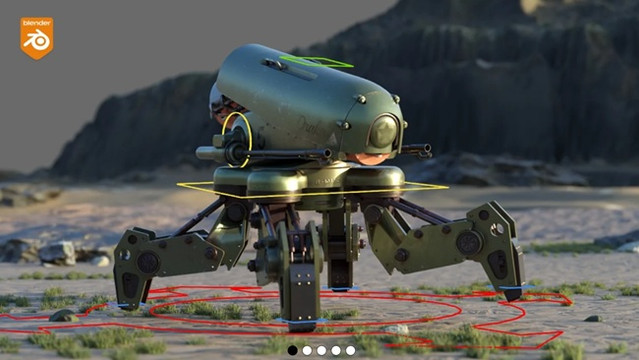
Title: Gumroad – Mechanical Rigging in Blender Battle Drone

Info:

MECHANICAL RIGGING IN BLENDER: THE ESSENTIAL MINI-COURSE

If you’ve ever tried rigging a mechanical model in Blender, you know the pain:
hard-surface meshes that bend instead of staying solid
joints that twist the wrong way
Pistons that break or stretch
And a rig that looks simple but becomes a mess once you animate it
Don’t spend weeks trying “to reinvent the piston” 🙂 . Spend just 75 minutes with this course, and you’ll never rig mechanical joints the old way again.
Who This Course Is For
Blender users who understand rigging basics, but want to rig mechanical models properly.

Download

此隐藏内容仅限VIP查看升级VIP

Post Cover

Duration 10h MP4


Info

Title: Udemy – Character Art: The Complete Digital Painting Course

Info:

Last updated 7/2026
English

What you’ll learn
How to create a casual style illustration from start to finish on your own
The basics of Adobe Photoshop and Clip Studio Paint
How to draw stylized character anatomy, from face to full body
Basic color theory and various coloring techniques
Character posing based on perspective and angles
Various methods to express character emotions
How to design characters to fit a specific concept
How to use photos and assets in illustrations

Requirements
❗ With just drawing tools like Photoshop or Clip Studio, you will learn everything you need to know
❗ It doesn’t have to be Photoshop or Clip Studio. Any tool capable of digital drawing is all you need

• Art theory grounded in real principles — light physics, perception psychology, and aesthetics

• Human anatomy from head to toe — proportions, structure, and how to apply it to characters

• Facial features that feel expressive: eyes, nose, mouth, ears, and hair

• 3D form construction and geometric anatomy

• Perspective from every angle — standard, high, and low

• Dynamic poses through force drawing, contrapposto, and silhouette design

• Conveying emotion through expression, gesture, and atmosphere

• Character design from concept to completion — face, body, costume, and color palette

• Color theory and lighting applied to illustration

• Full workflows in both Photoshop and Clip Studio Paint

• Three distinct styles: realistic, anime, and chibi
Download

此隐藏内容仅限VIP查看升级VIP

Post Cover

Duration 49m MP4


Info

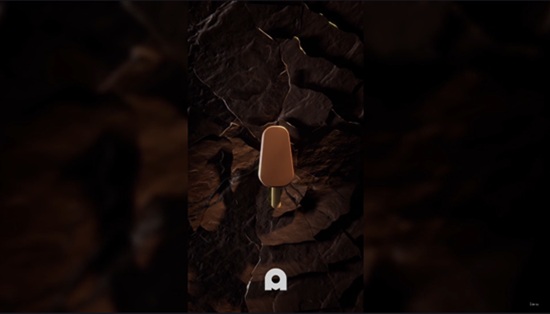
Title: Udemy – Houdini – Chocolate Cracking effect

Info:

What you’ll learn
Create a cool looking chocolate cracking effect
Learn how to procedurally animate packed fragments
Improve your overall workflow
Learn more tips and tricks throughout the course

In this course, you’ll learn how to create a satisfying chocolate crack animation in Houdini, revealing a stylized popsicle on the surface. We’ll cover the complete workflow, from modeling the crack effect to animating the reveal, while keeping everything procedural and easy to customize.

By the end of the course, you’ll understand the techniques behind creating this effect, pick up useful Houdini workflows, tips and tricks, and have the knowledge to create similar animations for your own motion graphics or product visualization projects.

You’ll also learn how to organize a clean Houdini project, work with procedural node networks, and build a reusable setup that can be easily adapted for different objects and reveal effects. The techniques covered in this course can be applied to product commercials, motion design, social media content, and other creative procedural animations.

What You’ll Learn

Create a procedural chocolate crack effect in Houdini.

Animate a clean and satisfying reveal.

Learn practical SOP-based workflows.

Improve your procedural animation skills with production-friendly techniques.

Render a polished final animation.

Build reusable procedural setups that can be customized for future projects.

Learn production-friendly workflows that are easy to modify and expand.

This course is suitable for Houdini users with a basic understanding of the interface who want to learn creative procedural animation techniques through a fun, real-world project. If you’re looking to improve your procedural thinking while creating an eye-catching animation from start to finish, this course is a great place to begin.

Who this course is for:
People who want to level up from beginners to intermediate, People who wants to learn motion design in Houdini.

Download

此隐藏内容仅限VIP查看升级VIP