
归档

All posts by 3dani

Post Cover

Duration 12h 4m  MP4


Info

Title: Udemy – Unreal Engine 5: Complete Architectural Environment Creation

Info:

What you’ll learn
Plan and organize an architectural visualization project from start to finish.
Use advanced modeling techniques that can be applied in Maya, Blender, or 3ds Max.
Learn the Unreal Engine 5 Interface efficiently.
Set up a professional Unreal Engine 5 project, including folder structure and project organization.
Create master-materials directly in Unreal Engine.
Import and manage materials from both internal and external marketplaces.
Create your own custom assets for architectural visualization.
Import and organize assets from both internal and external marketplaces.
Create and use decals to add realistic details and storytelling elements.
Set up realistic HDRI lighting for professional-quality scenes.
Configure cameras and create cinematic Level Sequences.
Produce high-quality still image renders using Unreal Engine 5 Path Tracing.

This course contains the use of artificial intelligence.

Please note: A professional AI voice-over system was used for the course audio. While every effort has been made to ensure high audio quality, minor variations in pronunciation, tone, or audio consistency may occasionally occur.

All course content, including the scripts, explanations, examples and videos, was created entirely by the instructor. Professional AI voice was only used solely for the narration.

Not every step of the project is explained in real time. The most important workflows, techniques, and underlying concepts are covered in detail, while repetitive or recurring tasks may include periods with little or no commentary to keep the course focused and efficient.

Course description

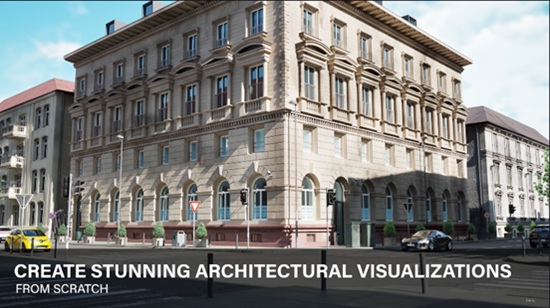
Learn Unreal Engine 5 from scratch and create a complete architectural environment using professional workflows. Throughout this course, you’ll build a portfolio-ready scene while learning environment creation, materials, asset integration, lighting and rendering.

Designed for 3D artists and 3D students with basic 3D experience, this course requires no prior Unreal Engine knowledge. By the end of the course, you’ll have a strong foundation in Unreal Engine 5 and a high-quality project that showcases your environment creation skills.

You’ll learn how to organize and build a complete Unreal Engine project, work with custom assets and marketplace content, create realistic environments, and understand the principles behind professional Unreal Engine workflows. The techniques covered throughout the course can be applied to architectural visualization, automotive visualization, environment art, and other 3D industries.

Who this course is for:
3D artists with general 3D experience who want to learn Unreal Engine 5 for professional projects
Architectural designers and visualization artists looking to create high-quality architectural renders and presentations.
Environment artists and game developers who want to build realistic environments in Unreal Engine 5.

Download

此隐藏内容仅限VIP查看升级VIP

Post Cover

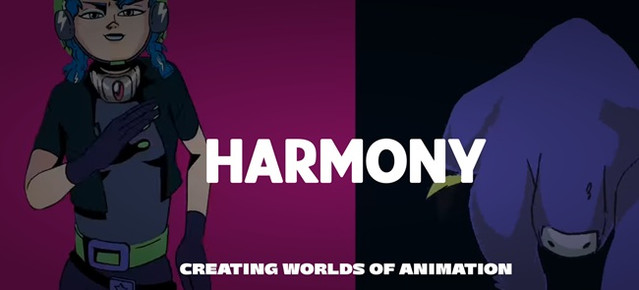
Toon Boom Harmony Premium 27.0.0 build 25340 Win


Info

Title: Toon Boom Harmony Premium 27.0.0 build 25340 Win

Info:

All-in-one
animation solution
See why the most ambitious 2D productions around the world choose Harmony. Having an all-in-one animation solution allows artists in studios to collaborate using the same programs and project files, from drawing roughs to rigging characters and compositing. Whether you work with hand drawn animation or character rigs, Harmony gives artists everything you need to animate with style.

NEW FEATURES
Universal Scene Description Compatibility
Originally created by Pixar, Universal Scene Description (USD) is an open standard for transferring 3D scene data along a CGI production pipeline. Harmony Premium 25 supports importing 3D models in the USDZ format, as well as importing and exporting animation data and camera movements. This update significantly expands flexibility for new pipeline integrations.

NEW FEATURES
Import Photoshop Brushes
Draw with the same brushes in your storyboards and animation that were used in visual development. Storyboard Pro, Harmony Advanced, and Harmony Premium 25 can directly import Photoshop ABR brushes, allowing artists to expand their brush libraries. ABR brushes can either be imported as vector and bitmap brushes, and can also be used as erasers.

NEW FEATURES
Pencil Line Retouch Tool
Improving on drawing tools in Storyboard Pro and Harmony, artists can now adjust the opacity and thickness of existing pencil lines by drawing over with the Pencil Line Retouch Tool in Storyboard Pro, Harmony Advanced and Harmony Premium 25. This allows pencil lines to more accurately mimic natural media while remaining versatile and adjustable throughout the ink & paint process.

Download

此隐藏内容仅限VIP查看升级VIP

Post Cover

Duration 2h 38m MP4


Info

Title: Udemy – Simple Super Store with Blueprints System Unreal Engine 5

Info:

What you’ll learn
Build a complete and reusable Super Store System in Unreal Engine 5.6 using Blueprints.
Create item pickup, placement, and shelf management systems.
Develop interactive store mechanics, including product selection and inventory handling.
Build a checkout and payment system for a supermarket game.
Design modular Blueprint systems that are easy to expand and maintain.
Create reusable interaction systems for players and store objects.
Organize a professional Unreal Engine project using best practices.
Implement save and load functionality for store progress and game data.
Apply the techniques learned to create supermarket, convenience store, retail, or shop simulation games.

Want to learn how to create a complete Super Store System in Unreal Engine 5.6? This hands-on course will guide you through building a modular and reusable supermarket gameplay system using Unreal Engine 5.6 and Blueprints—no C++ required.

Instead of creating a one-time project, you’ll learn how to build scalable systems that can be expanded into a complete supermarket, convenience store, or retail simulation game.

What You’ll Build

By the end of this course, you’ll have a fully functional Super Store System featuring:

Interactive product pickup and placement

Shelf management system

Player interaction system

Shopping mechanics

Checkout and payment system

Inventory management

Reusable Blueprint components

Save and load functionality

Modular project architecture for future expansion

What You’ll Learn

Build a complete Super Store System using Unreal Engine 5.6

Create interactive gameplay using Blueprints

Develop pickup and item placement mechanics

Design inventory and shelf management systems

Build a checkout and payment workflow

Organize scalable Blueprint architecture

Implement save and load systems

Apply Unreal Engine best practices for gameplay development

Why Take This Course?

This course focuses on practical game development by building a real gameplay system that you can reuse in your own projects. Every Blueprint is designed to be modular, clean, and easy to expand, allowing you to add new products, store features, NPC customers, and gameplay mechanics as your project grows.

Whether you’re creating a supermarket simulator, convenience store game, retail simulator, or another management-style project, the systems you’ll build in this course provide a strong foundation for future development.

Who This Course Is For

Beginners learning Unreal Engine 5.6

Blueprint developers who want to build gameplay systems without C++

Indie game developers creating simulation or management games

Developers interested in supermarket, retail, or shop mechanics

Anyone looking to improve their Unreal Engine Blueprint skills through a practical, project-based course

By the end of this course, you’ll have the knowledge and confidence to build your own interactive Super Store System and expand it into a complete simulation game.

Who this course is for:
Beginners who want to learn Unreal Engine 5.6 Blueprint development through a practical project.
Game developers interested in building supermarket, retail, or store simulation games.
Unreal Engine developers who want to create modular and reusable gameplay systems.
Indie developers looking to add interactive shopping and inventory mechanics to their games.
Students who prefer visual scripting with Blueprints instead of C++.
Anyone who wants to improve their Unreal Engine skills by building a complete, real-world gameplay system from scratch.

Download

此隐藏内容仅限VIP查看升级VIP

Post Cover

Unreal Engine Bundle 10 June 2026


Info

Title: Unreal Engine Bundle 10 June 2026

Info:

Includes:

ANIME_SKYBOX_V3.7z
100__Camp_Male_Animations.rar
Accretion_Disk.rar
Adventurers Inventory Kit.rar
Dragon_Chinese.rar
EV_Charging_Station_5_7.rar
Feather_Village.rar
FPS_Assault_Pack.rar
Knight Armor – Metahuman and Customization System UE5.4+.rar
Modular Ancient Ruins Temple Dungeon Builder (Ruins Temple Dungeon Nanite).rar
Old_Restaurant_Kitchen.rar
OrbitalBase.rar
Realistic_Drivable_Raft.rar
Signal_Light.rar
Smart_Multiplayer_Ping_System.rar
Truck_Levo_T2580.rar
Wildwood_Stylized_Forest__Stylized_Nature__Stylized_Forest__Nature__Biome__5_8.rar
World Director Actor v1.1.7 (5.7).rar
Zombie Mutant Bundle UE5.5+.rar

Download

此隐藏内容仅限VIP查看升级VIP

Post Cover

Duration 34h 52m Project Files Included MP4


Info

Title: Udemy – Unity 3D Defence and 3 Draw Mechanic Games Development

Info:

What you’ll learn
Full development of 3D mobile games from scratch
Implementation of various gameplay mechanics
Practical project and workflow management
Deep understanding of a specific reusable game mechanic system

Tower defence is one of the most popular and widely played genres in the mobile gaming market, with millions of downloads across successful titles.

In this course, we build a complete 3D defence game from scratch. All assets, models, and environment elements used in the project are personally created. When requirements are met, full source code access is provided. Please refer to the preview videos for a detailed overview.

Key Features Covered in the Course

Main Menu System

Level Selection System

Audio Controls (Music & SFX Toggle System)

Multi-language system using file-based architecture

Loading / Scene transition system

Special abilities system (enemy freeze, slow motion, mass repair, mass upgrade)

Wave and attack system

Object pooling system (bullets, effects, sounds) for optimal performance

In-game shop system for turret placement

And many more advanced systems

Turret System Features

Turret placement system

Upgrade system

Repair system

Sell system

Radar detection system

Health system

Environmental interaction system

Type-based behaviour system (Laser and Radiation turrets)

All of these systems are implemented step by step in full detail throughout the course.

Assets Included

8 different turret types (including firearms, laser, and radiation weapons)

7 different enemy types (human characters, ranged attackers, and standard enemies)

Full environment assets (roads, barriers, environmental props)

Additional supporting models and assets

Complete UI systems for main menu and in-game interface

This course is designed to be a comprehensive and practical resource for serious learners who want to build real-world game systems.

Before purchasing, please make sure to watch all preview videos, as they contain important demonstrations and explanations.

Since learners may have different levels of experience, some approaches may differ from what you are familiar with. In game development, there are usually multiple valid solutions for any given system. This course is structured for intermediate-level developers, and you are free to modify or improve the systems as needed.

3 DRAW MECHANIC GAMES SECTION

In this section, we build a highly popular and widely downloaded draw-based game mechanic system from scratch.

We develop both 2D and 3D implementations, giving you a significant advantage in understanding cross-dimensional game logic.

The draw-line mechanic we build is designed as a flexible and reusable system. The primary goal of this course is to teach the core architecture behind this mechanic so you can reuse it to build an unlimited number of games based on your own ideas and creativity.

By thinking beyond the course structure, you will be able to generate highly scalable game concepts using the same core system.

It is strongly recommended to follow the lessons step by step without skipping, as this will significantly reduce the chance of errors and misunderstandings. The system is explained in a clear, minimal, and structured way to ensure full comprehension.

Once the core architecture is understood, we build the system completely from scratch. Depending on specific conditions, you will also gain access to full source code and premium versions of the completed projects.

How You Can Use This System

Publish your own games

Improve your game development skills

Build a professional portfolio

Use it as a reusable base system for future projects

This course is intended to be a valuable resource for anyone who is serious about game development.

Please make sure to watch all preview videos before enrolling, as they include important demonstrations and course structure explanations.

As learners have different experience levels, some techniques may differ from what you are used to. In game development, multiple implementation approaches are always possible. The course is designed for intermediate-level understanding, and you are encouraged to adapt or improve the systems according to your needs.

Download

此隐藏内容仅限VIP查看升级VIP

Post Cover

Duration 9h 3m MP4


Info

Title: Udemy – DaVinci Resolve 21 Mastery: Complete Video Editing Course

Info:

What you’ll learn
How to Download, install, and set up DaVinci Resolve
Configure frame rates, codecs, and project settings
How to Import, organize footage using bins and timelines
How to Cut and trim using ripple delete, blade tools, and shortcuts
Balance dialogue, music, and sound effects
Record clean, studio-quality voiceovers
Fix exposure, white balance, and contrast
Use color wheels, curves, qualifiers, and power windows
Apply grading for mood and style
Use scopes and nodes (serial, layer, parallel)
Work with merge nodes, masks, and transforms
Key green screen footage
Apply ResolveFX and OpenFX effects
Design lower thirds, intros, and outros
Use Fusion Text, Text+, and Rich Text for advanced effects
Use power bins for reusable assets across projects
Practice with downloadable exercise files
Export correctly for YouTube, TikTok, social media, and client delivery
Complete a full project from import → edit → color correction → grading → export

Download

此隐藏内容仅限VIP查看升级VIP

Post Cover

Duration 30h 52m Project Files Included MP4


Info

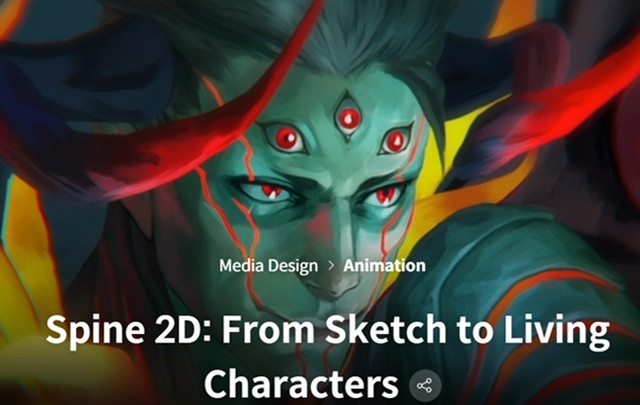
Title: Coloso – Spine 2D – From Sketch to Living Characters

Info:

If you’ve ever dreamed of bringing your illustrations to life, this is the perfect course to make it happen. Skilled Spine 2D animator Vrihedd has designed this class to help you turn your 2D artwork into expressive, animated characters. You’ll learn everything you need to fully harness the power of Spine 2D — starting with how to create animation-friendly illustrations, and progressing step by step through rigging and animation techniques. By the end of the course, you’ll be able to create polished 2D animations filled with personality and charm, ready for games or any creative project.

It can be challenging for beginners to take the next step without proper guidance. This course is designed to help you level up simply by following along. After creating simple animation models, Vrihedd will walk you through more advanced techniques to develop complex and polished animations. You’ll learn to apply various VFX, explore 2.5D rigging techniques, and understand the correct methods for exporting your animation to any platform you need. This class also serves as a valuable opportunity for experienced students to revisit and refine their previous work. If you’re aiming to build a strong, professional portfolio that truly stands out, this course is the one for you.

Download

此隐藏内容仅限VIP查看升级VIP

Post Cover

Adobe Substance 3D Painter 12.1 Win


Info

Title: Adobe Substance 3D Painter 12.1 Win

Info:

Substance 3D offers the tools you need to texture 3D assets. Modernize your texturing process with advanced brushes and smart materials.

Power and usability provides an excellent painting experience.

Powerful paint engine
Paint with dynamic brushes, projection tools, particles, including Photoshop brush presets.

Smart masks and materials
Apply realistic surface details, from subtle dusting to extreme wear and tear, and more.

Advanced material creation
Mimic real-world material behaviors such as sheen, anisotropy, clear-coat, subsurface scattering, and more.

Easy exports
Export to any renderer or game engine easily. Create custom export presets to fit Painter into your 3D design pipeline.

Icon- Automatic UVs
Imported models don’t need any special preparation to get them ready for texturing.

VFX support
Painter supports multi-tile painting (UDIMS), Alembic, camera import, and Python scripting and is compliant with the VFX Reference Platform.

Download

此隐藏内容仅限VIP查看升级VIP

Post Cover

Chaos Corona 15 hotfix 1 for 3ds Max Win


Info

Title: Chaos Corona 15 hotfix 1 for 3ds Max Win

Info:

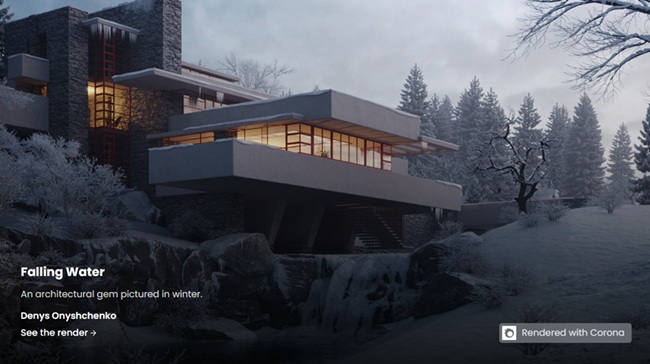
Powerful, artist-friendly rendering in 3ds Max. Choose the **Corona Collection** if you need a broader architectural visualization workflow around Corona – including real-time scene exploration in Chaos Vantage, realistic animated people and traffic with Anima, more scalable AI ideation with Veras and extended collaboration in Chaos Cloud. The connected workflow helps you reduce friction and move more smoothly from concept to final delivery

Corona 15 Hotfix 1

Fixed NVIDIA AI denoising not working in the CoronaImageCmd.exe (the batch version of the Corona Image Editor)
Fixed issue where shadows of objects where translucent when exported to Vantage

Corona 15 Hotfix 1 for 3ds Max:

Fixed broken export of Scatter to Vantage
Fixed failed loading of Corona 14 scenes that contained a Corona Proxy (occurred in Corona 15 using 3ds Max 2021 and older)
Fixed gamma in images uploaded to Veras.
Fixed issue when saving render elements in CXR format, all render elements would be saved in every file
Fixed issue where render elements were not being saved when using Render Masks Only
Fixed missing color transform during saving of image in the Corona Image Editor + Corona Image Editor command line (other than .cxr)
Fixed crash when resetting material in compact material editor
Fixed issue where Spline IK was not updated when changing frame during animation rendering or interactive rendering with the faster parsing option enabled
Limit resolution override to 32768, since that is the maximum 3ds Max render resolution (higher values cause issues in Render Setup)
Download

此隐藏内容仅限VIP查看升级VIP

Post Cover

Chaos Corona 15 hotfix 1 for Cinema 4D Win


Info

Title: Chaos Corona 15 hotfix 1 for Cinema 4D Win

Info:

We’re happy to announce the release of Corona 15 Hotfix 1 for both 3ds Max and Cinema 4D – as always, the hotfix contains only bug fixes and no new features. It is a recommended update for all users, and you can download it from the CGPersia page

Corona 15 Hotfix 1 for Cinema 4D:

Fixed ports in the Corona Node Material Editor generated for Glints in Physical materials
Fixed vrscene export (and upload to Cloud) not working on macOS
Fixed issue with UVW tile/offset not properly affecting the viewport preview when using the experimental enhanced material preview in the viewport
Fixed issue with many Cosmos materials which use UVW being incorrectly exported to Vantage
Fixed issue with Corona Bitmap UVW channel overrides being incorrectly exported to Vantage
Fixed issue with the camera Resolution Override not correctly updating the aspect ratio for renders in the viewport
Fixed saving of images generated in Veras in the integrated browser on macOS
Fixed flipped Normal map imported from Cosmos
Fixed occasional crash when AutoAdjustment is enabled (mainly reproducible in IR)
Fixed incorrectly resized Veras window after first initialization
Fixed issue with the Layered shader showing as blurry or with artifacts in the viewport preview
Improved error handling when saving files from Veras
Additional fixes in UNDO handling when deleting several shaders in the Node Material Editor
Updated the Unified Login, Licensing server, Cosmos and Cloud client to recent versions
Download

此隐藏内容仅限VIP查看升级VIP