归档

All posts by 3dani

Post Cover

Maxon Cinema 4D 2026.3.1 Win


Info

Title: Maxon Cinema 4D 2026.3.1 Win

Info:

What is Cinema 4D?
Cinema 4D is a professional 3D animation, modeling, simulation and rendering software solution. Fast, powerful, flexible, and stable, this powerful toolset makes 3D workflows more accessible and efficient for design, motion graphics, VFX, AR/MR/VR, game development, and all types of visualization.

Bug Fixes
Exchange
Fixed morph tag issues when scrolling timeline and toggling geometry
Fixed Sketchup file import not working on macOS
Hair
Fixed crash when rendering hair in viewport
Modeling
Fixed symmetry selection loss after undo in polygon mode
Fixed symmetry plane freeze after undo
Fixed ‘Select All’ in Phong Break Selection tool not selecting edges
Neutron
Fixed broken Trim Spline modifier causing spline disappearance
Other
Fixed file size increase when re-saving older scenes
Fixed crash when using Polygon Pen on UVs
Fixed a crash during GlTF export
Python
Fixed c4d.gui.GeDialog.GetString and .GetFilename return blank string for c4d.gui.GeDialog.AddCustomGui with type c4d.CUSTOMGUI_FILENAME
Fixed an issue where UV tags where not correctly initialized
Simulation
Fixed crash when caching to a full disk
Fixed particles not rendering in PV when using Pulse Mode
Fixed crash when caching/loading cloth to Alembic
Fixed cached particles not updating in viewport when played in same Simulation Scene
UV Tools
Fixed UVs being editable despite ‘Lock UVW’ option enabled
Fixed ‘Select UV Boundaries’ missing edges on editable Platonic objects
Fixed ‘Max UV’ resize command flipping UV polygons
Fixed UV Editor opacity default incorrectly set to 100% after overinstalling over older version
Fixed rendering issue with instances having UV tags assigned
Fixed a crash regarding UV tag handling
Viewport
Fixed shader cache recalculation on reboot on Windows

Download

此隐藏内容仅限VIP查看升级VIP

Post Cover

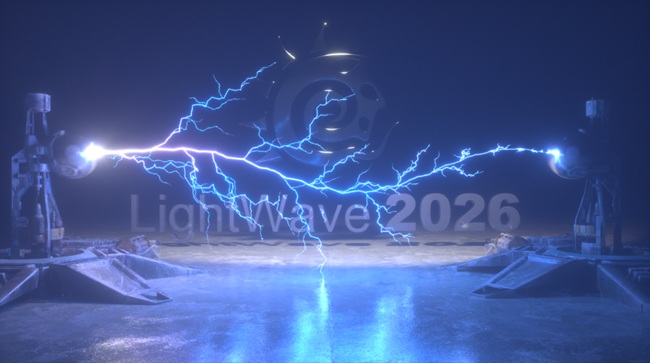
LightWave 3D 2026 Mac


Info

Title: LightWave 3D 2026 Mac

Info:

LightWave 3D is versatile enough to make the transition to and from all kinds of projects. Proven for years in television, film, and games, LightWave 3D is also being used to create graphics for print, web, industrial design, architecture, medical imaging, and anywhere else a 3D package is needed.

此隐藏内容仅限VIP查看升级VIP

Post Cover

3ds Max – Cityscape Pro 2.1.7 Win and Foliage Tint Master


Info

Title: 3ds Max – Cityscape Pro 2.1.7 Win and Foliage Tint Master

Info:

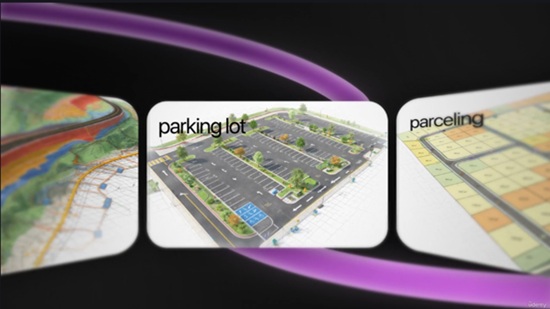
Transform your 2D site plan into a clean 3D geometry with few clicks.
Cityscape Pro is a complete solution for modeling urban areas. A non-destructive, parametric workflow helps you easily incorporate revisions.

Pavement materials
Create parametric roads and pavement materials with few clicks, Instantly get access to a material library with over 70 presets.

Curbed areas
Bring your 2d architectural site plan to life, create a clean, detailed geometry that can be used as a solid base for your scene.

Terrain, Water & Snow
Quickly add terrain features, lakes, and snow geometry – Pick a spline area, specify the preset and Generate, done!

Supergrass
Create a hyper-realistic grass geometry with Supergrass, It’s very easy to use and uses less memory than scattered geometry.

****************************************************************************************************************************

Foliage Tint Master tackles a recurring archviz pain: vegetation that’s too green, too saturated, or the wrong season.

Instead of editing Color Correction nodes on every leaf material one by one, you grade your whole selection from five live sliders — live under Corona’s interactive render, 100% non-destructive, with an independent tint per selection.

此隐藏内容仅限VIP查看升级VIP

Post Cover

Arnold 5.9.3 for 3ds Max 2025-2027 Win


Info

Title: Arnold 5.9.3 for 3ds Max 2025-2027 Win

Info:

Autodesk Arnold software is an advanced Monte Carlo ray tracing renderer that helps you deliver beautiful and predictable results.
Enhancements
Gaussian Splats: Arnold now supports rendering 3D Gaussian Splatting (3DGS) scenes. MAXtoA adds a simple, file-based Gaussian Splats object that allows you to render splats. Note that this Gaussian Splat object does not have a viewport representation in this MAXtoA version. The Render Setup has a new global option for the Min Pixel Width of gaussian splats. You can override the Min Pixel Width on a per-object basis with the Arnold Properties Modifier.

此隐藏内容仅限VIP查看升级VIP

Post Cover

Duration 6h 4m MP4


Info

Title: Udemy – Autocad Civil3d Full Course 2026

Info:

What you’ll learn
Create and manage Civil 3D surfaces, contours, breaklines, and terrain models using practical workflows
Design alignments, profiles, corridors, and road layouts using AutoCAD Civil 3D tools
Generate quantity reports, cross sections, volume calculations, and engineering documentation efficiently
Work on real project based Civil 3D workflows used in infrastructure and road design projects

Master AutoCAD Civil 3D through practical real world infrastructure and road design workflows used in the engineering industry.

This course is designed for civil engineering students, site engineers, draftsmen, contractors, and professionals who want to learn Civil 3D from beginner to advanced level using project based practical training.

Fundamentals Track

• Civil 3D Introduction
• User Interface & Templates
• Default Settings, Import & Export
• Essential Civil 3D Tools

Points Management

• CAD vs COGO Points
• Point Creation & Point Groups
• Tables, Reports & Label Customization

Surface Modeling

• Surface Creation & Surface Editing
• Breaklines, Boundaries & Masks
• Contours, Labels & Catchments
• Volume Calculations & Surface Analysis
• Image Draping Techniques

Alignments & Sites

• Alignment Creation & Labeling
• Alignment Reports
• Sites & Feature Lines

Grading & Profiles

• Grading Basics
• Volume Surfaces
• Profile Views & Design Integration

Corridors & Sections

• Corridor Creation Workflow
• Custom Subassemblies
• Corridor Surfaces & Slope Patterns
• Sample Lines & Section Views
• Section Customization Techniques

Reports & Quantities

• Compute Material Reports
• QTO Manager
• Mass Haul Diagrams

Why This Course Stands Out

• Complete Civil 3D Practical Workflow Training
• Real Project Based Learning Approach
• Step by Step Industry Oriented Training
• Suitable for Students & Working Professionals
• Covers Road Design, Surface Modeling & Corridor Workflow
• Training by Official Autocad Civil3d Co-author Mentor

Whether you are starting Civil 3D for the first time or improving your infrastructure design skills, this course will help you build confidence using Autodesk Civil 3D efficiently in real engineering projects.

Who this course is for:
Civil engineering students, site engineers, draftsmen, infrastructure professionals, contractors, and beginners who want to learn AutoCAD Civil 3D through practical project based training

此隐藏内容仅限VIP查看升级VIP

Post Cover

Maxon ZBrush 2026.2.1 Win


Info

Title: Maxon ZBrush 2026.2.1 Win

Info:

ZBrush is a digital sculpting, modeling, and painting software used to create highly detailed 3D models. It offers fluid, intuitive features that allow you to model 3D shapes just like sculpting with real clay. Loved by 3D artists and industries worldwide, the intuitive brush system adapts to your style, letting you create with precision and control.

Updated

Added:
• ZModeler bevel allows new modes to select inner and/or outer edges to bevel.
• GoZ for Autodesk Max and Maya 2027 versions.
• ZBrush Plugins and Documentation installed automatically now as part of Maxon App and standalone installation processes. Maxon App update is required.

Fixed:
• Live Boolean rendering issues.
• Curve Brush issues not working properly with geometry.
• ZModeler not saving presets properly.
• ZModeler presets glitchy after loading presets.
• ZModeler defaulting to Extrude instead of QMesh when polygon face is selected.
• When Retopo brush is active, the zoom button in the toolbar rotates instead of zooms.
• Applying Dynamic Subdivision causes crash.
• Lightbox file search not working.
• Lightbox not loading brushes properly.
• Smooth brushes not loading properly if loaded more than once per ZBrush session.
• Loading errors with VRML, STL, and OBJ Extended.
• 3D Print Hub showing all 0’s after updating size ratio.
• 3D Print Hub 3MF error on export.
• Subtool Master opens 3MF export when creating a new subtool.
• Wrong stroke size settings for 2.5D brushes for tool.
• Custom Python scripts may break references to custom UI elements.
• Windows ARM: Decimation Master gets stuck while preprocessing all subtools.
• Mac: Bevel Pro error on auto apply.
• Mac: Older Intel-based machines crash on startup.
• Mac: Substance Painter not triggering auto bake if all options are turned on.

此隐藏内容仅限VIP查看升级VIP

Post Cover

Duration 2h 16m MP4


Info

Title: Udemy – Photon Fusion 2 Host Mode Multiplayer in Unity for Beginners

Info:

What you’ll learn
Understand the fundamentals of Photon Fusion 2 and Host Mode networking
Set up Photon Fusion 2 in a Unity project from scratch
Create and spawn networked players using a Capsule character
Synchronize player movement and rotation across multiple clients
Handle player input using Fusion 2 networking architecture
Spawn bullets over the network and synchronize them for all players
Learn how NetworkRunner, NetworkObject, and NetworkTransform work
Test and debug a basic multiplayer game with multiple players

Are you a Unity developer who wants to learn multiplayer game development but doesn’t know where to start? This beginner-friendly course will teach you the fundamentals of creating online multiplayer games using Photon Fusion 2 Host Mode in Unity.

In this course, we focus on the core concepts of multiplayer networking without overwhelming you with complex systems. You’ll learn how to set up Photon Fusion 2 from scratch and build a simple multiplayer project where players are represented by capsules that move and synchronize across the network in real time.

Starting with the basics, you’ll understand how Photon Fusion 2 works, how Host Mode differs from other networking architectures, and how to create your first networked multiplayer scene. You’ll then learn how to spawn players, collect player input, and synchronize movement between multiple connected clients.

To further strengthen your understanding of multiplayer game development, you’ll implement a networked shooting system where bullets are spawned and synchronized for all players in the session. Through practical examples, you’ll gain hands-on experience with the most commonly used Fusion 2 components such as NetworkRunner, NetworkObject, and NetworkTransform.

What You’ll Learn

: Photon Fusion 2 Fundamentals

: Host Mode Multiplayer Architecture

: Setting Up Photon Fusion 2 in Unity

: Network Runner Configuration

: Player Spawning and Despawning

: Network Player Movement Synchronization

: Input Collection and Processing

: Bullet Spawning and Synchronization

: Network Object and Network Transform

: Multiplayer Testing and Debugging

Why Take This Course?

This course is designed specifically for Unity developers who are new to multiplayer networking. Instead of covering dozens of advanced topics, we focus on the essential concepts you need to understand before building larger multiplayer games.

By the end of this course, you will have built a working multiplayer prototype featuring networked players and synchronized bullets while gaining a solid foundation in Photon Fusion 2 Host Mode networking.

Whether you’re interested in creating multiplayer action games, co-op experiences, or online VR projects, this course will help you take your first step into modern Unity multiplayer development.

Who this course is for:
Unity developers who want to learn multiplayer game development
Beginners interested in Photon Fusion 2 Host mode networking
Developers looking to understand Host Mode architecture
Students who want to build their first online multiplayer game

此隐藏内容仅限VIP查看升级VIP

Post Cover

FStorm 1.6 & 2.0M for 3DS Max Win


Info

Title: FStorm 1.6 & 2.0M for 3DS Max Win

Info:

FStormRender has being developed by PinkSoft LTD since 2015 and becomes the most popular GPU render with architectural 3d artists due to its speed, quality and simplicity.

FStormRender doesn’t use any existing solutions implemented in other render engines and uses only inhouse technologies giving outstanding, unique and photorealistic result.

FStormRender gets constantly improved by implementing new features and optimizing existing ones to keep GPU rendering leadership. (short reviews: 1.3.6 1.3.3 1.2.5)

FStormRender available only for 3ds max. 3ds max plugin is deeply integrated to 3ds max environment and supports all necessary features. Build-in scene converter easily and carefully converts any scene from Corona, VRay and Octane renders.

此隐藏内容仅限VIP查看升级VIP

Post Cover

Duration 10h Project Files Included MP4


Info

Title: Udemy – Game Design w Product Mindset: Introduction to F2P and GAAS

Info:

What you’ll learn
Explain the difference between various games industry business models: premium, free-to-play, etc.
Explain the difference between different types of games designers
Identify fundamental blocks of a free-to-play live service non-gameplay game’s design
Be able to present game design solutions clearly in various forms
Complete a design spreadsheet for a set of fundamental non-gameplay systems for a free-to-play live service game

Free-to-play games have become one of the most successful business models in the games industry. Yet despite their popularity, many aspiring designers, indie developers, and even experienced game professionals struggle to understand what makes these games engaging, commercially sustainable, and capable of retaining players for years.

This course is a practical introduction to the principles behind designing and operating successful Games-as-a-Service. Drawing on real industry practices, it explores the systems, frameworks, and ways of thinking used by game teams to create experiences that players enjoy while supporting long-term business goals.

Throughout the course, we’ll examine the building blocks of modern free-to-play games, including player motivation, engagement loops, progression systems, virtual economies, premium currencies, monetisation strategies, retention mechanics, Live Ops, events, and key performance metrics. We’ll discuss not only what these systems are, but also why they work, what trade-offs they involve, and how they influence player behaviour.

This course is designed for aspiring game designers, indie developers considering an F2P model, product managers, analysts, and anyone curious about how today’s top-grossing live-service games are designed, launched, and grown over time. No prior experience with free-to-play design is required, although a general familiarity with games will help you get the most out of the material.

By the end of the course, you’ll have a solid understanding of the language, concepts, and decision-making frameworks commonly used across modern game teams. More importantly, you’ll gain the confidence to critically evaluate existing games, identify opportunities for improvement, and apply proven design principles to your own projects.

Who this course is for:
Beginner game designers and product managers
Experienced premium games and gameplay game designers thinking about switching into free-to-play non-gameplay area
Anyone else interested to learn more about how free-to-play live service games work

此隐藏内容仅限VIP查看升级VIP