
归档

All posts by 3dani

Post Cover

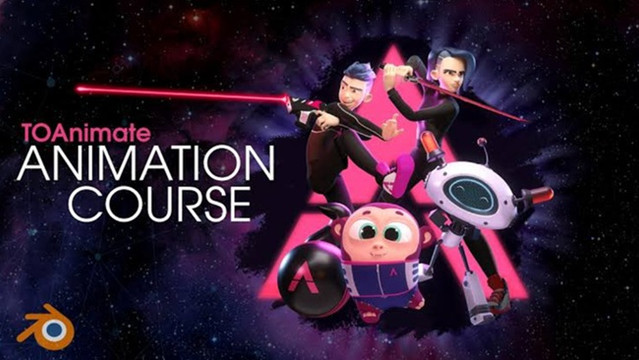
TOAnimate – Blender Basics + Full Animation Course


Info

Title: TOAnimate – Blender Basics + Full Animation Course

Info:

What’s included?
40+ comprehensive video lessons

Exclusive feature-quality rig (Max)
TOAnimate camera rig
A ton of rigged props
Blender Hotkeys for Animators (printable download)
PDF handbooks for each lesson
Animation picker & pre-made character templates

The Ultimate Blender Animation Course
Master Blender.
Animate like a pro.
Bring your ideas to life.

Download

此隐藏内容仅限VIP查看升级VIP

Post Cover

Duration 22h 53m Project Files Included MP4


Info

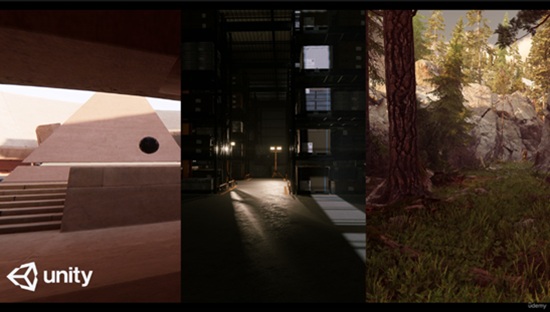
Title: Udemy – Master Lighting in Unity

Info:

What you’ll learn
Understand the Fundamentals of Unity’s Lighting System
Apply Lighting Techniques to Enhance Visual Quality
Optimize Lighting for Performance in Real-Time Engines
Design and Implement Advanced Lighting Scenarios
Understand both render system HDRP and URP

Lighting is one of the most beautiful fields in Computer Graphics. Defining the correct lighting setup in your 2.5 or 3D environment helps shape the mood, define form, guide the player’s eye, and transform a simple scene into a truly pleasant experience. In this course, you will learn how lighting in Unity works by exploring the tools available in both major render pipelines—HDRP and URP—using a combination of artistic principles and technical skills.

Whether you are a beginner or an experienced Unity user, this course will give you a deep understanding of Direct Lighting, Indirect Lighting, and Global Illumination techniques; the differences between baked and real‑time GI; Ray Tracing lighting; exposure; and post‑processing effects. You will learn not only what these tools can do to support your artistic direction, but also how to use them to create beautiful, physically accurate, and production‑ready results.

Throughout the lessons, I use simple scenes that are ideal for teaching each lighting technique, allowing you to understand the concepts in the simplest way possible. In addition, you will take everything you learn and put it into practice in a more complex exterior and interior environment that you can download for free from the Unity Asset Store.

This course was created using Unity version 6000.0.46f1, although the version may change in future course updates.

Download

此隐藏内容仅限VIP查看升级VIP

Post Cover

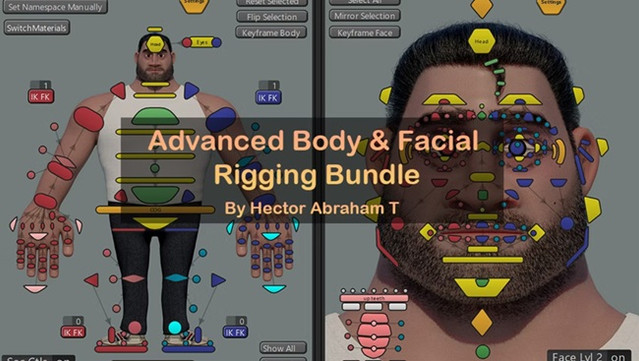
HatRigs – Advanced Body and Facial rigging workshops


Info

Title: HatRigs – Advanced Body and Facial rigging workshops

Info:

14 weeks of intensive workshops to learn how to create complete character rigs for animated films.

About the event

Dive into the world of body and facial rigging, where you’ll explore both the artistic and technical aspects needed to create high-quality deformations for animated films. In this advanced course, you’ll learn the skills necessary to craft appealing, expressive rigs that meet the demanding standards of animated films.

Instructor

Hector Abraham Torres

Is a Character Rigger at Walt Disney Animation Studios with over 10 years of experience in the industry, he also worked at Sony Pictures Imageworks and other big animation studios.

Hector also an international speaker and instructor which contributions have made him a respected figure in the animation community.

Projects worked:

Tiana

Moana 2

Spider-Man Across the Spiderverse

Monsters At Work

Paw Patrol the Movie

SpongeBob in the Run

Max Stel Turbo

Download

此隐藏内容仅限VIP查看升级VIP

Post Cover

Duration 3h 15m Project Files Included MP4


Info

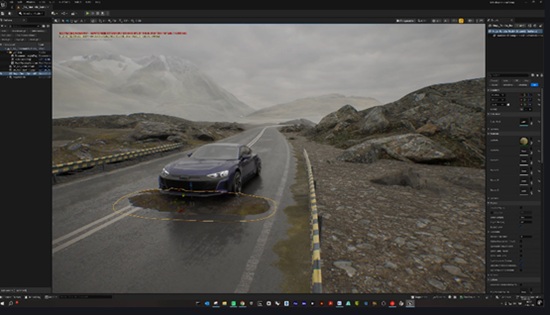
Title: Udemy – Unreal Engine 5 | No-Rig Cinematic Car Animation

Info:

What you’ll learn
Create cinematic vehicle animations in Unreal Engine 5 without using a skeletal rig.
Animate vehicles along custom spline paths with adjustable speed and realistic movement.
Configure wheels, steering, suspension, vibration, and ground alignment for different vehicles.
Create cinematic driving effects including drift, tire smoke, exhaust flames, and brake glow.
Control headlights, brake lights, reverse lights, and turn signals directly from the Details panel.
Animate vehicle settings with Sequencer and produce high-quality cinematic renders.

This course contains the use of artificial intelligence.

AI-generated voice narration is used throughout this course. All technical instruction, demonstrations, project workflows, and educational content were created, reviewed, and verified by the instructor.

Create professional cinematic car animations in Unreal Engine 5 without skeletal rigging, complex vehicle setups, or Blueprint programming.

In this course, you will learn how to use the ready-to-use BP_VehicleAnimator system to animate different vehicle models directly through the Details panel. You will import and prepare a vehicle, assign its wheels, create custom spline paths, control speed, steering, suspension, vibration, and ground alignment, and produce realistic vehicle movement on different road surfaces.

You will also explore cinematic driving features such as drift control, tire smoke, exhaust flames, brake glow, headlights, brake lights, reverse lights, and turn signals. These settings can be adjusted without opening complex Blueprint graphs, making the workflow accessible to both beginners and experienced Unreal Engine artists.

The course explains how to animate vehicle parameters with Sequencer, create cinematic camera shots, record driving animations, and prepare the final scene for high-quality rendering. You will also learn how to diagnose common setup problems and adapt the system to different vehicle models.

The BP_VehicleAnimator system and the course project files are included with the training at no additional cost. You can migrate the system into your own Unreal Engine projects and customize it for automotive visualization, commercials, short films, social media content, virtual production, and other cinematic projects.

No skeletal rigging, vehicle physics setup, coding, or advanced Blueprint knowledge is required. By the end of the course, you will have a practical and reusable workflow for creating convincing cinematic vehicle animations in Unreal Engine 5.

Who this course is for:
Unreal Engine artists who want to create cinematic vehicle animations without rigging.
3D artists, visualization specialists, filmmakers, and automotive content creators.
Beginners who want a ready-to-use and customizable vehicle animation workflow.
Experienced Unreal Engine users who want to speed up vehicle animation and cinematic production.

Download

此隐藏内容仅限VIP查看升级VIP

Post Cover

Genesis v1.6.2 OFX Win


Info

Title: Genesis v1.6.2 OFX Win

Info:

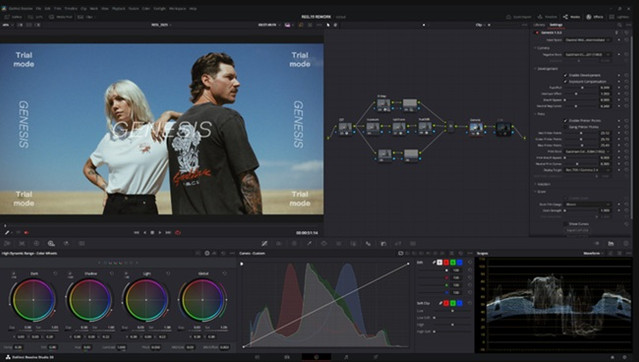
For over 100 years, the photochemical process was the backbone of moviemaking: Light struck emulsion on a strip of film, and that physical reaction created the moving images that defined the twentieth century. Every decade brought new refinements, different manufacturers offered their own film stocks, and Cinematographers learned how to make those stocks work the way they wanted and create unique looks for each project that came their way. Color came along, black and white persisted as an aesthetic choice, and improvements in sensitivity allowed filmmakers to shoot in more diverse environments. By the latter half of the century, filmmakers could choose between reversal and negative film, low-grain daylight stocks,higher-speed tungsten stocks, and a variety of laboratory processes that gave different looks in service of the project at hand. The ENR/Bleach Bypass era from the 80’s to early 2000’s was a notable shift that I still look back on fondly (Se7en, 1984, Saving Private Ryan and Lemminy Snicket come to mind), many consider Technicolor to be the height of “Cinema”, and even some prefer the raw aesthetic of the French New Wave. But today, with Digital Capture being the norm, people have been seeking to return to any number or combinations of those looks to help legitimize their images and evoke a sense of professionalism and boost their production value. Tools like Genesis are designed to get you there accurately with minimal effort, backed by industry experts.

Download

此隐藏内容仅限VIP查看升级VIP

Post Cover

Nomad Sculpt 2.9.22 Win


Info

Title: Nomad Sculpt 2.9.22 Win

Info:

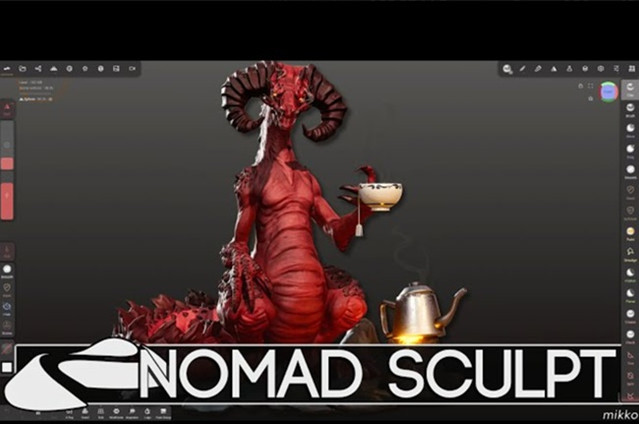
Nomad is a 3d sculpting app that works on many devices, and works best on tablets with a pressure sensitive stylus, eg an Apple iPad and pencil, or a Samsung Galaxy Tab with stylus.

It is inspired by desktop sculpting apps like Zbrush and Blender, with a focus on an easy to understand UI, without sacrificing on features. If you’ve used 3d sculpting apps before, Nomad will feel very familiar.

Download

此隐藏内容仅限VIP查看升级VIP

Post Cover

Duration 2h 7m MP4


Info

Title: Udemy – Create an AI Character Video Series with Google Flow

Info:

What you’ll learn
Plan a short AI character video series with recurring characters, connected scenes, and a simple continuing story.
Create character references and continuity guidelines for appearance, clothing, personality, locations, and recurring details.
Write effective Google Flow prompts for characters, dialogue, action, camera framing, sound, and exclusions.
Configure Google Flow models, aspect ratios, outputs, projects, collections, and credit-confirmation settings.
Evaluate generated footage and decide what to keep, regenerate, selectively edit, mirror, rearrange, or overdub.
Assemble generated clips in a video editor and prepare the finished video for websites, social media, marketing, or storytelling.

This course contains the use of artificial intelligence. The instructor personally plans, demonstrates, narrates, evaluates, and edits every lesson. AI-generated videos are used as practical examples while teaching Google Flow and a human-directed video-production workflow.

Would you like to create realistic AI characters that return from one video to the next—with recognizable appearances, personalities, voices, and stories?

In this practical course, I’ll take you behind the scenes of The Tabbys, my ongoing series of short AI-generated videos featuring two talking cats named George and Maggie.

You’ll see how I turned a simple idea into a recurring character series using Google Flow, character reference images, carefully constructed prompts, and a video editor.

This is not a “write one perfect prompt and everything magically works” course. AI video generation can produce remarkably realistic results, but it can also misunderstand your instructions, change important details, rush the dialogue, create unwanted sounds, or deliver something completely unexpected.

That’s why I’ll show you the real workflow—including what goes wrong.

You’ll learn how to:

Plan a simple story before spending your generation credits

Develop recurring characters and continuity guidelines

Write effective prompts for appearance, dialogue, action, sound, and camera framing

Choose your model, aspect ratio, and number of generated results

Organize your work using projects and collections

Evaluate generated footage and decide what to keep or regenerate

Selectively edit generated scenes inside Google Flow

Mirror footage when useful and overdub dialogue with your own voice

Assemble separate generated clips into one finished video

I demonstrate the final editing process in Camtasia®, which I’ve used for many years. However, Camtasia is not required. The same principles can be used in almost any video editor capable of trimming, rearranging and mirroring clips, and replacing audio.

Although George and Maggie are cats, the workflow is not limited to animal characters. You could use these techniques to create recurring characters and short videos for websites, social media, marketing, digital greeting cards, education, storytelling—or simply for fun.

Google Flow changes frequently, so your screen may not always look exactly like mine. Rather than concentrating only on the location of individual buttons, I’ll teach you the underlying planning, prompting, generation, organization, and editing process.

The results may not always be perfect—but with good planning, effective prompts, and thoughtful editing, they can be perfectly usable.

Google, Google Flow, Gemini, and Veo are trademarks of Google LLC. This independent course is not affiliated with, sponsored by, or endorsed by Google. The Google Flow interface and available features may change over time.

Who this course is for:
Beginners who want a practical introduction to creating AI character videos with Google Flow.
Content creators, website owners, marketers, educators, and storytellers who want to produce engaging short-form videos.
Creators who want to build recognizable recurring characters rather than generate unrelated one-off video clips.
Anyone who wants an honest AI-video workflow that includes planning, prompting, evaluating imperfect results, and selectively editing usable footage.
Camtasia users and users of other video editors who want to assemble AI-generated scenes into complete videos.

Download

此隐藏内容仅限VIP查看升级VIP

Post Cover

Unreal Engine Bundle 9 July 2026


Info

Title: Unreal Engine Bundle 9 July 2026

Info:

Includes:

Arabic_Dock.rar
Bike_Pack_-_Four_motorcycles.rar
City Modular Buildings.rar
Dynamic Combat Text.rar
East_IMV_TigrM.rar
Hittables v1.0.7 (5.6-5.7).rar
Horror Dining Room 5.8.rar
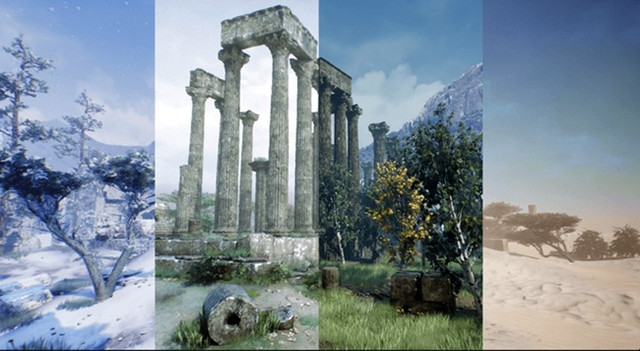
Modular_Ancient_Ruins.rar
modularsoldierbundle-ue-5.4.rar
Simple Controller (Advanced Input Device) Plugin v4.2 (5.7).rar
The Lords Mansion UE5.3+.rar
Ultimate To-Do List v1.6.8 UE5.6-5.7.rar
complete openai plugin v5.6.0 (5.6).zip
complete openai plugin v5.7.0 (5.7).zip
WhiteBoxx LookDev Scene.zip

Download

此隐藏内容仅限VIP查看升级VIP

Post Cover

Duration 31h 28m Project Files Included MP4


Info

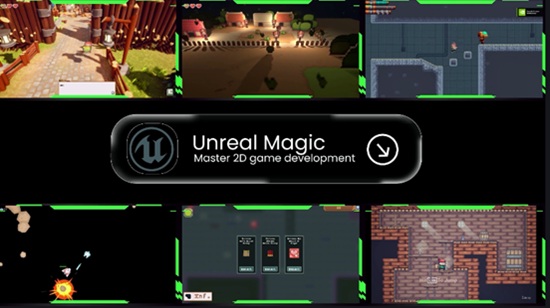
Title: Udemy – Unreal Engine 5 2D Masterclass: Build 5 Complete Games

Info:

What you’ll learn
Build 5 complete 2D games using Unreal Engine 5
Master Paper2D and PaperZD
Create professional UI systems
Build advanced enemy AI with Behavior Trees
Design modular Blueprint systems
Create beautiful visual effects using Flipbooks and Niagara
Design platformer, shooter, top-down, and isometric games
Build pickups, upgrades, and weapon systems
Create bosses, enemies, traps, and projectiles
Design professional game levels
Build reusable game systems for future projects
Structure Unreal Engine projects like a professional developer
Publish portfolio-quality games

Build 5 Complete Unreal Engine 5 Games and Become a Professional 2D Game Developer

Have you always wanted to create your own games but didn’t know where to start?

This course was designed to teach Unreal Engine 5 through real-world projects instead of isolated tutorials.

Rather than creating small demos, you’ll build five complete games, each introducing new mechanics and professional development techniques used in commercial games.

Throughout this course you’ll master Unreal Engine 5’s 2D workflow while building a portfolio that demonstrates real development experience.

You’ll Build

Game 1 – Platformer

Learn the foundations of Unreal Engine 5 for 2D games.

You’ll master

Character movement

Jumping

Double Jump

Coins

Collectibles

Checkpoints

Level transitions

Basic UI

Flipbook animations

Basic VFX

Camera setup

Game 2 – Space Shooter

Create a complete arcade shooter.

You’ll learn

Parent & Child Blueprint architecture

Modular weapon systems

Infinite scrolling backgrounds

Enemy waves

Explosion effects

Engine fire effects

Health systems

Wave UI

Power-ups

Game 3 – Side Scroller Shooter

Move into intermediate Unreal Engine development.

Topics include

Enemy AI

Boss fights

Traps

Weapons

Ammo systems

Health systems

Muzzle flash effects

Explosion effects

Professional UI

Modular architecture

Game 4 – Top Down Shooter

Build an action shooter packed with gameplay systems.

You’ll create

Upgrade systems

Item pickups

Projectile systems

Score system

Inventory concepts

Weapon switching

Health bars

Professional HUD

Advanced gameplay mechanics

Game 5 – Professional Isometric Game

Finish the course by creating a professional isometric game.

You’ll learn

Isometric level design

2D environments

2.5D environments

Hybrid 3D environments

Dialogue systems

Zelda-style health systems

Niagara VFX

Grass cutting effects

Environmental effects

Professional project organization

You’ll Also Master

Paper2D

Create beautiful 2D games using Unreal Engine’s Paper2D framework.

PaperZD

Build advanced animation state machines for professional character animation.

User Interface (UI)

Create modular UI systems including

Health bars

Ammo systems

Score systems

Upgrade systems

Tutorial screens

Game Over screens

Dialogue systems

Wave systems

Visual Effects

Learn both classic sprite effects and Niagara.

Create

Flipbook explosions

Engine fire

Muzzle flashes

Jump effects

Running dust

Leaf particles

Grass cutting effects

Artificial Intelligence

Master AI development using

Enemy movement

Chase behaviors

Behavior Trees

Blackboard

Professional AI architecture

Level Design

Learn professional workflows for creating

Platformer levels

Shooter levels

Infinite scrolling levels

Top-down maps

Isometric environments

Additional Professional Systems

Modular Blueprints

Blueprint communication

Parent & Child Blueprints

Day & Night Cycle

Modular fence system

Pickups

Projectiles

Boss fights

Weapon systems

Camera systems

Optimization techniques

By the end of this course, you’ll have the skills and confidence to create your own professional-quality 2D games in Unreal Engine 5.

What You’ll Learn

Build 5 complete 2D games using Unreal Engine 5

Master Paper2D and PaperZD

Create professional UI systems

Build advanced enemy AI with Behavior Trees

Design modular Blueprint systems

Create beautiful visual effects using Flipbooks and Niagara

Design platformer, shooter, top-down, and isometric games

Build inventory, pickups, upgrades, and weapon systems

Create bosses, enemies, traps, and projectiles

Design professional game levels

Build reusable game systems for future projects

Structure Unreal Engine projects like a professional developer

Publish portfolio-quality games

Who this course is for:
Complete beginners who want to learn Unreal Engine 5
Anyone interested in 2D game development
Unity developers moving to Unreal Engine
Indie game developers
Students wanting to build a professional game development portfolio
Developers who want to master Paper2D and PaperZD
Unreal Engine users looking to specialize in 2D games
Download

此隐藏内容仅限VIP查看升级VIP

Post Cover

Duration 1h 47m MP4


Info

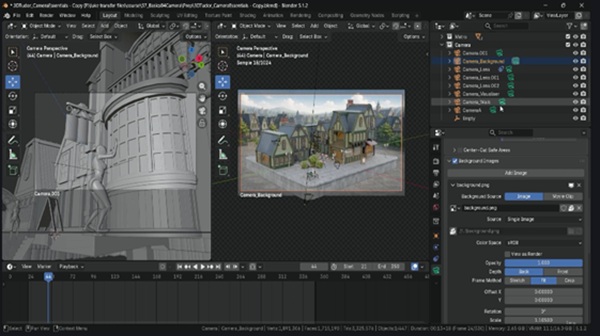
Title: Udemy – Blender Essentials: Camera Basics

Info:

What you’ll learn
Create, organise, rename, lock and switch between multiple cameras in Blender with confidence.
Control focal length and camera distance to shape perspective, distortion, depth compression and mood.
Build perspective, orthographic, isometric and architectural camera views for technical and stylised renders.
Compose stronger shots using rule of thirds, golden ratio, diagonals, safe areas, lens shift and overlays.
Guide the viewer’s eye with depth of field: focus objects, f-stop, aperture blades, bokeh and miniature effects.
Frame square, 16:9 and vertical-safe outputs for thumbnails, videos, social posts and presentations.
Match camera background references and export transparent RGBA PNGs ready for external compositing.
Render faster in Cycles and Eevee and troubleshoot blank renders, clipping, focus and active-camera issues.

Your model can be detailed, your materials strong, and your lighting polished — but if the camera is weak, the final image still falls flat. Blender Essentials: Camera Basics is built to fix exactly that.

Across 10 focused lessons, you’ll take full control of Blender’s camera system and use it to present your work with clearer composition, stronger perspective and more deliberate visual storytelling. Instead of testing settings in an empty file, you’ll work inside a supplied, fully built Victorian street environment — architecture, streets, props, foliage, lighting and posed mannequin characters ready from the start, giving you real subjects and real composition problems to solve.

You won’t just learn where the camera settings live. You’ll learn what they change, why they matter, and how to combine them into a repeatable workflow you can reuse for portfolio renders, thumbnails, course videos, architectural shots, isometric scenes and cinematic presentation.

What you’ll master

Create, organise, rename, lock and switch between multiple cameras with confidence

Frame square, widescreen and vertical-safe compositions for any platform

Control how focal length and camera distance change distortion, compression, scale and mood

Use composition guides, safe areas, overlays, lens shift and camera visualisers to make deliberate choices

Build perspective, orthographic, architectural, isometric, close-up and miniature-style shots

Guide attention with depth of field, focus objects, f-stop, aperture blades and bokeh

Match camera background references and export transparent PNGs for compositing

Aim cameras with Track To constraints and navigate scenes with walk and fly mode

Prepare, preview, render and troubleshoot outputs in Cycles and Eevee with practical GPU settings

Practise on a real, finished scene

The included Victorian street scene gives you instant foreground, midground and background layers, architectural lines, props, lighting, foliage and character interactions to frame. You’ll create wide establishing shots, close-ups, top-down views, architectural compositions, character-led frames, isometric renders and depth-of-field studies — so every technical setting is tied to a visible result you can see on screen.

Fix the problems that stop a render working

The final lesson tackles the issues that quietly waste production time: missing objects, broken depth of field, clipping, the wrong active camera, local-camera confusion, blank render results and hidden elements — plus Cycles and Eevee, GPU Compute, OptiX and CUDA, denoising, sample counts, render regions, exposure and colour management.

Included with the course

A prebuilt Victorian-style Blender scene: buildings, streets, props, foliage, materials, lighting and posed mannequin characters

A prepared background PNG reference for practising reference-matching and transparent output

Who this course is for

Blender users comfortable with basic viewport navigation but new to cameras; environment artists chasing stronger portfolio renders; course creators and YouTubers making thumbnails, demonstrations and camera-based videos; and anyone who struggles with framing, focal length, camera switching, depth of field or inconsistent render output.

No prior camera, photography or composition experience is required — just a basic grasp of moving around the Blender viewport. Both Cycles and Eevee workflows are covered, including GPU setup and preview optimisation.

Your work deserves more than a default camera angle. Enrol now and learn to present every scene with clearer composition, stronger perspective and professional control.

Happy modelling, everyone.
Neil | 3D Tudor

Who this course is for:
Blender users who understand basic viewport navigation but are new to cameras.
Environment artists who want stronger portfolio renders and presentation images.
Course creators and YouTubers producing thumbnails, demonstrations or camera-based videos.
Artists creating architectural, isometric, cinematic or character-led scenes.
Anyone who struggles with framing, focal length, camera switching, depth of field or inconsistent renders.


Download

此隐藏内容仅限VIP查看升级VIP