归档

All posts by 3dani

Post Cover

Duration 4h Project Files Included MP4


Info

Title: Gumroad – Learn to Draw Robots & Mecha – An Essential Course

Info:

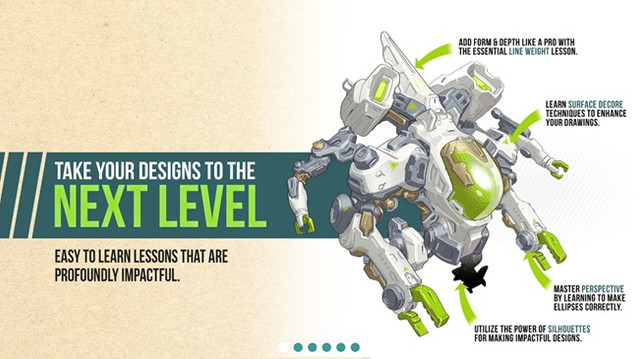
Dive Into the world of drawing robots with Len Nicholas (Toyagogo)!

I’m Len Nicholas, also known as Toyagogo, and I’m thrilled to introduce my latest drawing course on Robots & Mechanical Design!

With 19 years as a freelance concept designer and illustrator in the toy, film, and gaming industries, I’ve worked with top clients like Ubisoft, Hasbro, and Silvergate Studios.

As you might guess, I’m passionate about robots.

Designed for EVERYONE!

This course is designed for both beginners and seasoned professionals, you’ll easily learn powerful techniques that will take you to the next level.

This drawing course goes beyond the typical online art class. It focuses on essential, often overlooked lessons that are crucial for reaching a professional level. This clear, direct course cuts through the fluff, equipping you with the skills to create standout designs that will turn heads.

What will you learn?

If you complete my course you will walk away with these amazing skills:
Mastering foundational skills to give your designs depth and realism.
Transforming basic shapes into intricate mechanical parts.
Adding simple details that enhance character in your drawings
Learn to use line weight that is critical for form and depth, like a pro.
Utilize the power of silhouettes for memorable design.
Simple to learn techniques for texture and realism.

Download

此隐藏内容仅限VIP查看升级VIP

Post Cover

Duration 41h 38m Project Files Included MP4


Info

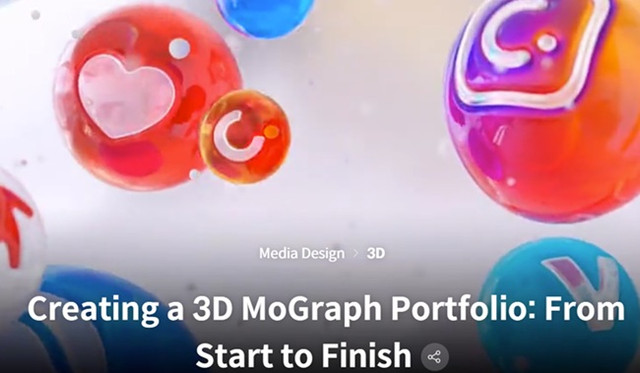
Title: Coloso – Creating a 3D MoGraph Portfolio – From Start to Finish

Info:

Audio: Korean
Subtitle: English

Establish a solid motion graphics plan through efficient preparation
Learn how to plan, select and use references, and create pre-vis to produce high-quality motion graphics. Understand what processes are necessary and experience the entire process of producing high-quality motion graphics.

Develop design and animation skills using various examples
You will understand the various animation design processes applied to 19 shots and learn how to use them yourself. Learn about essential planning, composition, design, and motion, and apply them to your own motion graphics video.

A variety of C4D techniques that are highly useful in practical and personal work
To help you become a competitive designer in the motion graphics industry, which increasingly requires more skills, you will learn various techniques that can be applied to practical and personal work.

Download

此隐藏内容仅限VIP查看升级VIP

Post Cover

Duration 10h Project Files Included MP4


Info

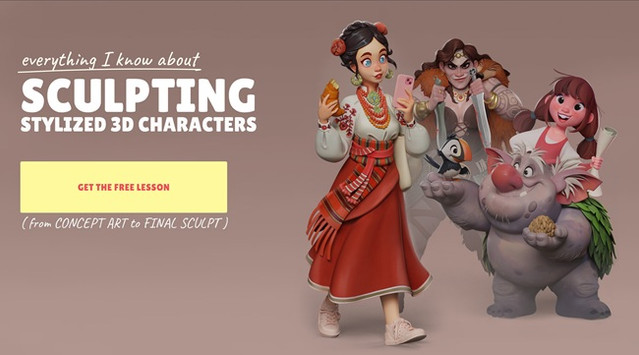
Title: Stylized 3D Characters – Everything I Know About Sculpting Stylized 3D Characters

Info:

The essential art basics every stylized character artist should understand — as well as a chance to experience the overall tone, pacing, and teaching style of the course.

APPEAL
You’ll learn how to create memorable and authentic characters through artistic fundamentals and the art of subtlety

ACCURACY
You’ll learn how to analize the concept art and use intentional design desicions to create sculpts as close to the original concept as possible

Where artistic direction meets education.
Built like a course. Edited like a film.

Software : ZBrush

Download

此隐藏内容仅限VIP查看升级VIP

Post Cover

Unreal Engine Bundle 8 July 2026


Info

Title: Unreal Engine Bundle 8 July 2026

Info:

Includes:

Breakable Glass 2.rar
Horror Sound Pack.rar
Human Vocalizations.rar
Immersive Dark Ambient Music Pack.rar
Lowpoly Style Desert Pack.rar
Lowpoly Style Forest Pack.rar
Lowpoly Style Tropical Pack.rar
Lowpoly Style Winter Environment.rar
Lowpoly Style Woodlands Pack.rar
Magician x27 s Library Environment and VFX Pack.rar
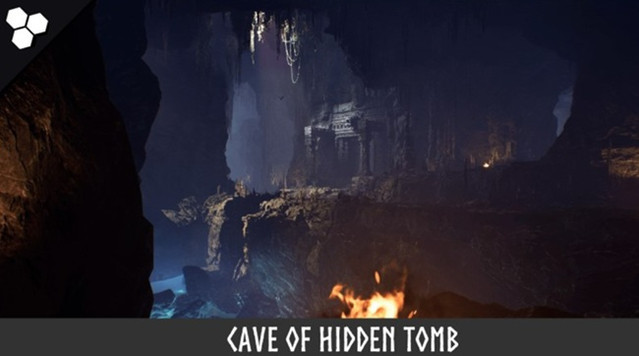
Modular_Cave.rar
Motel Room Interior Environment UE5.3+.rar
Nanite Tall Grass v1.rar
SmartSharpen.rar
Sofas and Pillows Vol. 1.rar
Stylized Forest Environment ( Stylized Stylised Forest Forest Forest Low Poly ) (April 6 2026).rar
v1.0.3UE5.3BlueprintAttributes.rar
v1.0.3UE5.4BlueprintAttributes.rar
v1.1.1UE5.6BlueprintAttributes.rar
v1.2.1UE5.8BlueprintAttributes.rar
VERA – Virtual Engine Reasoning Agent v1.0 UE5.7-5.8.rar
Loft_lamps_Set.zip
ModernBedroom.zip
Sci-Fi_Shotgun.zip
v1.0.2UE5.1BlueprintAttributes.zip
v1.0.2UE5.2BlueprintAttributes.zip
v1.0.4UE5.5BlueprintAttributes.zip
v1.1.1UE5.7BlueprintAttributes.zip

Download

此隐藏内容仅限VIP查看升级VIP

Post Cover

Duration 7h 16m Project Files Included MP4


Info

Title: Udemy – Learn Unreal Engine 5.8 – Complete Cinematic & 3D Animation

Info:

What you’ll learn
Create realistic 3D environments in Unreal Engine 5.8 from scratch.
Design landscapes, roads, lakes, trees, rocks, and foliage.
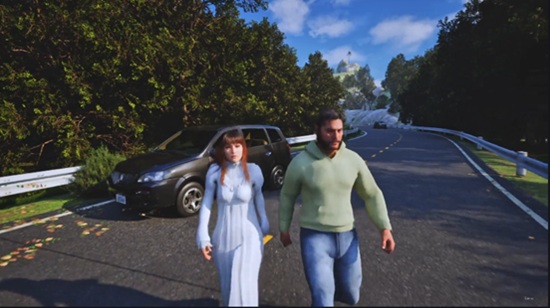
Create and animate MetaHuman characters and retarget Mixamo animations.
Add background characters, animal animations, cars, and boats to your scenes.
Improve scenes with lighting, shadows, fog, and cinematic cameras.
Enhance videos with color grading, sound effects, and background music

This course contains the use of AI-generated assets and AI-assisted tools for educational purposes. All content has been reviewed, edited, and explained by the instructor to provide the best learning experience.

Welcome to the Unreal Engine 5.8 Complete Course: Environment, MetaHumans, Animation & Cinematics.

Have you always wanted to create beautiful 3D environments, realistic character animations, and cinematic videos in Unreal Engine? This course is designed to help you learn everything from the ground up. Whether you’re a complete beginner or have some experience with Unreal Engine, you’ll learn by building real projects step by step.

We’ll begin with the basics of Unreal Engine 5.8, including the interface, viewport navigation, Content Browser, Fab Library, plugins, and project settings. Once you’re comfortable with the basics, you’ll start creating a complete cinematic environment from scratch.

You’ll learn how to create realistic landscapes, roads using splines, lakes with the Water System, mountains, trees, rocks, plants, and foliage. You’ll also add atmosphere to your scenes using realistic fog, lighting, shadows, and landscape materials to achieve a professional look.

Next, we’ll move on to character animation. You’ll create MetaHuman characters, retarget Mixamo animations, animate characters, create eye contact, facial animations, and lip sync. You’ll also learn how to add background characters, animate animals, and bring your entire scene to life.

To make your cinematic even more exciting, you’ll create realistic car driving sequences, boat animations, and smooth cinematic camera movements. Finally, you’ll learn how to render high-quality videos using Movie Render Queue, improve your visuals with color grading in DaVinci Resolve, add sound effects and background music, and export your final cinematic movie.

What you’ll learn:

Unreal Engine 5.8 from beginner to advanced

Create realistic landscapes and environments

Build roads, lakes, mountains, trees, and foliage

Create and animate MetaHuman characters

Retarget Mixamo animations

Facial animation, eye contact, and lip sync

Add background characters and animal animations

Create cinematic car and boat animations

Lighting, shadows, fog, and scene optimization

Camera cuts and cinematic storytelling

Movie Render Queue for high-quality rendering

Color grading, sound effects, and final video export

By the end of this course, you’ll have the skills and confidence to create your own professional-quality cinematic scenes in Unreal Engine 5.8 and build projects that you can showcase in your portfolio, YouTube channel, or freelance work. Start learning today and bring your creative ideas to life!

Who this course is for:
Beginners who want to learn Unreal Engine 5.8 from scratch.
Blender, Maya, or 3D artists who want to create cinematic scenes in Unreal Engine.
Students interested in environment design, animation, and filmmaking.
Game developers who want to improve their cinematic and storytelling skills.


Download

此隐藏内容仅限VIP查看升级VIP

Post Cover

Autodesk 3ds Max 2027.2 Win


Info

Title: Autodesk 3ds Max 2027.2 Win

Info:

Autodesk 3ds Max, formerly 3D Studio and 3D Studio Max, is a professional 3D computer graphics program for making 3D animations, models, games and images. It is developed and produced by Autodesk Media and Entertainment. It has modeling capabilities and a flexible plugin architecture and must be used on the Microsoft Windows platform. It is frequently used by video game developers, many TV commercial studios, and architectural visualization studios. It is also used for movie effects and movie pre-visualization. 3ds Max features shaders (such as ambient occlusion and subsurface scattering), dynamic simulation, particle systems, radiosity, normal map creation and rendering, global illumination, a customizable user interface, and its own scripting language.

Download

此隐藏内容仅限VIP查看升级VIP

Post Cover

Autodesk Maya 2027.2 Win


Info

Title: Autodesk Maya 2027.2 Win

Info:

Autodesk has released Maya 2027, the next major version of its 3D modeling and animation software for visual effects, games and motion graphics work.

The update adds features throughout Maya’s key toolsets, including 3D modeling, look development, character rigging, animation, simulation and rendering.

Highlights include the new Smart Bevel system, the integration of skinning add-on ngSkinTools, and support for surface tension in Bifrost liquid simulations.

There are also new AI-based features, including an experimental AI assistant, and support for animating horses with generative AI animation system MotionMaker.
3D modeling: Smart Bevel produces clean bevels on messy topology
Changes to Maya’s core toolsets include new bevel-generation system Smart Bevel.

Unlike Maya’s existing Bevel command, it follows the shape of the mesh rather than its underlying topology, producing better results on meshes with uneven edge spacing.

Download

此隐藏内容仅限VIP查看升级VIP

Post Cover

Red Giant 2026.5.0 Win


Info

Title: Maxon Red Giant 2026.5.0 Win

Info:

What’s New
Zoom and Aspherical Lens Support in Real Lens Flares.
Zoom lenses actually zoom now! There’s no more limitation of having to select different individual static focal lengths. All zoom lenses now include a Zoom slider, so you can dial in the exact look you want and even animate the focal length. Aspherical lenses are also now supported, significantly expanding our lens model library to include more modern and cinematic lenses. 44 new lens presets accompany this release.
Trapcode Particular # of systems options.
To help with Particular load and reset times, we have added a preference option to set your maximum number of particle systems that Particular loads with. Options include 2, 4, 8, and the full 16 maximum systems. The lower the number, the faster Particular will load and reset. Note that this preference setting affects all instances of Particular in all projects and requires a restart of After Effects to take effect.
See this FAQ for more information.
Spanish Language Support!
We are excited to expand our native language support to Spanish with this release! All Red Giant plugins will now appear in Spanish for any supported host set to that language.
Bug fixes
Fixed an issue in Particular’s Light Emitters that caused a crash in the French version of After Effects.
Fixed an issue in Studio where controls were missing after modifying a capsule.
Fixed an issue in Studio that could cause slow performance and slow loading.
Fixed an issue in Studio where capsule details get lost when editing a field.
Fixed an issue in Studio where the tree navigation options need a hover state.
Fixed an issue in Studio where an icon’s color in tree navigation should match the color of the text.
Fixed an issue in Studio where the information Bubbles did not work.
Fixed an issue in Studio where sorting vertical capsules was broken.
Fixed an issue in Studio where applying VFX tools from Studio with no comp or solid
Fixed an issue in RLF where the sample quality dropdown returned the wrong value.
Fixed an issue in RLF where gate flare happens even with the light source pointed away.
Fixed an issue in Depth Generator where the mp4 file framerate from render to comp was not accurate.
Fixed an issue in Universe where clicking Choose Preset caused long loading time for Studio.
Fixed an issue in Universe Array Gun with Effector Shape 2 preset mismatch
Fixed an issue in Universe HUD Components where the HUD Radar Preset segment angle option is broken when set to <= 2.0
Fixed an issue in Universe Luster where the reflection map was broken.
Fixed an issue in Supercomp where time-reversed layer rendered black.

Download

此隐藏内容仅限VIP查看升级VIP

Post Cover

Duration 5h 31m Project Files Included MP4


Info

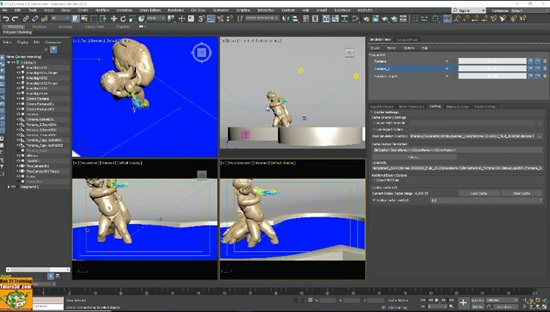
Title: Udemy – 3ds Max Fluid Simulation with Bifrost

Info:

What you’ll learn
3ds Max Integrated Fluids with Bifrost.
Rendering Fluids in Arnold and Vray.
Creation of Foam and Various Types of Liquids.
Simulation Data Management through Cache.

3ds Max Fluid Simulation with Bifrost

Topics: analysis of the simulation of liquids, simulation and practical exercises, study of the dynamic forces applied to liquids. Render settings for Arnold and Vray, foam management and its options, viscous liquid analysis, new Tools Fluid Loader. Management of the Cache and Mesh generated by the liquids. Use of Motion Fields, Masks and Tips for Scene settings.

Attached to the lessons are available the 3ds max 2019 and higher compatible exercise files.

Note: the exercise files are attached to lesson 3: Creating the Liquid

Updates: Compatible exercise files for 3ds max 2018 and 3ds max 2020 and above have been attached.

Your instructor:

He graduated from the Brera Academy of Fine Arts, graduated from the high school of art applied to industry at the Castello Sforzesco in Milan, graduated from the Liceo Artistico Primo in Milan, specialized in advertising and architectural illustration, and specialized in the creation of video courses for 3ds max, Twinmotion, AI Art, 3D content creation and Beta Tester for 3ds max.

With twenty years of experience in the use of software for modeling, rendering, animation and Fx, it was the first Italian company to create video courses dedicated to rendering and subsequent productions, today reaching more than 5000 video lessons, distributed on the most important international 3D graphics sites

Who this course is for:
Architects, Surveyors, Designers, Students, Teachers, 3D Artists.

Download

此隐藏内容仅限VIP查看升级VIP

Post Cover

Duration 45m MP4


Info

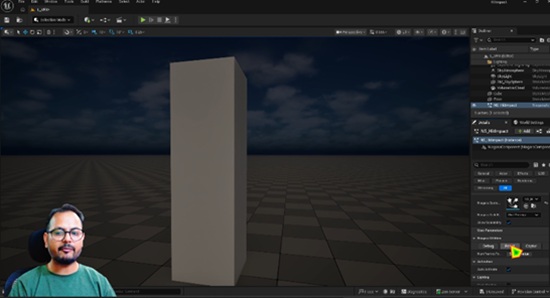
Title: Udemy – Learn Stylized Game VFX in Unreal Engine 5: Hit Impact

Info:

What you’ll learn
Create a highly optimized, game-ready hit impact visual effect from scratch using UE5 Niagara.
Author custom dynamic materials in Unreal Engine and procedural textures in Photoshop for real-time particles.
Master core Niagara modules including Spawn Bursts, Sprite Size over Life, and velocity-oriented stretching trails.
Apply professional optimization techniques to keep particle limits and shader instruction counts mobile-friendly.

Learn to build a professional, high-energy stylized hit impact effect completely from scratch using the brand-new Unreal Engine 5.7 pipeline. This step-by-step tutorial breaks down the exact workflow used to create punchy combat visual effects while keeping your game running at maximum performance. Whether you are aiming to enhance a personal project or build production-ready assets for professional gaming environments, this curriculum provides a clear, actionable path to mastering advanced real-time particle mechanics.

Throughout this comprehensive 15-step course framework, you will dive deep into creating stunning real-time game art without causing unwanted engine lag or processing spikes. We will start by designing custom grayscale textures from a blank canvas in Adobe Photoshop to establish a strong artistic foundation. From there, we will transition into Unreal Engine 5.7 to build highly optimized unlit translucent master materials that leverage advanced alpha texture erosion networks.

Finally, we will bring the entire effect to life inside the Niagara simulation system by structuring instant core flash bursts, dynamic sizing expansion curves, and velocity-oriented spark debris trails. You will also learn the precise professional techniques required to profile your particle instruction count bounds, ensuring the system remains completely mobile-friendly. By the end of this training program, you will know exactly how to integrate this high-performance visual effect setup directly into Blueprints for live gameplay implementation.

Who this course is for:
Aspiring and intermediate Game VFX Artists looking to learn professional real-time particle workflows.
Download

此隐藏内容仅限VIP查看升级VIP