Collection

Post Cover

Duration 19h 59m Project Files Included MP4


Info

Title: Udemy – Unreal Engine 5.8 C++ Multiplayer First Person Shooter

Info:

What you’ll learn
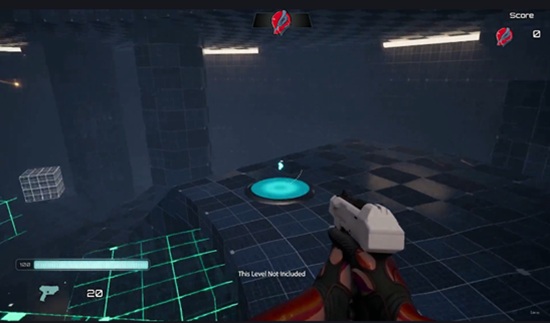
⚡ Create a fully-functional, multiplayer First Person Shooter game in Unreal Engine 5.8
⚡ Implement multiplayer shooter gameplay that works on Dedicated and Listen Servers
⚡ Program with a data-driven approach, making use of Data Assets and Gameplay Tags for modular architecture
⚡ Create a solid gameplay framework that adheres to software best practices

Requirements
❗ Experience creating C++ projects in Unreal Engine
❗ Knowledge of multiplayer is recommended, but not required

Description
In this course, you will learn how to program a multiplayerFirst-Person Shooterfrom scratch using industry best practices. This project scales to AAA quality competitive games, but also works for small indie games and single-player shooters.

With ourdata driven approach, we will create ascalableshooter game project designed to be extended with new capabilities and weapon types by changing adding assets and data, but not needing to alter existing code. Data assets store animations and montages, icons and UI messages, and our code references them efficiently with Gameplay Tags.

An asset pack is provided for this course, including all meshes, animations, weapons, sounds, Niagara system FX, and icons we will be using throughout the course. No need to find free assets or retarget animations.

In this course, you will learn

✨ How to set up first and third-person meshes for first-person shooters in multiplayer

✨ Setting up Enhanced Input for handling locomotion as well as shooter-specific inputs like firing, reloading, cycling, and aiming

✨ Creating a weapon inventory with weapon cycling, designed for any number of weapons. Rifle and Pistol meshes are provided

✨ CreatingData Assets for efficiently organizing animations and montages that our character Animation Blueprints reference to easily blend to the correct pose based on the current weapon

✨ Creating a full-fledged Animation Blueprint for both first and third person meshes, with aim offsets, hand IK, strafing, jumping, crouching, and turn-in-place with orientation warping. All animations are provided.

✨ Implementing Client-Side Prediction for Ammo, retaining server-side authority while keeping the client-side experience responsive and instantaneous

✨ Implementing weapon aiming, with aim animations and field-of-view zooming and look-sensitivity adjustment

✨ Weapon firing in multiplayer for both automatic and semi-auto fire

✨ Weapon fire effects, including muzzle flashes, impact particles, weapon trails, bullet hole decals, and dynamically-changing effects based on the physical surface hit (concrete, glass, character). Weapon fire sounds and weapon animations and shell-eject particles.

✨ UI displaying health, ammo, reserve ammo, and player score.

✨ Dynamically-changing reticles that switch per weapon, animated with dynamic material instance parameters. Reticles expand, shrink and morph, and change color with weapon fire, aiming, and targeting other players

✨ Reloading weapons, adding ammo with ammo pickups, automatic reload when emptying the weapon, picking up ammo with an empty weapon, and swapping to an empty weapon

✨ Causing damage, detecting head shots, implementing player elimination and respawning

✨ Collecting player stats and displaying UI messages in response to special elims, including

✨ Gaining and losing the lead, and tying the leader.

✨ First blood (getting the first elimination)

✨ Showstopper (ending someone’s spree)

✨ Elim streak

✨ Spree

✨ Dethrone (eliminating the leader)

✨ Revenge (eliminating the last person who defeated you)

✨ Sequential (double elim, triple elim, etc)

✨ Headshot elim

✨ Collecting stats such as hits and missed shots, elims, and defeats

The project we create in this course works on

✨ Dedicated Servers

✨ Listen Servers

✨ Single-player, standalone mode

This course is the culmination of over a decade of heavy Unreal Engine C++ multiplayer experience. It is programmed according to the SOLID software design principles and architected for modularity and scalability.

This course assumes you already understand C++ and have created C++ projects in Unreal Engine. Knowledge of Unreal Engine multiplayer concepts is a plus, but not required. If you’ve taken my Multiplayer C++ CRASH COURSE, you are prepared for this course.

Who this course is for
⭐ Unreal Engine developers who are ready to learn multiplayer shooter development
⭐ Devs who want to understand the nuances of competitive, multiplayer gameplay
⭐ Devs who want to make and publish their own shooter games
⭐ Industry professionals who want to sharpen their multiplayer programming skills

Download

此隐藏内容仅限VIP查看升级VIP

Post Cover

Unreal Engine Bundle 2 July 2026


Info

Title: Unreal Engine Bundle 2 July 2026

Info:

Includes:

Bike_Engine_Sounds.rar
Dark Knights Pack UE5.0+.rar
Egyptian Gods Pack UE5.4+.rar
Goblins Modular UE4.26+.rar
JobsiteVOL15_TechAndDataUE51.rar
Low_Poly_Modular_Weapon_System.rar
Shovel_Pitchfork_Tools.rar
StoresVOL3_JewelryAndWatchesUE51.rar
Stylized_Paris_Street.rar
BuildingsVOL17_RooftopsUE51.tgz
BuildingsVOL18_MoreDoorsUE51.tgz
DOCKS_VOL4_AlbertDocksUE54.tgz
DOCKS_VOL5_LagunaDockUE54.tgz
FoliageVOL52_PostOakTreeUE51.tgz
IndustrialVOL4_ControlConsolesUE51.tgz
JobsiteVOL16_SecurityUE51.tgz
Retro80sVOL5_MOREToys&GamesUE51.tgz
Retro80sVOL6_HouseholdProductsUE51.tgz
ROADSIDE_VOL4_TrafficLightsUE51.tgz
ROADSIDE_VOL5_ElectricPolesUE51.tgz
StoresVOL4_DisplaysAndCountersUE51.tgz
SuburbsVOL26_HouseExteriorYardUE51.tgz
SuburbsVOL28_MOREVendingUE51.tgz
SuburbsVOL29_MOREAroundTheHouseUE51.tgz
SuburbsVOL31_MoreBathroomsUE51.tgz
THE_LIGHTHOUSE_UE53.tgz
WorldTravelVOL4_AsianMarketUE51.tgz
Bakerman_v1.2_UE_5.3.zip
Multiwindow50.zip
Multiwindow51.zip
Multiwindow52.zip
Multiwindow53.zip
Multiwindow54.zip
Multiwindow55.zip
Multiwindow56.zip
Multiwindow57.zip
ObjectivePathLocatorWaypointSystem_5.7_.zip
SwitchPersonCharacterSwitchingSystem_5.5_.zip

Download

此隐藏内容仅限VIP查看升级VIP

Post Cover

Rebelway – Vex For Houdini Artists 2024


Info

Title: Rebelway – Vex For Houdini Artists 2024

Info:

THE ULTIMATE GUIDE TO WRITING VEX CODE USING HOUDINI.
In this course, you’ll learn how professional VFX artists utilize VEX coding to enhance their FX work.

Master VEX and get a deeper understanding of Houdini, with a course that is perfect for anyone wanting to take their knowledge to the next level.

Covering programming concepts, logic, algorithms and more, you’ll learn how to not only create advanced, unique effects, but also understand when to use them in a real-world environment.

After learning all of the content in this course, you will be able to approach difficult and challenging problems with a new perspective, carrying the lessons learned into new territory with ease.

Download

此隐藏内容仅限VIP查看升级VIP

Post Cover

KStudio – 3ds Max Project Manager 4.00.70 Win and Ripple Pro 1.0


Info

Title: KStudio – 3ds Max Project Manager 4.00.70 Win and Ripple Pro 1.0

Info:

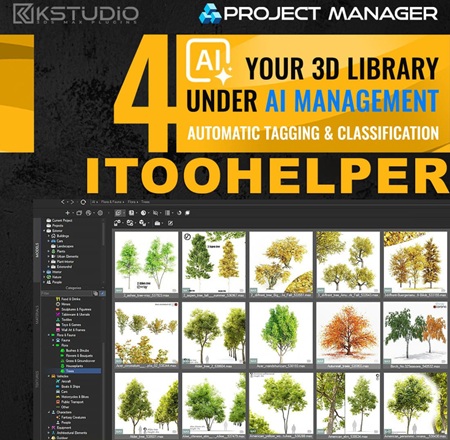
Managing assets is often the most time-consuming part of any 3ds Max project—accessing, organizing, and creating scenes along with Models, Materials, Textures, IES lights, Proxies, and more can quickly eat up hours.
Project Manager from Kstudio streamlines every step. A local AI engine classifies your models and textures automatically—no manual tagging—while colour search and Find Similar let you locate any asset in seconds.
Browse with simple folder navigation and open ZIP/RAR/7Z archives like folders.
Drag & drop Assets into your scene or paint objects directly onto surfaces; and preview Materials, IES lights and BVH animations in real time.
Its interactive search lets you find 3D Assets by name, description, categories—or by colour and visual similarity. Batch tools enable automated image conversion, batch renaming files, links and materials and render-and-relink workflows.
An API lets you extend Project Manager with custom scripts and add-ons, customize the interface and define your own keyboard shortcuts for unmatched flexibility.
For team collaboration, Network Database Sync is supported to synchronize your catalog structure (folder trees and metadata) across users and workstations.
Everything runs locally—no subscription.

*************************************************************************************************************************************

Ripple Pro — a modern water-ripple modifier for 3ds Max

The stock 3ds Max Ripple modifier hasn’t changed in decades — a single sine wave on a flat plane. Ripple Pro is a ground-up replacement: a complete ripple, wake, and rain toolkit.

It installs as a native modifier and works the way you’d expect — drop it on your geometry, dial it in, done. The difference is what’s underneath: five different ripple sources, two evaluation modes, a wave-equation simulation, procedural rain with splashes and beads, and the performance and caching to take it from viewport to final render.

Download

此隐藏内容仅限VIP查看升级VIP

Post Cover

Duration 13h 56m Project Files Included MP4


Info

Title: Udemy – Marvelous Designer Mastery: Beginner to Advanced

Info:

What you’ll learn
Create professional 3D garments from scratch using Marvelous Designer
Understand core pattern-making, sewing, and simulation workflows
Design realistic clothing such as shirts, pants, jackets, and complex outfits
Control fabric behavior and achieve realistic cloth simulation results
Build clean, production-ready clothing suitable for games, animation, and portfolio
Export garments properly for use in Blender, Maya, or rendering engines
Complete a full clothing project from concept to final output

Become a professional Marvelous Designer artist and master the complete workflow from concept to final presentation.

This 13+ hour project-based course takes you from absolute beginner to advanced level inside Marvelous Designer. You will not only learn the tools, but also the real production workflow used in the industry.

You will learn how to create accurate pattern-based garments, design both with and without patterns using creative techniques, manage complex scenes, and export your garments for texturing and rendering in Blender and Substance 3D Painter.

Course Structure

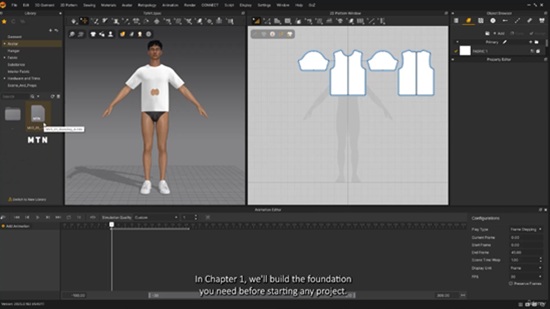
Chapter 1 – Introduction & Core Knowledge (4 hours)

Understanding the interface, tools, simulation system, pattern logic, fabric settings, internal lines, and essential theory behind garment creation.

Chapter 2 – Everyday Clothing Project (4 garments)

T-Shirt – Full pattern creation and detailing
Pants – Pattern making and fabric setup
Cargo Pants – Advanced pattern logic and layering
Bra – Designed without pre-made patterns, including lace and mesh fabric usage

Chapter 3 – Sci-Fi Outfit Workflow

Designed in Marvelous Designer → textured and rendered in Blender.
Extra workflow: textured again in Substance 3D Painter for full production pipeline understanding.

Chapter 4 – Freestyle Design + Animation

Garment created from imagination without predefined pattern. Includes character walk cycle and dynamic animation rendering in Blender.

Final Project – Lolita Dress (Technical Focus)

A complex garment design focusing on optimization, workflow management, and production techniques. (No final render, focus on technical execution.)

What You Will Learn

Complete pattern-based and creative garment design

Fabric simulation and optimization techniques

Export workflows (Marvelous Designer → Painter → Blender)

Character animation integration

Advanced scene management

Real production techniques used in fashion, character design, and game development

Software Used

Marvelous Designer 2025

Blender

Substance 3D Painter

DAZ Studio

Ideal For

Artists in:

Character design

Fashion and clothing simulation

Game development and animation

3D concept art

Final Note

Master professional garment creation and build a real production-ready workflow from start to finish.

Who this course is for:
Beginners who want to start learning 3D clothing design from scratch
3D artists and character artists who want to improve their clothing skills
Game developers and character designers looking to create realistic outfits
Fashion designers who want to transition into digital and 3D fashion design
Freelancers who want to offer professional clothing creation services
Anyone interested in creating realistic digital garments for animation or portfolio

Download

此隐藏内容仅限VIP查看升级VIP

Post Cover

Duration 3h 35m Project Files Included MP4


Info

Title: Udemy – Autodesk Civil 3D-Bridge Modeling & Construction Workflow

Info:

What you’ll learn
⚡ Model complete bridge projects in Autodesk Civil 3D using a real-world engineering workflow from start to finish
⚡ Learn not only how to model a bridge, but also how a bridge is actually built, following the real construction sequence from foundation to superstructure
⚡ Transform 2D bridge drawings into accurate 3D models while understanding the purpose of every structural element in the construction process
⚡ Understand the complete bridge construction sequence from foundation works to superstructure installation
⚡ Apply industry best practices used by professional civil engineers on real infrastructure projects

Requirements
❗ Having basic knowledge of engineering and construction concepts is an advantage, but this course also provides an opportunity for beginners to learn these topics
❗ To complete the exercises, you are required to have a laptop and access to the educational, commercial, or trial version of the Civil 3D software.

Description
Dont focus only on Civil 3D software tools courses. This course goes far beyond that.

In this course, you will not only learn how to create a professional 3D bridge model in Autodesk Civil 3D, but also understand how a real bridge is constructed in the field. By working with real engineering drawings from an actual bridge project, you will see how every bridge component is modeled and how it fits into the overall construction process.

This course is designed to bridge the gap between Civil 3D software skills and practical bridge engineering. Instead of simply clicking commands, you will understand why each bridge element exists, how it is constructed, and how engineers transform 2D drawings into a complete 3D bridge model.

Throughout the course, you will model major bridge components step by step, including

• Pile Foundations
• Pile Caps
• Bridge Piers
• Pier Caps
• Abutments
• Bridge Girders
• Approach Roads
• Other Structural Bridge Elements

Unlike traditional software courses, this training follows the actual construction sequence of a bridge. As you build the model, you will also learn how the bridge is built—from the first foundation works to the completed superstructure.

By the end of this course, you will be able to

✓ Create professional bridge models in Autodesk Civil 3D from real engineering drawings.

✓ Convert complex 2D bridge plans into accurate 3D models.

✓ Understand the complete bridge construction workflow and the purpose of every structural component.

✓ Improve your Civil 3D skills through a real infrastructure project instead of simple practice exercises.

✓ Apply practical knowledge that can be used in engineering companies and infrastructure projects.

Whether you are a civil engineer, Civil 3D user, BIM professional, engineering student, or infrastructure designer, this course will help you develop practical skills that combine software knowledge with real-world bridge construction experience..All lessons in this course are delivered with high-quality AI voice narration.

If you want more than just another Civil 3D tutorial—and want to understand how professional bridge projects are modeled and built—this course is for you.

Who this course is for
⭐ Civil engineers who want to develop modelling skills in Autodesk Civil 3D
⭐ Civil 3D users who want to learn how to create realistic bridge models from engineering drawings
⭐ Students and graduate engineers interested in bridge engineering and construction workflows
⭐ Engineers who want to understand both bridge modeling and the real construction sequence through a real project

Download

此隐藏内容仅限VIP查看升级VIP

Post Cover

Duration 16h 39m Project Files Included MP4


Info

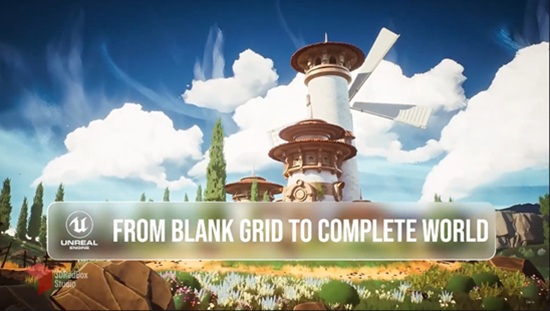
Title: Udemy – Unreal Engine 5 Stylized Landscape: Concept to Render

Info:

What you’ll learn
Understand what stylized art really means and how it differs from realistic — in form, shape, and materials
Model, sculpt, and blockout environments directly inside Unreal using Modeling Tools (Poly, Tri, Transform/Gizmo) — no external software needed
Analyze a reference board, plan your scene, set project scale, and build a full blockout phase by phase
Build a 4-layer landscape master material with paintable layers and layer-based mesh scatter
Use Runtime Virtual Texture (RVT) to blend grass and foliage naturally into your terrain
Create stylized foliage — grass, flowers, and trees — with masks, trim sheets, wind, and material-driven volume and inflation
Build background mountains, stylized clouds with fog cards, and finalize blockout models into final meshes with an art-director workflow
Use spline tools and blueprints to build paths and structures, and convert manual layouts into reusable blueprint actors
Apply vertex color techniques and render a final cinematic animation of your environment with the Sequencer

Turn a flat 2D concept into a living, fully stylized 3D world — built entirely inside Unreal Engine 5, from zero to a finished cinematic render.

In this course, across 42 lessons, you’ll walk the complete path an environment artist takes to build a professional stylized scene. We start by understanding what “stylized” really means and how it differs from realistic work — in form, shape, and materials — then analyze a reference board, plan the scene, and get to work.

You’ll model and sculpt directly inside Unreal using its Modeling Tools (Poly, Tri, and Transform workflows), set up project scale, and build a solid blockout phase by phase. From there we sculpt the landscape and build a 4-layer master material with paintable layers and layer-based mesh scatter, using Runtime Virtual Texture (RVT) to blend grass and foliage naturally into the terrain.

The foliage section is a chapter of its own: stylized grass, flowers, and trees built with masks, trim sheets, material-driven volume, and wind animation. Then come advanced stylized rock materials with UV-independent tiling that stays sharp at any scale, and a full world of VFX in Niagara — fireworks, smoke, drifting dandelions, and wind trails.

Finally, you’ll build background mountains, stylized clouds with fog cards, define paths with spline blueprints, add detail with vertex color, and set the final look with Post-Process and LUTs — then render a professional animation of your environment using the Sequencer.

This is an intermediate to advanced course for artists who already know the Unreal basics and want to build complete stylized worlds from scratch.

Who this course is for:
Intermediate to advanced 3D artists who want to build fully stylized environments from scratch inside Unreal
Environment artists moving into real-time stylized worlds
Game artists and indie developers who want a complete concept-to-render stylized landscape pipeline
Artists who already know Unreal basics and want to level up to professional stylized workflows

Download

此隐藏内容仅限VIP查看升级VIP

Post Cover

Duration 1h 49m Project Files Included MP4


Info

Title: Udemy – Unreal Engine 5.6 DMX Lighting Masterclass | Resolume Arena

Info:

What you’ll learn
Learn to set up the DMX plugin and lighting workflow in Unreal Engine 5.6.
Create professional environments using Modeling Tools, UVs, and Quixel materials.
Build realistic Lumen lighting and integrate DMX fixtures into Unreal Engine.
Connect Resolume Arena with Art-Net and synchronize DMX lighting to music.
Create cinematic camera animations and export high-quality renders with Sequencer.

This course contains the use of artificial intelligence. AI-generated voice narration is used throughout this course. All technical instruction, demonstrations, project workflows, and educational content were created, reviewed, and verified by the instructor.

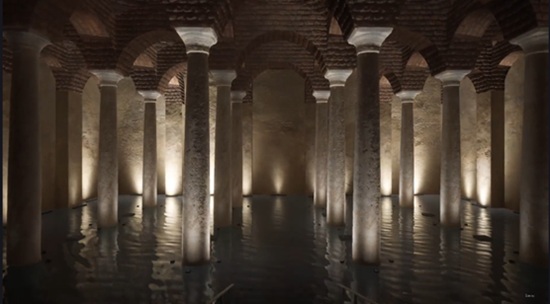
Learn how to create professional DMX lighting visualizations in Unreal Engine 5.6 from scratch. In this course, you will build a complete real-time historical environment, integrate DMX lighting fixtures, connect Resolume Arena to Unreal Engine using Art-Net, synchronize lighting with music, and master professional workflows using Lumen, Sequencer, and Movie Render Queue.

You will start by setting up Unreal Engine 5.6 and enabling the required plugins, including DMX, Modeling Tools, and Sequencer. Next, you will create and optimize your environment using Unreal Engine’s Modeling Tools, prepare UVs, and configure high-quality real-time lighting with Lumen. You will then add DMX fixtures, configure DMX addressing, and build a complete lighting system inside Unreal Engine.

After building the scene, you will establish a real-time Art-Net connection between Resolume Arena and Unreal Engine, allowing your lighting to react live to music and DMX data. You will create cinematic camera movements with Level Sequencer, synchronize lighting with WAV audio, and produce professional-quality animations suitable for presentations, live events, and client demonstrations.

Finally, you will render your project in high quality using Movie Render Queue, creating polished cinematic videos ready for presentations, portfolios, social media, or commercial production.

This course is designed for lighting designers, Unreal Engine artists, stage and concert production professionals, architectural lighting designers, visualization specialists, and anyone interested in professional DMX workflows. By the end of the course, you will be able to design, animate, synchronize, and render complete real-time DMX lighting experiences using industry-standard tools and workflows.

Who this course is for:
Lighting designers working with architectural, stage, or entertainment lighting.
Unreal Engine artists who want to learn professional DMX visualization workflows.
Students and professionals interested in Resolume Arena and Art-Net integration.
Anyone who wants to create music-synchronized lighting shows in Unreal Engine.

Download

此隐藏内容仅限VIP查看升级VIP

Post Cover

Unreal Engine Bundle 1 July 2026


Info

Title: Unreal Engine Bundle 1 July 2026

Info:

Includes:

DrivableMarsRoverCars.rar
Insane Sword Shield Pack Action RPG Available for all genres 5.6.rar
Medieval Village Props – Furniture Containers Clutter.rar
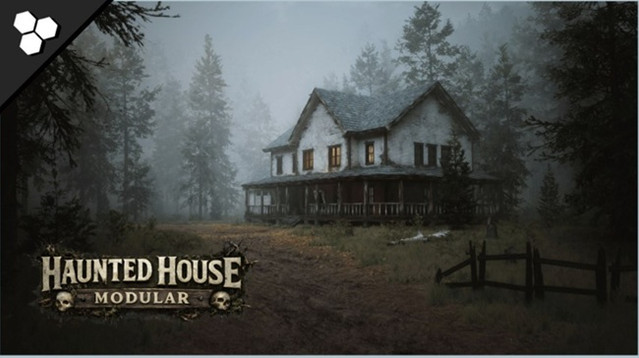
Modular Haunted House (Modular House Haunted House House Home Modular).rar
Science Fiction Desert City Kit.rar
UscansWorkshop.rar
Waypoint Time Trial – Checkpoint Race System.rar
Animation Tools Bundle v1.1 UE5.2.zip
Animation Tools Bundle v1.1 UE5.3.zip
Animation Tools Bundle v1.1 UE5.4.zip
Animation Tools Bundle v1.5 UE5.6.zip
Animation Tools Bundle v2.0 UE5.7.zip
Animation Tools Bundle v2.0 UE5.8.zip
HyperFocus Metasound Nodes v1.0 5.7-5.8.zip
Integer to Roman Numerals v1.0 5.7-5.8.zip

Download

此隐藏内容仅限VIP查看升级VIP