Collection

Post Cover

Duration 13h 30m MP4


Info

Title: Udemy – Adobe Illustrator for Graphic Designers

Info:

What you’ll learn
Understand the Adobe Illustrator workspace and tools.
How to advance your graphics with strokes, pencils & brushes.
How to speed up your workflow with the shape builder tool.
Mastering the art of creating an effective logo for a brand.
Branding and visual identity concept.
How to create awesome flyers using Freepik existing template.
How to use effects and advanced techniques.
Understand color and how to use it like a pro.
How to create digital illustrations with ease.
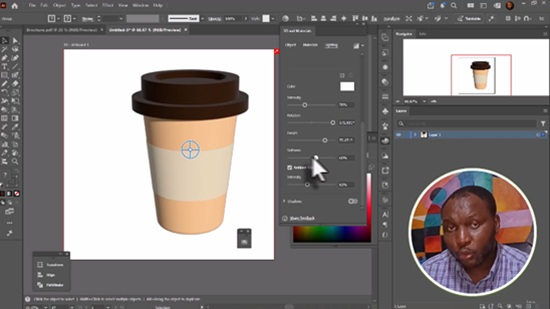
How to use Mesh tool to create popular brand products.

Adobe Illustrator for Graphic Designers

Unlock the power of Adobe Illustrator and learn how to create professional-quality vector graphics for print, web, branding, and digital media.

This course is designed for beginners and aspiring graphic designers who want to master Adobe Illustrator from the ground up. Through easy-to-follow, hands-on lessons, you’ll learn the essential tools, techniques, and workflows used by professional designers.

Throughout the course, you’ll create real-world projects while gaining confidence in using Illustrator’s powerful features.

What You’ll Learn

Navigate the Adobe Illustrator workspace with confidence.

Master essential drawing and shape tools.

Create and edit vector artwork.

Work with colors, gradients, and patterns.

Use the Pen Tool to create precise illustrations.

Design professional logos and brand assets.

Create icons, posters, flyers, and social media graphics.

Work with typography and text effects.

Organize artwork using layers and artboards.

Prepare files for print and digital publishing.

Apply professional design techniques and best practices.

Who This Course Is For

Beginners with no prior Illustrator experience.

Aspiring graphic designers.

Freelancers and entrepreneurs creating their own marketing materials.

Students looking to develop graphic design skills.

Anyone interested in learning Adobe Illustrator for professional design work.

Why Take This Course?

This course focuses on practical skills you can immediately apply to real projects. Each lesson builds on the previous one, making it easy to learn at your own pace. By the end of the course, you’ll have the confidence to create polished, professional vector graphics and a portfolio of projects to showcase your skills.

Enroll today and start your journey toward becoming a confident Adobe Illustrator graphic designer!

Who this course is for:
Graphic Designers who want to step up their logo design skills.
Anyone who wants to start using Illustrator in their career & get paid for their Illustrator skills.
Anyone interested to learn how to design their graphics from scratch.

Download

此隐藏内容仅限VIP查看升级VIP

Post Cover

Unity Asset Bundle 1 Aug 2026


Info

Title: Unity Asset Bundle 1 Aug 2026

Info:

Includes:

SpaceShip Level Construction Kit HDRP v1.0.unitypackage
Stylized Floating Slums v1.0.unitypackage
Taoist Temple Pack v1.0.unitypackage
The Blue Metro 2029 Post Apocalyptic Metro Subway Environment v2.0.unitypackage
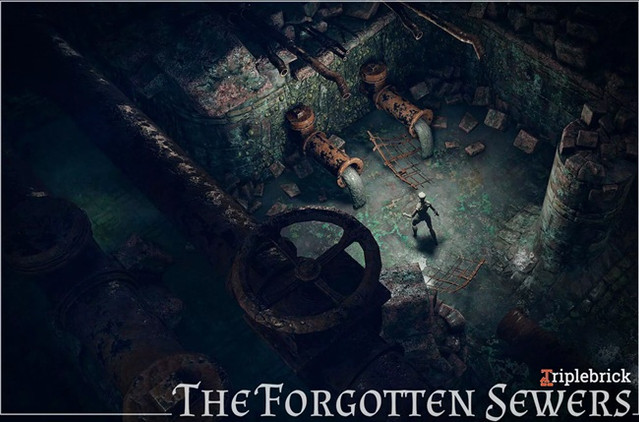
The Forgotten Sewers v1.1 (22 Dec 2024).unitypackage
Village and Nature – Blazing Highlands v2.2.1 (18 Nov 2024).unitypackage

Download

此隐藏内容仅限VIP查看升级VIP

Post Cover

Duration 12h 13m Project Files Included MP4


Info

Title: Udemy – Complete Unreal Engine 5 Blueprint Inventory System

Info:

What you’ll learn
Creating a complete functioning Spatial Inventory
Set up a Spatial Inventory Grid
Using Data Tables for procedural and easily addable items
Using Event Dispatchers
Efficient and procedural logic
Creating Widgets and use Items like Heal, Equip, Examine, Reload, Scrap

Hey Guys,

in this packed course of 12 hours I have put in my soul to basically re create the complete inventory logic of a RE4 type spatial inventory system. You will learn a smart and efficient inventory logic for setting up a complete customizable and procedural inventory system also with customizable grid size and item shapes, rotation, stacking items with max stack, creating new slots, UI hover highlights, SoundFX, use items such as heal with consumable type items, equip weapons, reload with ammo types, examine items, scrap function and save / load system. All of this is done by Blueprints, using structures, data tables, widget blueprints. You will be able to not only move and rotate your own customizable items inside a grid but also use all the functions to use it actually inside your game. We avoid casting, using event dispatchers and have a smart and clean way of setting it all up running it smooth. I hope you will endure because this one will not be a walk in the park but fun once you get through it !

So if you are ready to level up your inventory skills for your indie survival game, this is the right place for you !

Who this course is for:
Game Developers

Download

此隐藏内容仅限VIP查看升级VIP

Post Cover

Duration 3h 30m MP4


Info

Title: Udemy – Revit + 3ds Max + V-Ray Masterclass: Interior Design & Photo

Info:

What you’ll learn
Interior modeling mastery — Learn to build accurate interior layouts, architectural elements, and detailed room structures in Revit and 3ds Max.
Photorealistic rendering — Create realistic lighting, materials, and textures using V‑Ray to produce professional interior visualizations.
Complete workflow skills — Understand the full interior design pipeline from modeling to rendering, including scene setup and optimization.
Real project execution — Manage interior visualization projects with proper file organization, rendering settings, and client‑ready outputs.

Revit + 3ds Max + V-Ray Masterclass: Interior Design & Photorealistic Rendering

Create Stunning Interior Spaces from Concept to Photorealistic Visualization

Are you ready to master the complete professional workflow used by architects, interior designers, and architectural visualization artists?

This comprehensive course teaches you how to design, model, visualize, and render beautiful interior spaces using three of the most powerful industry-standard software applications: Autodesk Revit, Autodesk 3ds Max, and Chaos V-Ray.

Whether you are a beginner looking to build practical skills or a professional seeking to improve your visualization quality, this course will guide you through every step of the process using real-world projects and proven workflows.

What You’ll Learn

Create professional interior designs in Autodesk Revit.

Develop accurate BIM models for residential and commercial interiors.

Export Revit models efficiently to 3ds Max.

Organize and optimize scenes for high-performance rendering.

Apply realistic materials and textures using V-Ray.

Create natural and artificial lighting for convincing interiors.

Set up professional cameras and composition techniques.

Produce photorealistic renders suitable for client presentations.

Render high-quality still images and animations.

Apply post-production techniques to enhance your visualizations.

Build a professional portfolio with complete interior design projects.

Follow industry-standard architectural visualization workflows from start to finish.

Course Features

Step-by-step lessons with practical demonstrations

Complete real-world interior projects

Professional rendering techniques

Downloadable project files and resources

Practical tips used by industry professionals

Lifetime access and future course updates

Who This Course Is For

Architecture students

Interior design students

Professional architects

Interior designers

BIM professionals

3D visualization artists

Freelancers

Anyone interested in creating photorealistic architectural visualizations

Requirements

No previous experience with Revit, 3ds Max, or V-Ray is required. Everything is explained step by step. A computer capable of running the software is recommended. Students should have access to Autodesk Revit, Autodesk 3ds Max, and Chaos V-Ray.

Why Take This Course?

Architectural visualization is one of the most in-demand skills in the design and construction industry. Clients expect realistic visual presentations before construction begins, and professionals who can deliver high-quality visualizations have a significant advantage in architecture, interior design, real estate, and freelance visualization.

By the end of this course, you will confidently transform your design ideas into professional, photorealistic interior renders that are ready for presentations, portfolios, competitions, and client approvals.

Enroll today and start creating interior visualizations that stand out with professional quality and confidence.

Who this course is for:
Aspiring interior designers — Beginners who want to learn professional interior modeling and rendering workflows using industry‑standard tools.
Architecture students — Learners who want to enhance their academic projects with realistic interior visualizations and polished presentations.
3D visualization beginners — Anyone new to 3D who wants a structured, step‑by‑step introduction to Revit, V‑Ray, and 3ds Max.
Freelancers and professionals — Designers, architects, and artists looking to upgrade their skills and deliver higher‑quality client work.
Career‑switchers — Individuals transitioning into interior visualization or architectural rendering who need a complete workflow guide.

Download

此隐藏内容仅限VIP查看升级VIP

Post Cover

Duration 2h 7m MP4


Info

Title: Udemy – Learn How Customize Unreal Engine Templates for Mobile Game

Info:

Customize Unreal Engine mobile game templates from start to finish using Blueprints, game systems, and best development

What you’ll learn
Customize Unreal Engine mobile game templates using Blueprint Visual Scripting.
Replace game assets, UI, sounds, and gameplay elements to create a unique mobile game.
Build and configure touch controls, menus, and mobile-friendly user interfaces for Android and iOS.
Optimize Unreal Engine projects for smooth performance on mobile devices.
Understand the structure of Unreal Engine templates and how to modify them efficiently.
Package and prepare mobile games for Android and iOS deployment.
Apply professional game development workflows to speed up project creation and customization.
Transform a basic Unreal Engine template into a polished, publish-ready mobile game

Requirements
Basic familiarity with the Unreal Engine interface is recommended, but no advanced experience is required.
A computer capable of running Unreal Engine 5 (Windows or macOS).
Unreal Engine 5 installed or Unreal Engine 4
No C++ programming knowledge is required—everything is taught using Blueprint Visual Scripting
A willingness to learn mobile game development and experiment with Unreal Engine.
An Android device (optional) for testing mobile builds.

Description
Learn How to Customize Unreal Engine Templates for Mobile Games

Want to build your own mobile game without starting from scratch? This course will teach you how to customize Unreal Engine templates and transform them into professional Android and iOS games using Blueprints.

Instead of spending weeks building core systems, you’ll learn how to modify existing templates, replace assets, customize gameplay, redesign user interfaces, optimize performance, and prepare your project for mobile devices.

Whether you’re an aspiring indie developer, a student, or an experienced Unreal Engine user looking to speed up development, this course provides practical, hands-on techniques you can apply to your own projects.

What You’ll Learn

– Customize Unreal Engine mobile game templates

– Modify gameplay using Blueprint Visual Scripting

– Replace characters, weapons, environments, animations, and effects

– Create and customize mobile-friendly UI and HUD

– Configure touch controls for Android and iOS

– Build menus, settings, and game flow

– Optimize graphics and performance for mobile devices

– Organize projects using professional workflows

– Package and test games for Android and iOS

– Learn best practices used in real mobile game development

This Course Includes

– Step-by-step video lessons

– Practical project-based learning

– Blueprint-only workflow (No C++ required)

– Mobile optimization techniques

– Downloadable project resources

– Lifetime access

– Future course updates

Who this course is for
Beginners who want to learn Unreal Engine mobile game development using Blueprints.
Indie game developers looking to customize existing Unreal Engine templates instead of building games from scratch.

Students interested in creating Android and iOS games with Unreal Engine 5.
Blueprint developers who want to improve their game customization skills.
Game developers who want to speed up their development workflow by modifying ready-made templates.
Anyone who wants to publish professional mobile games using Unreal Engine.

Download

此隐藏内容仅限VIP查看升级VIP

Post Cover

Unreal Engine Bundle 1 Aug 2026


Info

Title: Unreal Engine Bundle 1 Aug 2026

Info:

Includes:

Calysto Smart Scatter – PCG Scattering for Unreal Engine.rar
Etasphera10.rar
Feminine Mage – Motion Capture.rar
Interior Props 5.4+.rar
L_Base_Model.rar
mhc_miko.rar
Rain_and_Wind_Loops.rar
Sci-Fi Characters (Pack) Vol.2.rar
Slavic Village 5.7.part1.rar
Slavic Village 5.7.part2.rar
Substrate Automotive Materials.rar
Unified Material System [LITE] 5.8.rar
Baygall_Habitat_Brush.zip
Biotech_Necron.zip
Blueprint Outline v1.3.4 UE5.6-5.7.zip
BurgerRestaurant.zip
Cinematic Cam Pro v1.0.0 UE5.5-5.6.zip
Cute Robot 4.zip
Freshwater Fish Pack with Animations.zip
Ingenalvus.zip
oa_casual_outfit.zip
Ocypus_Demon_beetle.zip
RhinoArtisan 6.7.zip
SteamPunk Assault Rifle.zip
StellarRogue.zip
Substrate Archviz Materials 5.6.zip
Substrate Archviz Materials 5.7.zip
WW1BeachWarzone.zip

Download

此隐藏内容仅限VIP查看升级VIP

Post Cover

Duration 3h 24m MP4


Info

Title: Udemy – Neoclassical Interior Workshop: SketchUp & D5 Render

Info:

What you’ll learn
Model a complete 6x5m neoclassical bedroom interior layout accurately in SketchUp.
Apply classic neoclassical architectural details like wall paneling and wainscoting.
Set up realistic lighting, materials, and textures efficiently using D5 Render.
Produce professional, high-end cinematic interior visualization renders.

Welcome to this practical, project-based workshop designed to help you master the fundamentals of Neoclassical interior design using SketchUp and D5 Render. If you want to learn how to create a stunning, elegant bedroom layout without getting bogged down by overly complex techniques, this workshop is built for you. We will take a straightforward, hands-on approach to guide you step-by-step through the entire design lifecycle, empowering you to build professional-grade architectural spaces from the ground up.

Throughout this comprehensive learning journey, you will gain a deep understanding of what it takes to execute a high-end interior concept efficiently. Here is a detailed breakdown of what you will learn and achieve:

Accurate Modeling: Build foundational elements completely from scratch, including precise structural walls, intricate and detailed wainscoting decoration characteristic of the Neoclassical style, custom ceiling designs, and a fully realized wardrobe closet.

Interior Detailing: Master the art of space planning by placing and arranging furniture, doors, windows, and sophisticated decorative elements to capture the timeless, balanced aesthetic of classic European architecture.

Lighting & Texturing: Streamline your production workflow by utilizing smart base-color assignments inside SketchUp and applying hyper-realistic materials, advanced interior lighting fixtures, and custom environment settings in D5 Render.

Final Output Generation: Learn how to set up clean static presentation scenes for portfolio showcases and export a smooth, cinematic video walkthrough to exhibit your completed room design to clients and peers.

By the end of this workshop, you will have completed a real-world architectural project from start to finish. This hands-on experience will give you the confidence, technical fluency, and practical skills needed to independently apply Neoclassical design principles to your own residential and commercial interior projects. Whether you are an aspiring designer looking to build a strong portfolio or a professional wanting to add powerful rendering tools to your workflow, this course provides a clear, actionable roadmap to success. Join in, start creating right away, and transform your digital design capabilities today!

Who this course is for:
Designers looking to focus on actual task execution grounded in core design elements and principles.
Anyone who wants to follow a practical, step-by-step workflow to complete a room design without overcomplication.
Students and beginners who know the basics of the software but have never worked on a real project from scratch.
Download

此隐藏内容仅限VIP查看升级VIP

Post Cover

Duration 5h MP4


Info

Title: MishaOplev- The Light Way To Color Course

Info:

If you are an artists who loves Color & Light and wants to tell your own stories – this course is for you.
With guidance on cinematic lighting, atmosphere, and time of day, you’ll learn to create emotionally charged, story-driven images. This isn’t just a course – it’s a series of mindsets that you’ll carry in your work forever.

Get ready to light things up! Create your own stories. And find your artistic voice.

W1: Basics Of Color and Light
W2: Cinematic Lighting 101
W3: Understanding Time Of Day.
W4: Composition with Color and Light
W5: How To Study Color and Light
W6: Pipeline. Demos and Color Variations

Download

此隐藏内容仅限VIP查看升级VIP

Post Cover

Duration 22h 33m Project Files Included MP4


Info

Title: Udemy – Godot 4 Intermediate Game Development Course (2026)

Info:

What you’ll learn
Build 3 Complete 2D Games: Create an idle tavern simulator, procedural mining RPG, and lane tower defense game in Godot 4.6+.
Master Save Systems: Implement data persistence using JSON, native Godot Resources, and ConfigFile (.cfg) architectures.
Program Systems & Pathfinding: Design procedural dungeon generation, dynamic request algorithms, and NavigationServer pathfinding for 6 unit types.
Manage Version Control: Connect Godot to GitHub to commit, push, pull, and roll back project builds.

Take your Godot skills to the next level by building three complete, feature-packed 2D games from scratch! If you already know the basics of Godot and GDScript, this 20+ hour comprehensive course is engineered to bridge the gap between beginner tutorials and production-ready game architecture using Godot Engine 4.6+.

Instead of isolated mechanics, you’ll build three full-scale projects from start to finish, learning how real systems interact under the hood:

1. Mobile-Style Idle Tavern Simulator

Step into the shoes of a fantasy tavern owner with a ghostly coworker assisting you! In this module, you’ll build core mobile game loops including:

Dynamic customer generation and randomized drink order algorithms.

A complete shop upgrade system (boosting drink speed, helper speed, and player movement).

All three major Godot save system architectures: Industry-standard JSON, native Godot Resource saving, and ConfigFile (.cfg) saving.

2. Procedural Dungeon Mining RPG

Build a top-down mining crawler complete with a deep character creation system (person, class, and weapon selection). You will program:

Infinitely generated mine layouts with procedural generation.

Scaling block durability and enemy health algorithms as you dig deeper.

Full RPG progression: XP systems, leveling up, a hub shop floor, and custom boss encounter mechanics.

3. Strategic Lane-Based Tower Defense

Build an action-packed dual-lane arena! Program strategic unit deployment using a mana budget system, including:

6 unique unit types with distinct behaviors and stats.

Intelligent unit pathfinding powered by Godot’s NavigationServer.

Main menu loadout selection, progressive AI difficulty, and complete win/loss base conditions.

Special Addition: Production Workflows & Source Control

Never lose project progress again! You’ll learn how to seamlessly link Godot to GitHub, manage source control like a pro, and master essential team workflows: committing, pushing, pulling, and safely rolling back broken builds.

Whether you’re looking to publish your own indie titles or build a high-caliber professional portfolio, this hands-on course gives you the modern GDScript workflows you need to build bigger, better games with total confidence.

Who this course is for:
Intermediate Godot Developers: Anyone who knows basic GDScript and wants to move past simple tutorials into building complete, production-ready games.
Aspiring Indie Game Creators: Developers looking to master real-world systems like procedural generation, pathfinding, and save architecture.
Game Devs Seeking Source Control: Creators who want to learn professional Git and GitHub workflows to protect and manage their project builds.
2D Strategy & Simulation Enthusiasts: Anyone interested in building mobile idle mechanics, top-down RPG crawlers, or lane-based tower defense games.

Download

此隐藏内容仅限VIP查看升级VIP

Post Cover

Chaos Corona 15 Hotfix 2 for 3ds Max 2018-2027 Win x64


Info

Title: Chaos Corona 15 Hotfix 2 for 3ds Max 2018-2027 Win x64

Info:

Photorealism that feels
easy
Be an artist, not a technician, and achieve photorealism with ease.
Learn Corona in a day, fall in love with it in two.

Less technical setup. More creative momentum.

Beautiful renders from the start
Smart defaults that keep you moving
An intuitive, artist-friendly workflow
Powerful tools like Gaussian splats, Tile Map, procedural clouds, Scatter, and LightMix
Interactive rendering for fast creative decisions

Download