Collection

Post Cover

Duration 3h 58m Project Files Included MP4


Info

Title: Udemy – Realistic Dragon in ZBrush: Sculpting and Textures with AI

Info:

What you’ll learn
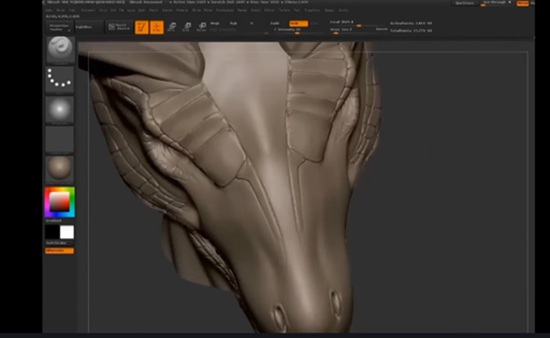
Sculpt a complete dragon in ZBrush, from blocking out the forms to final detailing.
Create convincing anatomy, volumes, scales, horns, wings, and organic details.
Use artificial intelligence to generate visual references and develop textures for the creature.
Apply and adjust textures on the 3D model to achieve a realistic, presentation-ready result.

Create a realistic dragon from start to finish using ZBrush and an AI-assisted texturing workflow.

In this course, you will learn how to sculpt a detailed fantasy creature while developing a practical workflow that can also be applied to other dragons, monsters, and character designs. We will begin with the basic forms of the dragon, focusing on proportions, silhouette, anatomy, and the overall visual language of the creature.

You will then refine the model by sculpting the head, horns, wings, claws, muscles, skin folds, scales, wrinkles, and other secondary and tertiary details. You will learn how to use ZBrush brushes effectively, organize the model with SubTools, control surface detail, and avoid repetitive or unnatural-looking patterns.

The course also introduces an AI-assisted workflow for generating references, exploring texture ideas, and improving the visual presentation of the dragon. AI is used as a supporting tool, while the final artistic decisions remain under your control.

Throughout the course, I explain both the technical process and the artistic reasoning behind each stage. You will learn how to analyze references, create a stronger silhouette, improve realism, and make the creature feel believable and visually powerful.

By the end of the course, you will have completed a detailed realistic dragon and developed a repeatable workflow for sculpting and presenting fantasy creatures.

This course is ideal for ZBrush users, 3D artists, creature designers, character artists, game artists, and anyone interested in realistic digital sculpting. Basic knowledge of ZBrush is recommended.

Who this course is for:
Beginner and intermediate 3D artists who want to learn creature sculpting in ZBrush and texturing using artificial intelligence.

Download

此隐藏内容仅限VIP查看升级VIP

Post Cover

Maxon Cinema 4D 2026.3.3 Win


Info

Title: Maxon Cinema 4D 2026.3.3 Win

Info:

What is Cinema 4D?
Cinema 4D is a professional 3D animation, modeling, simulation and rendering software solution. Fast, powerful, flexible, and stable, this powerful toolset makes 3D workflows more accessible and efficient for design, motion graphics, VFX, AR/MR/VR, game development, and all types of visualization.

0. If you had 2026.x installed before with some other fix, go here:
%appdata%\Maxon
and remove the folder named “Maxon Cinema 4D 2026_” with 4 bytes after the underscore, e.g.:
“Maxon Cinema 4D 2026_AB23FFCD”

1. If this is the 1st time you installed version 2026,
or if you completed step 0:

Launch C4D, wait for the License Manager window to pop up with an Error, and close it

2. Put both provided DLLs into
C:\Program Files\Maxon Cinema 4D 2026
esource\modules\io_usd.module\libs\win64

overwrite when prompted

2a. If you have RS subscription, try using DLLs in folder ’01’,
otherwise use DLLs in folder ’00’

3. You can remove the Redshift folder from C4D install dir root

Download

此隐藏内容仅限VIP查看升级VIP

Post Cover

Duration 24h 25m Project Files Included MP4


Info

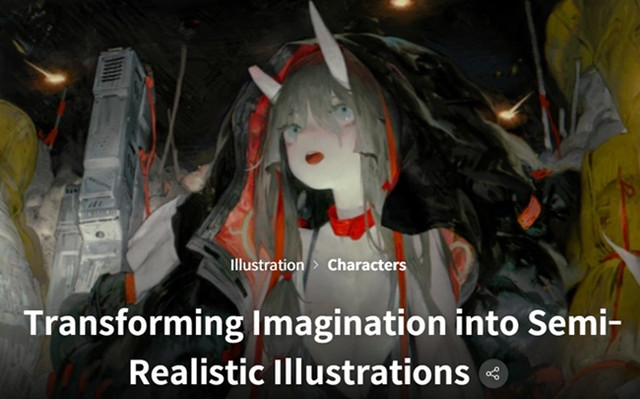
Title: Coloso – Transforming Imagination into Semi-Realistic Illustrations

Info:

Have you ever felt that while the scene in your mind is vivid like a movie, the actual drawing somehow fell short? Learn the principles of drawing that maximize spatial sense and atmosphere through screen composition and color usage to capture your story, and enhance the quality of your creations. Go beyond simple tracing and discover SEOK98’s unique drawing know-how to complete the picture you truly envision!

Transform vague images in your head into your own concrete creative illustrations! Bring scenes that only lingered in your mind to life vividly on canvas. Popular illustrator SEOK98, beloved for his distinctive bold style, reveals his illustration creation process, from visualizing his own ideas to bringing them to life with meticulous detail.

Download

此隐藏内容仅限VIP查看升级VIP

Post Cover

Duration 3h 44m Project Files Included MP4


Info

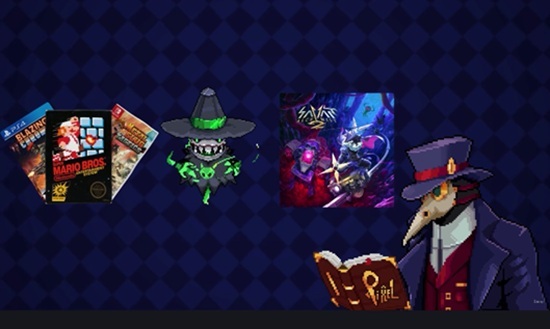
Title: Udemy – Pixel Art Character Design: Create 5 RPG NPCs from Scratch

Info:

Design 5 game-ready RPG character sprites from scratch in[your tool] — pixel art and character design for beginners

What you’ll learn
Design 5 game-ready RPG character sprites from scratch: a blacksmith, pastor, merchant, alchemist, and hag
Master pixel art basics — canvas, color palettes, shading, and clean readable silhouettes
Apply character design principles so each NPC reads clearly, even at small sizes
Add props and details that give each character a clear role and story

Requirements
No pixel art or drawing experience needed — we start from a blank canvas
Any pixel art software works, including free ones
A computer with a mouse or drawing tablet
No game engine or coding knowledge required

Description
Learn pixel art character design from scratch by creating 5 game-ready RPG NPCs — no experience required. By the end, you’ll have a full fantasy character set and the skills to design your own.

What this course is
This course teaches pixel art and character design by building 5 fantasy village NPCs step by step: a blacksmith, a pastor, a merchant, an alchemist, and a hag. Every character is designed live from a blank canvas, so you see the real workflow — decisions, fixes, and all — not just polished final art.

What you’ll cover
We start with pixel art fundamentals: canvas size, building a color palette, shading, and why a clean silhouette matters more than detail at small sizes. Then we apply those fundamentals to character design — proportions, poses, and props that give each NPC an instant identity.

All 5 characters are built on a 48×48 canvas with a shared baseline and one unified palette, so the finished set looks like it belongs in the same game. That consistency is the part most beginners struggle with, and it’s built into every lesson here.

What you walk away with
A complete, cohesive NPC set ready to drop into your own 2D game — and, more importantly, a repeatable process you can use to design any character you need next.

Who’s teaching
I’m an indie game developer making pixel art games and courses. Everything here is the workflow I use in my own projects.

Enroll now and start designing your first character today.

What you’ll learn
– Design 5 complete RPG character sprites from scratch: a blacksmith, pastor, merchant, alchemist, and hag

– Understand pixel art fundamentals — canvas size, palettes, shading, and clean readable silhouettes

– Apply character design principles so each NPC reads instantly at small sizes

– Build one cohesive color palette that ties a whole character set together

– Add props and accessories that give each character a story

– Keep a set consistent — shared baseline, proportions, and style across all 5

– Export game-ready sprites you can drop straight into a 2D game engine

Requirements
– No prior pixel art or drawing experience needed — we start from a blank canvas

– Any pixel art software (free options work fine)

– A mouse or drawing tablet

– No game engine knowledge required

Who this course is for
Complete beginners who want to design their own pixel art characters
Indie game developers who need original character art instead of asset packs
Artists moving from traditional or digital art into pixel art
Anyone making a 2D RPG who needs NPCs with a consistent style

Download

此隐藏内容仅限VIP查看升级VIP

Post Cover

Duration 2h 03m Project Files Included MP4


Info

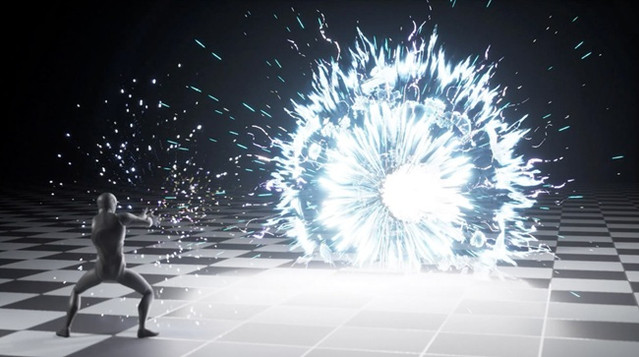
Title: The Gnomon Workshop – Creating a Charged Energy Beam in Unreal Engine

Info:

Learn how to build a production-ready cinematic effects shot centered on a charged energy beam using Niagara and Sequencer in this workshop for intermediate Unreal Engine and real-time VFX artists. Rather than focusing on an isolated effect element, instructor Raúl Ruiz approaches VFX as part of a complete presentation shot, covering the planning, animation support, shot setup, implementation, and final polish needed to make the work read clearly on screen.

This workshop begins with the ideation and shot planning, using references, a quick storyboard, and anchor frames to define timing beats and visual intent. From there, Raúl creates a short support animation in Cascadeur, imports it into Unreal, and establishes the shot context in Sequencer through camera, composition, and lighting decisions. Before building the final systems, he shows how to use simple timing proxies to lock scale, spacing, and rhythm.

The core of this workshop focuses on Niagara. Raúl builds the effect in three practical phases: charge-up, beam launch, and blast/dispersal. Along the way, he shows how to create supporting materials and textures, reveals useful controls, and explains the math behind masks, falloffs, breakup, and noise shaping. The final lesson covers how to render in Unreal Sequencer and apply a subtle After Effects polish pass to enhance the presentation without hiding the real-time work.

Throughout the workshop, he shares production-oriented insights on readability, shot context, iteration control, parameterization, and making VFX decisions that serve both artistic intent and practical workflow. By completing this workshop, artists will have developed an understanding of how to plan and construct a complete Unreal VFX shot from start to finish, rather than just assembling isolated Niagara elements.

Downloadable files include the Unreal Engine project, Niagara systems and materials, animation assets, EmberGen flipbooks, textures, and supporting scene files used during the workshop.

Download

此隐藏内容仅限VIP查看升级VIP

Post Cover

Duration 9h Project Files Included MP4


Info

Title: SouthernGFX – Nomad Sculpt – The Ultimate Course

Info:

IPAD SCULPTING USING NOMAD SCULPT
LEARN TO SCULPT ON YOUR iPAD USING NOMAD SCULPT

Digital Sculpting may be new to you but this course builds your knowledge from the ground up. It will introduce you to the industry standard sculpting tool, Nomad Sculpt, and after a gentle learning curve, with expert guidance from Glen Southern, you will have a sculpting skillset primed and ready to fuel your imagination.

What the course is about
ipad sculpting
Basic 3D Sculpting skills
All the main Nomad Sculpt features
How to create characters, environments, tattoos
What you can do when you’ve made a character
What Nomad Sculpt is capable of
Lessons streamed to allow updates
Updated beginners module using the updated interface
New features demonstrated, e.g. Quadremesher
You will need access to an iPad or an android tablet as well as an Apple Pencil or stylus.

What this course is not about
No rigging in Nomad
Nomad does not have rendering beyond the PBR in the viewport
Lighting beyond the viewport basics
Animation other than Layers
Please note this course is not available for download and you will need an active internet connection to take part.
There are no Android specific lessons.
If any of these features are added in the future we will update the course for free and notify anyone who has purchased it

Download

此隐藏内容仅限VIP查看升级VIP

Post Cover

Unity Asset Bundle 2 July 2026


Info

Title: Unity Asset Bundle 2 July 2026

Info:

Includes:

2D Art Maker – Casual Characters v1.1.3.unitypackage
Animation Preview Pro v1.10.0.unitypackage
AR Camera Lite Gyroscope Accelerometer First Person Motion Pseudo AR for FPS v6.0.unitypackage
AR Gallery 3D v6.0 (09 Mar 2026).unitypackage
Business Card 3D and AR with Multiple Image Tracking v4.0.unitypackage
Cyberpunk.unitypackage
KWS2 Dynamic Water System v.1.0.13.unitypackage
MIGHTY PERFORMANCE PACK v1.2.unitypackage
MIGHTY PORTAL v2.2.6 .unitypackage
Modular.unitypackage
Platformer 10 Neon – Low Poly 3D Models Pack v2.1.unitypackage
POLYART-Modular Fantasy Male v4.5.0.unitypackage
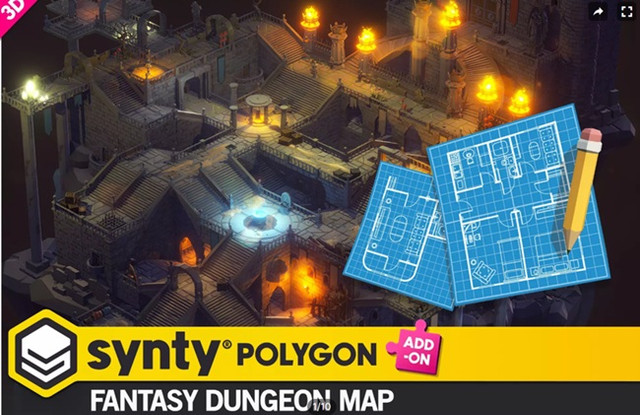
POLYGON – Fantasy Dungeon Map – Art by Synty v1.3.1.unitypackage
POLYGON – Gingerbread v1.2.0.unitypackage
The Map Pings Comunication Trackers FX v1.0.unitypackage

Download

此隐藏内容仅限VIP查看升级VIP

Post Cover

Duration 4h 17m MP4


Info

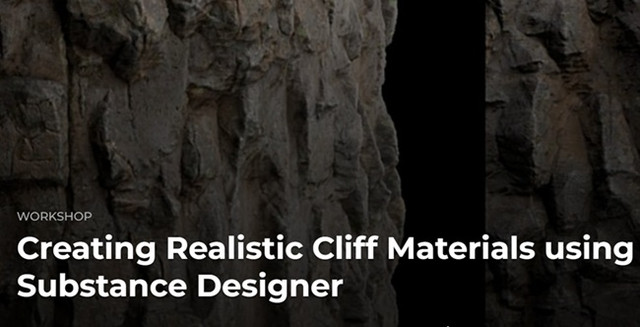
Title: The Gnomon Workshop – Creating Realistic Cliff Materials using Substance Designer

Info:

This comprehensive 4-hour workshop by Vincent Dérozier focuses on creating realistic cliff surfaces in Substance Designer, with a strong emphasis on balancing high levels of detail with clear visual readability. Creating believable natural materials is not only about adding more information to a texture, but also about understanding how shapes, forms, and details work together to create surfaces that are both realistic and visually appealing. Throughout this workshop, artists will learn how to build a polished, production-ready cliff material from the ground up and transform it into a complete collection with cohesive variations suitable for use in games, cinematics, and real-time environments.

This series of lessons relies on using standard Substance Designer nodes and tools. No advanced technical knowledge is required, although a basic understanding of the software’s interface and core concepts is recommended. Whether you are new to Substance Designer, interested in creating realistic natural environments, or looking to improve your procedural texturing workflow, this workshop will provide valuable techniques and practical insights.

During the workshop, artists will explore the fundamental building blocks of creating a convincing cliff material, including primary shapes and large-scale forms, secondary breakups, erosion patterns, and fine surface detailing. Learn how to identify these different layers of information, construct them procedurally, and organize them efficiently within a clean and readable graph structure. The workshop will also cover color development, roughness creation, texture balancing, and graph optimization techniques to ensure materials remain both visually rich and production-friendly.

By the end of the series, artists will have developed a solid understanding of how to create professional-quality cliff materials ready for real-world production. Discover how to push detail across multiple texture maps while maintaining readability and strong visual hierarchy. Artists will learn how to leverage an existing material graph to generate meaningful variations, resulting in an entire set of related materials that work together as a cohesive collection.

The focus of the workshop is on understanding the artistic and technical process behind material creation, enabling artists to confidently reproduce and adapt the techniques in their own projects.

Download

Post Cover

Duration 22h Project Files Included MP4


Info

Title: Voxyde – Anime FX in Houdini & Nuke

Info:

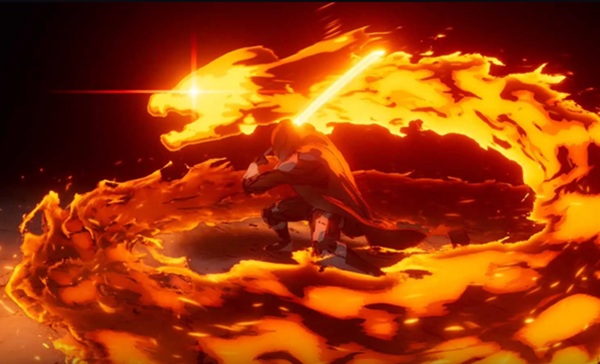
Anime FX in Houdini & Nuke is a deep dive into creating stylized, anime-inspired visual effects using industry-standard tools. Although anime is the main inspiration, the techniques taught here apply broadly to stylized and non-photorealistic rendering across many visual styles, blending powerful 3D workflows with expressive, hand-drawn aesthetics.

Course Content
Traditional cel shading and base setup;
Exterior and interior outline generation;
Volumes, particles, and mesh processing;
Advanced compositing for stylized looks in Nuke;
Creating depth and final polish in renders.

Tools Used
SideFX Houdini, Foundry Nuke.

Download

此隐藏内容仅限VIP查看升级VIP

Post Cover

Gumroad – Blender 3D Artist – Cozy Course – Nhance School


Info

Title: Gumroad – Blender 3D Artist – Cozy Course – Nhance School

Info:

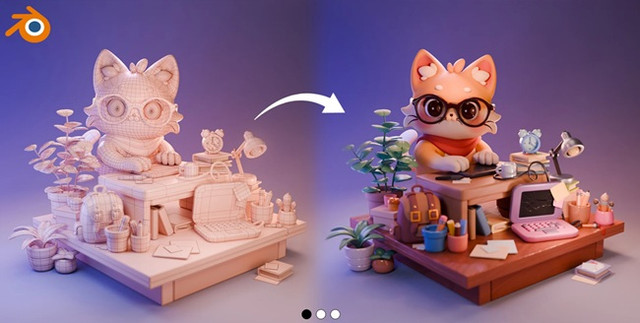
Learn Cozy 3D Art in Blender – finish a complete animated scene with the lessons from a Pro 3D Artist + post it in your portfolio ⭐️

In this course we’ll create a complete 3D scene with a character in Blender. Whether if you’re starting out or an experienced artist – this is the great opportunity to learn new skills and put a new beautiful work in your portfolio.
We cover all aspects of 3D modeling, character creation, lighting, rendering and animation.

Also if you’re struggling in creating or finding 2D concept don’t worry, because we’ll guide you through this process as well 👌

As a bonus we will teach you how to to light your 3D scenes in different styles: Day/ Night.

By the end of the course we’ll create a scene with a cat and animations for your portfolio.

We’re very hyped for your results, let’s bring all of your creative ideas to live!

Download

此隐藏内容仅限VIP查看升级VIP