Collection

Post Cover

Duration 2h 39m Project Files Included MP4


Info

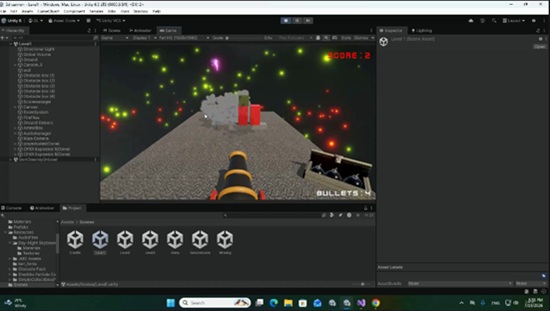
Title: Udemy – Build a 3D Cannon Shooter in Unity: Complete Beginner Guide

Info:

What you’ll learn
Unity 3D Basics: Navigate the interface, set up 3D scenes, and manage game objects with confidence.
Beginner C# Scripting: Write clean code from scratch to control user input, shooting mechanics, and game logic.
3D Physics & Forces: Master Rigidbody components, colliders, and impulse forces to make cannonballs fly realistically.
Obstacle & Hit Detection: Create interactive, breakable obstacles that react dynamically when hit.
Scoring & Game UI: Build a functional user interface to track player hits, keep score, and create a complete gameplay loop.

Are you ready to jump into the exciting world of 3D game development, but don’t know where to start? Learn Unity 3D & C# by Building a Cannon Shooter Game is designed specifically for complete beginners who want to learn hands-on by creating a real, playable game from scratch!

In this project-based course, you won’t just watch tutorials—you will actively write code, configure physics, and build core mechanics step-by-step. Guided by simple, clear instructions, you’ll learn how to set up a 3D Unity project, control a cannon, aim at targets, fire physics-based projectiles, and track player scores as obstacles get destroyed.

What You Will Learn:

Unity Fundamentals: Navigate the Unity editor with confidence and understand the core workflow.

Basic C# Scripting: Learn fundamental programming concepts used in modern game design.

Physics & Collisions: Work with Rigidbody, colliders, and forces to create realistic shooting and destruction mechanics.

Game Logic & UI: Build a full gameplay loop, complete with dynamic obstacles, target hits, and a functional score system.

Game Polish: Add exciting visual effects, particle systems, and audio to bring your 3D cannon game to life.

Why Take This Course?

Learning Unity can feel overwhelming when starting with complex theory. By focusing on a single, action-packed 3D cannon shooter project, you gain immediate feedback and build real coding confidence fast.

Whether you are aspiring to become an indie game developer, want to create your own mobile games, or simply want a fun weekend project to master C# programming, this beginner-friendly guide gives you the foundational tools you need to turn your game ideas into reality.

Enroll today and build your first 3D Unity game from scratch!

Who this course is for:
Absolute Beginners: Aspiring developers with zero prior experience in Unity or C# programming who want a clear, step-by-step path to build their first game from scratch.
Aspiring Indie Game Developers: Creators looking to build a polished, professional 3D portfolio piece to kickstart their indie development journey.
Hobbyists & Creatives: Gamers and enthusiasts eager to turn their creative ideas into fully functional, playable games.
Career Switchers: Individuals seeking foundational skills in Unity 6 and C# to transition into game development, remote contract work, or studio roles.

Download

此隐藏内容仅限VIP查看升级VIP

Post Cover

Unreal Engine Bundle 7 July 2026


Info

Title: Unreal Engine Bundle 7 July 2026

Info:

American Bar.rar
Ashen Tribe UE4.27+.rar
Assassin Spell VFX Pack.rar
BunkerBuilderModularBunkerBuildingKitBunkerFacilityModularBunker.rar
CombatBuggySystem.rar
Dark Mage Sorcerer UE5.1+.rar
Floors and Walls Vol.1 Photoscanned textures 5.8 (June 18 2026).rar
Meridian_1988_Community_Center_-_Modular_Environment.rar
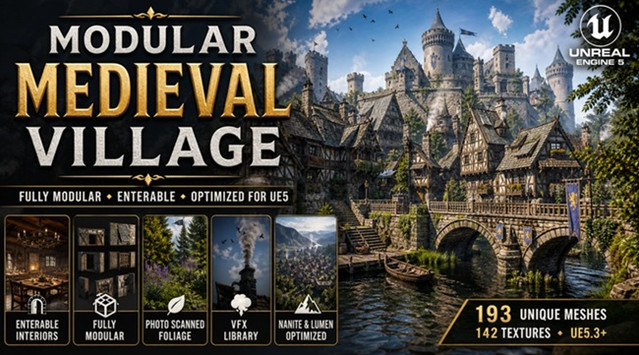
Modular Medieval Village (Village Medieval Village Medieval Town Town).rar
Parametric Police Uniform (Metahuman clothing) UE5.2+.rar
Replicated Building System.rar
Sand Vol.40 – Hand Painted Textures.rar
Stylized Desert.rar
Stylized Fantasy Town (Stylized Town Stylized Village Medieval Town Village).rar
Wendy.rar
Baker Character – NPC.zip
eye-blink-effect–mansaf.zip

Download

此隐藏内容仅限VIP查看升级VIP

Post Cover

Duration 19h 26m Project Files Included MP4


Info

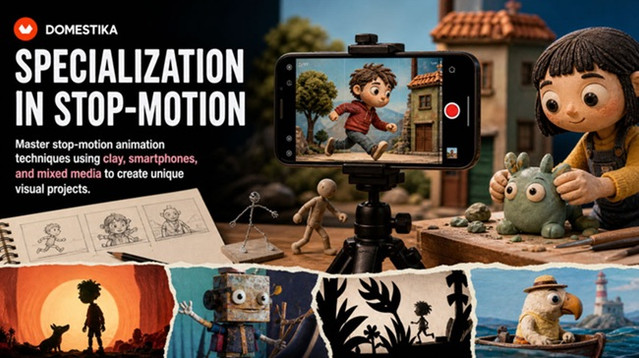
Title: Domestika – Specialization in Stop Motion

Info:

Master stop-motion animation techniques using clay, smartphones, and mixed media to create unique visual projects
Discover the fascinating world of stop-motion animation through a comprehensive specialization that will take you from the technical fundamentals to creating professional-quality animations. Learn to master the art of frame-by-frame animation, exploring timing, movement, and the essential principles that bring your creations to life. Transform your photographs into captivating visual stories using composition and storytelling techniques, and discover how to create stunning animations with accessible tools like your smartphone.

Explore creative versatility by integrating multiple animation techniques, combining stop motion with other methodologies to enrich your projects. Complete your learning by mastering clay animation, one of the most expressive and in-demand techniques. This course will allow you to develop narrative skills, modeling techniques, and the ability to create three-dimensional characters with personality. By the end, you’ll be prepared to create an original short film that reflects your ability to tell captivating visual stories. Learn from Coke Riobóo, Lourdes Villagómez, Wasaisa, Estudio Agite, Becho, and MAB_Can Can Club.
Download

此隐藏内容仅限VIP查看升级VIP

Post Cover

Blender – Auto-Rig Pro 3.78.32 Win/Mac/Lnx


Info

Title: Blender – Auto-Rig Pro 3.78.32 Win/Mac/Lnx

Info:

Auto-Rig Pro is an addon for Blender to rig characters, retarget animations, and provide Fbx/Gltf export, with settings for Unity, Unreal Engine, Godot.
First developed as my own in-house rigging tool, I’ve released it a few years ago and it expanded quickly thanks to great support from the community!
Rig fast with the Smart feature (now AI powered)

For humanoid characters, the Smart feature will automatically position the bones.
Non-humanoid characters can be rigged without the Smart feature (horse, dog…).

The result remains editable, to refine the automatic prediction if necessary.

Based on a non-destructive workflow, the rig remains easily editable.

Download

Post Cover

Duration 13h MP4


Info

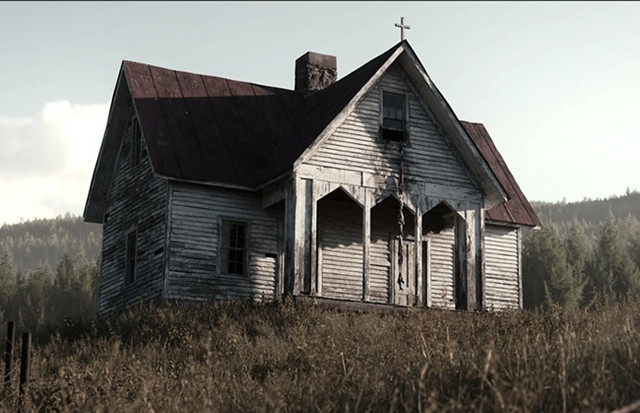
Title: Covingsworth – Ultimate Photorealistic Environment Animation Course

Info:

Designed for both experienced and beginner 3D artists, I’ll bring you through all the steps I took while creating my most ambitious render… that includes modeling, texturing, lighting, tree creation, animating, rendering, color grading, and MUCH more. It’s 13 hours of organized, super fun, and fully narrated chapters, without a single drop of my workflow left out. I took the production for this course very seriously… basically it won’t waste your time. I also have tons of experience in streaming, teaching, video editing, audio work, etc. so I can guarantee that everything is super high quality and digestible! There’s TONS of information here that I have accumulated over the past couple years as a full time 3D artist and I know there’s something for everyone in here no matter your skill level. Speaking to beginner artists, I would have LOVED to had a course like this when I first started 3D, because sometimes all you need is that initial boost to really get rolling and I can’t imagine this course wouldn’t be the perfect thing for the job.

The softwares used for this project are Blender, Substance Painter, SpeedTree, and Davinci Resolve. Each are invaluable to my workflow and their jobs and functions are covered extensively, however they are not essential to everyone’s pipeline. For example, the section covering my entire texturing process in Substance Painter serves as a great Substance tutorial but also a show of texturing knowledge that could certainly be applied in Blender or any other texturing software. I’ll also add that if you are only interested in a specific part of the project, for example just the modeling or color grading, it’s worth grabbing too! Super exciting to have you on board.

Things covered​​
Inspiration and reference gathering
Modeling – Blockout to High Poly
UV Unwrapping
Texel Density Calculations
Substance Painter – Basics to Advanced Material Creation & Texturing
Lighting
Foliage – Scattering, wind systems using Geometry Nodes, more
Geometry nodes
Building concepts
SpeedTree – Tree creation basics + advanced tree breakdown
Various animation tasks – Camera, grass, etc.
Rendering – Render settings breakdown
Blender compositing – Atmosphere, etc.
Color Grading – Complete color grading workflow using Davinci Resolve

Softwares covered
Blender
Substance Painter
SpeedTree
Davinci Resolve
Various – GIMP, etc.
Download

此隐藏内容仅限VIP查看升级VIP

Post Cover

Unreal Engine Bundle 6 July 2026


Info

Title: Unreal Engine Bundle 6 July 2026

Info:

Includes:

AstronautsFlightSuits.rar
Cappadocia_Anatolian_Cave_Hotel_Environment_Modular_City__Ethnic__Spike.rar
Cemetery.rar
Robot3.rar
SKModularPlugin.rar
Coffee_Machines_Set.zip
easysky-multiplayer-ready-dynamic-day-night-cycle.zip
EasyWaterscape.zip
Huge_Tree_Pack_Internal_Trees.zip
RVTDecals58.zip
SlimeVFX.zip
Spline_Mesh_Tool_-_Modular_Path_Builder_-_Unreal_Engine.zip
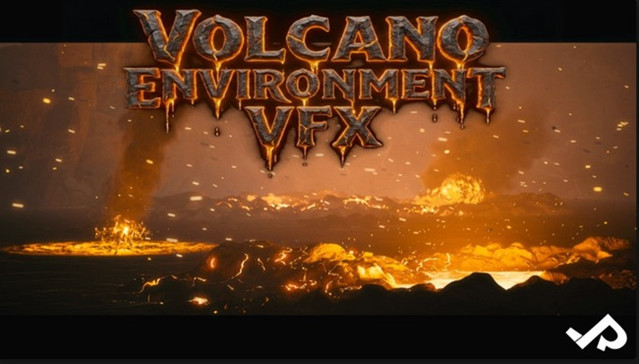
VolcanoEnvironmentVFX.zip

Download

此隐藏内容仅限VIP查看升级VIP

Post Cover

Duration 6h 17m Project Files Included MP4


Info

Title: Udemy – 3ds max Plugin, what a Passion

Info:

What you’ll learn
Using PolySlicer
Using Rock Generator V2
Using Radial Symmetry
Using Create Holes
Using Boxify
Using LabyrinthMaker
Using Wire Mesh Generator
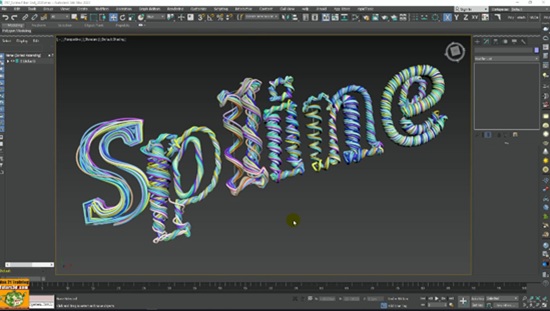
Using Swirling
Using Spline Fibers
And other scripts and tools

Note: This course uses a speaker with AI-generated voice.

Topics: in this course we will study nine tools to increase the modeling production of 3ds max between plugins, modifiers and scripts.

In the course we will study all the plugin settings through the analysis of the various options and practical exercises, specifically we will use:

PolySlice to cut geometries and apply mapping coordinates and Materials parametrically.

We will study Rock Generator V2 to create parametric rocks of various shapes and sizes; we will also apply the projection modifier to generate Normal maps Normal maps on low poly objects, using high resolution rocks.

We will study Radial Symmetry to create radial clones suitable for both Hard Surface modeling and Logo or Abstract Animations.

We will study Create Hole to quickly generate holes on geometries during Hard Surface modeling.

We will study Boxify to force any mesh into a cubic shape.

We will study LabyrinthMaker to quickly create parametric mazes.

We will study Wire Mesh Generator to create Polygonal Wire Meshes with a few mouse clicks.

We will study Swirling to Deform Geometries and create parametric waves on any polygonal object.

We will study Spline Fibers to generate twisted parametric cables at a speed never seen before.

Below is the classification of the resources that we will use in the course:

Free Plugins and Scripts used in the course: Boxify, LabyrinthMaker, Wire Mesh Generator, Swirling, Spline Fibers.

Commercial Plugins and Scripts used in the course: PolySlicer, Rock Generator V2, Radial Symmetry, Create Holes.

The course is recorded in the 3ds max 2020 release.

Attached to the lessons are available the 3ds max 2018_2019_2020 and higher compatible exercise files.

Note: the exercise files are attached to the lesson: “002_How to Get the PolySlicer ” and ” 057_Installing Furniture Panels ”

Updates:

In Section 7 “Free 3ds max Power Tools” other free scripts and tools for 3ds max.

Attached to the lessons are available the 3ds max 2018_2020 and higher compatible exercise files.

Note: the exercise files are attached to the lesson: “057_Installing Furniture Panels ”

Who this course is for:
Architects, Surveyors, Designers, Students, Teachers, 3D Artists.

Download

此隐藏内容仅限VIP查看升级VIP

Post Cover

Duration 17h 2m Project Files Included MP4


Info

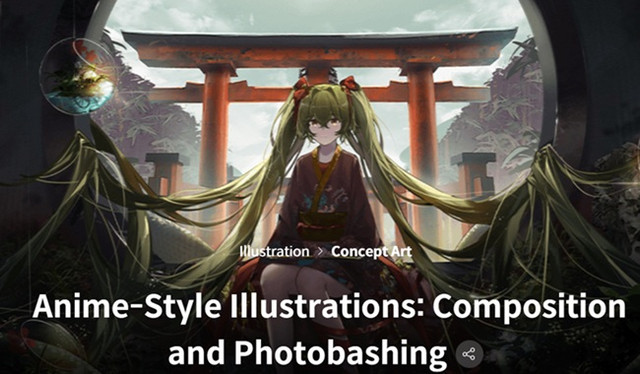
Title: Coloso – Anime-Style Illustrations Composition and Photobashing

Info:

Audio: English
Subtitles: English

Discover what it takes to draw beautiful anime-style illustrations using perspective and photobashing techniques.

This class will teach you everything about creating a captivating composition, from perspective drawing for architectural and environmental scenes to photobashing techniques to seamlessly blend photos to your illustrations.

Learn to enhance the quality of your digital illustrations by adding the right details to give your illustration a complete & finished look.

This class is perfect for beginning artists who want to start drawing captivating anime-style illustrations, starting from the basics.

Illustrator Zeklewa will teach you everything from basic tools and techniques in Procreate and Photoshop to perspective drawing and photobashing techniques. You’ll also learn how to use Photoshop filters to adjust colors, tones, and textures.

Take this class to master the building blocks of illustration and find out how to start adding details to enhance your artwork!

Note: 09_1.Bonus-1, 2, 3, 4 have no audio and subtitles.

Download

此隐藏内容仅限VIP查看升级VIP

Post Cover

Duration 13h 23m Project Files Included MP4


Info

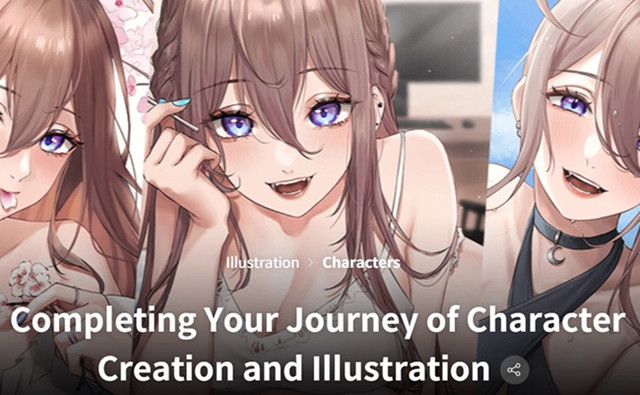
Title: Coloso – Completing Your Journey of Character Creation and Illustration

Info:

Audio: English
Subtitles: English

Are you struggling with creating your own anime-style original character? Or looking for ways to make your character stand out?

It’s a step that can seem like a daunting wall, but no worries! Nana will be here at Coloso to assist you in taking that step!

A beloved illustrator with 460K+ followers unveil the treasure trove of her valuable tips and insights!

Build a solid foundation for your character design and illustration skills with Nana’s carefully designed class with her practical approach.

Download

此隐藏内容仅限VIP查看升级VIP

Post Cover

Duration 16h 38m Project Files Included MP4


Info

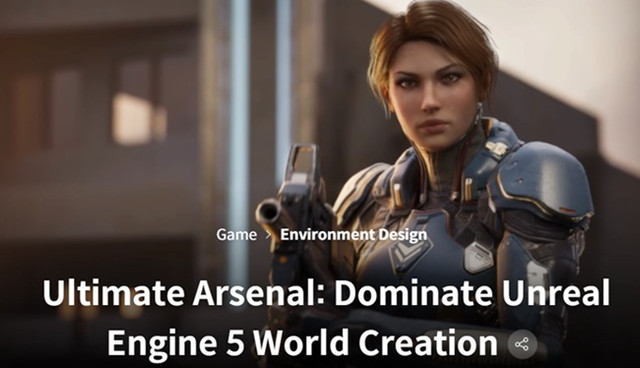
Title: Coloso – Ultimate Arsenal Dominate Unreal Engine 5 World Creation

Info:

Audio: English
Subtitles: English

“Having worked on top-tier projects, it’s time I showed you how us professionals create detailed & refined game environments!”

Step into the future of digital world-building where technical mastery meets artistic vision. This class demolishes the barrier between imagination and execution, teaching you to harness Unreal Engine 5’s revolutionary Nanite, Lumen, and ray-tracing systems to create environments that rival those in today’s AAA titles.

Develop the coveted skillset that studios are desperately seeking—the ability to craft worlds that don’t just look good but feel alive. Master the art of lighting that guides player attention, learn professional-grade material creation that brings consistency to diverse assets, and build atmospheric environments that tell stories without words. You’ll work through the exact production pipeline used by industry veterans, from reference gathering and composition planning to final cinematic rendering, gaining hands-on experience with cutting-edge techniques like volumetric lighting, dynamic time-of-day systems, and character-specific lighting rigs. By completion, you’ll possess both a standout portfolio piece and the comprehensive skillset that separates professional environment artists from the competition in today’s visually demanding game industry.

Download

此隐藏内容仅限VIP查看升级VIP