归档

All posts for the month 2026 年 7 月

Post Cover

Duration 13h 56m Project Files Included MP4


Info

Title: Udemy – Marvelous Designer Mastery: Beginner to Advanced

Info:

What you’ll learn
Create professional 3D garments from scratch using Marvelous Designer
Understand core pattern-making, sewing, and simulation workflows
Design realistic clothing such as shirts, pants, jackets, and complex outfits
Control fabric behavior and achieve realistic cloth simulation results
Build clean, production-ready clothing suitable for games, animation, and portfolio
Export garments properly for use in Blender, Maya, or rendering engines
Complete a full clothing project from concept to final output

Become a professional Marvelous Designer artist and master the complete workflow from concept to final presentation.

This 13+ hour project-based course takes you from absolute beginner to advanced level inside Marvelous Designer. You will not only learn the tools, but also the real production workflow used in the industry.

You will learn how to create accurate pattern-based garments, design both with and without patterns using creative techniques, manage complex scenes, and export your garments for texturing and rendering in Blender and Substance 3D Painter.

Course Structure

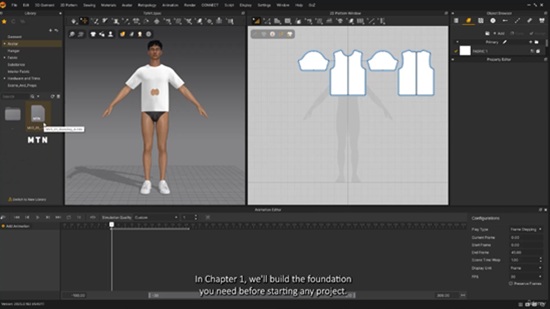
Chapter 1 – Introduction & Core Knowledge (4 hours)

Understanding the interface, tools, simulation system, pattern logic, fabric settings, internal lines, and essential theory behind garment creation.

Chapter 2 – Everyday Clothing Project (4 garments)

T-Shirt – Full pattern creation and detailing
Pants – Pattern making and fabric setup
Cargo Pants – Advanced pattern logic and layering
Bra – Designed without pre-made patterns, including lace and mesh fabric usage

Chapter 3 – Sci-Fi Outfit Workflow

Designed in Marvelous Designer → textured and rendered in Blender.
Extra workflow: textured again in Substance 3D Painter for full production pipeline understanding.

Chapter 4 – Freestyle Design + Animation

Garment created from imagination without predefined pattern. Includes character walk cycle and dynamic animation rendering in Blender.

Final Project – Lolita Dress (Technical Focus)

A complex garment design focusing on optimization, workflow management, and production techniques. (No final render, focus on technical execution.)

What You Will Learn

Complete pattern-based and creative garment design

Fabric simulation and optimization techniques

Export workflows (Marvelous Designer → Painter → Blender)

Character animation integration

Advanced scene management

Real production techniques used in fashion, character design, and game development

Software Used

Marvelous Designer 2025

Blender

Substance 3D Painter

DAZ Studio

Ideal For

Artists in:

Character design

Fashion and clothing simulation

Game development and animation

3D concept art

Final Note

Master professional garment creation and build a real production-ready workflow from start to finish.

Who this course is for:
Beginners who want to start learning 3D clothing design from scratch
3D artists and character artists who want to improve their clothing skills
Game developers and character designers looking to create realistic outfits
Fashion designers who want to transition into digital and 3D fashion design
Freelancers who want to offer professional clothing creation services
Anyone interested in creating realistic digital garments for animation or portfolio

Download

此隐藏内容仅限VIP查看升级VIP

Post Cover

Duration 3h 35m Project Files Included MP4


Info

Title: Udemy – Autodesk Civil 3D-Bridge Modeling & Construction Workflow

Info:

What you’ll learn
⚡ Model complete bridge projects in Autodesk Civil 3D using a real-world engineering workflow from start to finish
⚡ Learn not only how to model a bridge, but also how a bridge is actually built, following the real construction sequence from foundation to superstructure
⚡ Transform 2D bridge drawings into accurate 3D models while understanding the purpose of every structural element in the construction process
⚡ Understand the complete bridge construction sequence from foundation works to superstructure installation
⚡ Apply industry best practices used by professional civil engineers on real infrastructure projects

Requirements
❗ Having basic knowledge of engineering and construction concepts is an advantage, but this course also provides an opportunity for beginners to learn these topics
❗ To complete the exercises, you are required to have a laptop and access to the educational, commercial, or trial version of the Civil 3D software.

Description
Dont focus only on Civil 3D software tools courses. This course goes far beyond that.

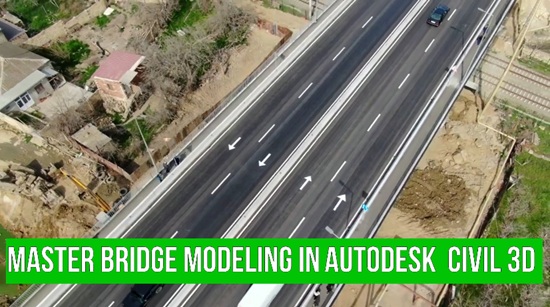
In this course, you will not only learn how to create a professional 3D bridge model in Autodesk Civil 3D, but also understand how a real bridge is constructed in the field. By working with real engineering drawings from an actual bridge project, you will see how every bridge component is modeled and how it fits into the overall construction process.

This course is designed to bridge the gap between Civil 3D software skills and practical bridge engineering. Instead of simply clicking commands, you will understand why each bridge element exists, how it is constructed, and how engineers transform 2D drawings into a complete 3D bridge model.

Throughout the course, you will model major bridge components step by step, including

• Pile Foundations
• Pile Caps
• Bridge Piers
• Pier Caps
• Abutments
• Bridge Girders
• Approach Roads
• Other Structural Bridge Elements

Unlike traditional software courses, this training follows the actual construction sequence of a bridge. As you build the model, you will also learn how the bridge is built—from the first foundation works to the completed superstructure.

By the end of this course, you will be able to

✓ Create professional bridge models in Autodesk Civil 3D from real engineering drawings.

✓ Convert complex 2D bridge plans into accurate 3D models.

✓ Understand the complete bridge construction workflow and the purpose of every structural component.

✓ Improve your Civil 3D skills through a real infrastructure project instead of simple practice exercises.

✓ Apply practical knowledge that can be used in engineering companies and infrastructure projects.

Whether you are a civil engineer, Civil 3D user, BIM professional, engineering student, or infrastructure designer, this course will help you develop practical skills that combine software knowledge with real-world bridge construction experience..All lessons in this course are delivered with high-quality AI voice narration.

If you want more than just another Civil 3D tutorial—and want to understand how professional bridge projects are modeled and built—this course is for you.

Who this course is for
⭐ Civil engineers who want to develop modelling skills in Autodesk Civil 3D
⭐ Civil 3D users who want to learn how to create realistic bridge models from engineering drawings
⭐ Students and graduate engineers interested in bridge engineering and construction workflows
⭐ Engineers who want to understand both bridge modeling and the real construction sequence through a real project

Download

此隐藏内容仅限VIP查看升级VIP

Post Cover

Duration 16h 39m Project Files Included MP4


Info

Title: Udemy – Unreal Engine 5 Stylized Landscape: Concept to Render

Info:

What you’ll learn
Understand what stylized art really means and how it differs from realistic — in form, shape, and materials
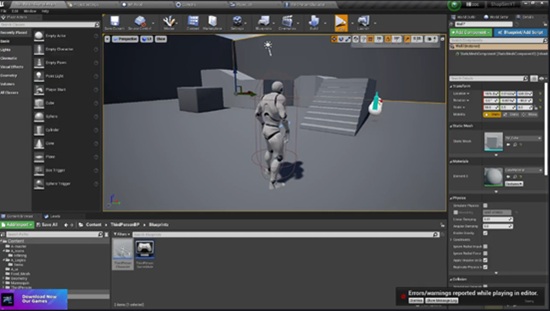
Model, sculpt, and blockout environments directly inside Unreal using Modeling Tools (Poly, Tri, Transform/Gizmo) — no external software needed
Analyze a reference board, plan your scene, set project scale, and build a full blockout phase by phase
Build a 4-layer landscape master material with paintable layers and layer-based mesh scatter
Use Runtime Virtual Texture (RVT) to blend grass and foliage naturally into your terrain
Create stylized foliage — grass, flowers, and trees — with masks, trim sheets, wind, and material-driven volume and inflation
Build background mountains, stylized clouds with fog cards, and finalize blockout models into final meshes with an art-director workflow
Use spline tools and blueprints to build paths and structures, and convert manual layouts into reusable blueprint actors
Apply vertex color techniques and render a final cinematic animation of your environment with the Sequencer

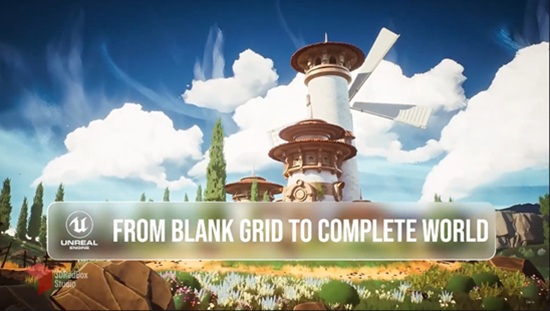
Turn a flat 2D concept into a living, fully stylized 3D world — built entirely inside Unreal Engine 5, from zero to a finished cinematic render.

In this course, across 42 lessons, you’ll walk the complete path an environment artist takes to build a professional stylized scene. We start by understanding what “stylized” really means and how it differs from realistic work — in form, shape, and materials — then analyze a reference board, plan the scene, and get to work.

You’ll model and sculpt directly inside Unreal using its Modeling Tools (Poly, Tri, and Transform workflows), set up project scale, and build a solid blockout phase by phase. From there we sculpt the landscape and build a 4-layer master material with paintable layers and layer-based mesh scatter, using Runtime Virtual Texture (RVT) to blend grass and foliage naturally into the terrain.

The foliage section is a chapter of its own: stylized grass, flowers, and trees built with masks, trim sheets, material-driven volume, and wind animation. Then come advanced stylized rock materials with UV-independent tiling that stays sharp at any scale, and a full world of VFX in Niagara — fireworks, smoke, drifting dandelions, and wind trails.

Finally, you’ll build background mountains, stylized clouds with fog cards, define paths with spline blueprints, add detail with vertex color, and set the final look with Post-Process and LUTs — then render a professional animation of your environment using the Sequencer.

This is an intermediate to advanced course for artists who already know the Unreal basics and want to build complete stylized worlds from scratch.

Who this course is for:
Intermediate to advanced 3D artists who want to build fully stylized environments from scratch inside Unreal
Environment artists moving into real-time stylized worlds
Game artists and indie developers who want a complete concept-to-render stylized landscape pipeline
Artists who already know Unreal basics and want to level up to professional stylized workflows

Download

此隐藏内容仅限VIP查看升级VIP

Post Cover

Duration 1h 49m Project Files Included MP4


Info

Title: Udemy – Unreal Engine 5.6 DMX Lighting Masterclass | Resolume Arena

Info:

What you’ll learn
Learn to set up the DMX plugin and lighting workflow in Unreal Engine 5.6.
Create professional environments using Modeling Tools, UVs, and Quixel materials.
Build realistic Lumen lighting and integrate DMX fixtures into Unreal Engine.
Connect Resolume Arena with Art-Net and synchronize DMX lighting to music.
Create cinematic camera animations and export high-quality renders with Sequencer.

This course contains the use of artificial intelligence. AI-generated voice narration is used throughout this course. All technical instruction, demonstrations, project workflows, and educational content were created, reviewed, and verified by the instructor.

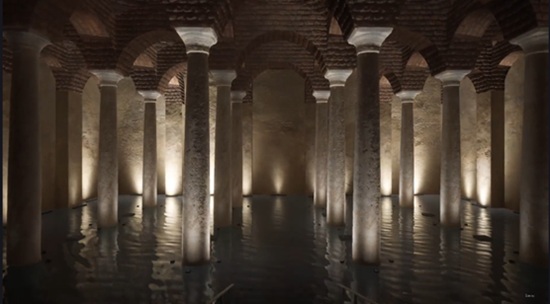
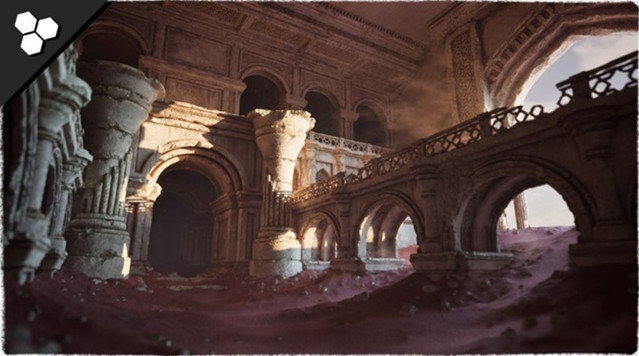
Learn how to create professional DMX lighting visualizations in Unreal Engine 5.6 from scratch. In this course, you will build a complete real-time historical environment, integrate DMX lighting fixtures, connect Resolume Arena to Unreal Engine using Art-Net, synchronize lighting with music, and master professional workflows using Lumen, Sequencer, and Movie Render Queue.

You will start by setting up Unreal Engine 5.6 and enabling the required plugins, including DMX, Modeling Tools, and Sequencer. Next, you will create and optimize your environment using Unreal Engine’s Modeling Tools, prepare UVs, and configure high-quality real-time lighting with Lumen. You will then add DMX fixtures, configure DMX addressing, and build a complete lighting system inside Unreal Engine.

After building the scene, you will establish a real-time Art-Net connection between Resolume Arena and Unreal Engine, allowing your lighting to react live to music and DMX data. You will create cinematic camera movements with Level Sequencer, synchronize lighting with WAV audio, and produce professional-quality animations suitable for presentations, live events, and client demonstrations.

Finally, you will render your project in high quality using Movie Render Queue, creating polished cinematic videos ready for presentations, portfolios, social media, or commercial production.

This course is designed for lighting designers, Unreal Engine artists, stage and concert production professionals, architectural lighting designers, visualization specialists, and anyone interested in professional DMX workflows. By the end of the course, you will be able to design, animate, synchronize, and render complete real-time DMX lighting experiences using industry-standard tools and workflows.

Who this course is for:
Lighting designers working with architectural, stage, or entertainment lighting.
Unreal Engine artists who want to learn professional DMX visualization workflows.
Students and professionals interested in Resolume Arena and Art-Net integration.
Anyone who wants to create music-synchronized lighting shows in Unreal Engine.

Download

此隐藏内容仅限VIP查看升级VIP

Post Cover

Unreal Engine Bundle 1 July 2026


Info

Title: Unreal Engine Bundle 1 July 2026

Info:

Includes:

DrivableMarsRoverCars.rar
Insane Sword Shield Pack Action RPG Available for all genres 5.6.rar
Medieval Village Props – Furniture Containers Clutter.rar
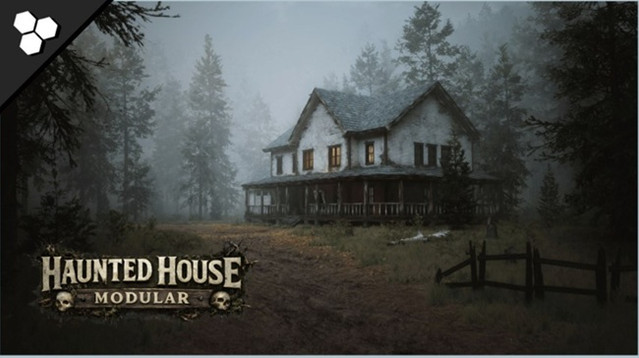
Modular Haunted House (Modular House Haunted House House Home Modular).rar
Science Fiction Desert City Kit.rar
UscansWorkshop.rar
Waypoint Time Trial – Checkpoint Race System.rar
Animation Tools Bundle v1.1 UE5.2.zip
Animation Tools Bundle v1.1 UE5.3.zip
Animation Tools Bundle v1.1 UE5.4.zip
Animation Tools Bundle v1.5 UE5.6.zip
Animation Tools Bundle v2.0 UE5.7.zip
Animation Tools Bundle v2.0 UE5.8.zip
HyperFocus Metasound Nodes v1.0 5.7-5.8.zip
Integer to Roman Numerals v1.0 5.7-5.8.zip

Download

此隐藏内容仅限VIP查看升级VIP

Post Cover

Duration 12h 4m  MP4


Info

Title: Udemy – Unreal Engine 5: Complete Architectural Environment Creation

Info:

What you’ll learn
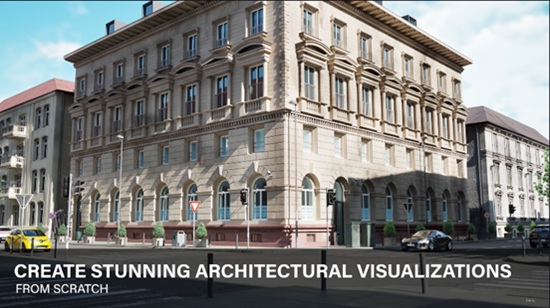
Plan and organize an architectural visualization project from start to finish.
Use advanced modeling techniques that can be applied in Maya, Blender, or 3ds Max.
Learn the Unreal Engine 5 Interface efficiently.
Set up a professional Unreal Engine 5 project, including folder structure and project organization.
Create master-materials directly in Unreal Engine.
Import and manage materials from both internal and external marketplaces.
Create your own custom assets for architectural visualization.
Import and organize assets from both internal and external marketplaces.
Create and use decals to add realistic details and storytelling elements.
Set up realistic HDRI lighting for professional-quality scenes.
Configure cameras and create cinematic Level Sequences.
Produce high-quality still image renders using Unreal Engine 5 Path Tracing.

This course contains the use of artificial intelligence.

Please note: A professional AI voice-over system was used for the course audio. While every effort has been made to ensure high audio quality, minor variations in pronunciation, tone, or audio consistency may occasionally occur.

All course content, including the scripts, explanations, examples and videos, was created entirely by the instructor. Professional AI voice was only used solely for the narration.

Not every step of the project is explained in real time. The most important workflows, techniques, and underlying concepts are covered in detail, while repetitive or recurring tasks may include periods with little or no commentary to keep the course focused and efficient.

Course description

Learn Unreal Engine 5 from scratch and create a complete architectural environment using professional workflows. Throughout this course, you’ll build a portfolio-ready scene while learning environment creation, materials, asset integration, lighting and rendering.

Designed for 3D artists and 3D students with basic 3D experience, this course requires no prior Unreal Engine knowledge. By the end of the course, you’ll have a strong foundation in Unreal Engine 5 and a high-quality project that showcases your environment creation skills.

You’ll learn how to organize and build a complete Unreal Engine project, work with custom assets and marketplace content, create realistic environments, and understand the principles behind professional Unreal Engine workflows. The techniques covered throughout the course can be applied to architectural visualization, automotive visualization, environment art, and other 3D industries.

Who this course is for:
3D artists with general 3D experience who want to learn Unreal Engine 5 for professional projects
Architectural designers and visualization artists looking to create high-quality architectural renders and presentations.
Environment artists and game developers who want to build realistic environments in Unreal Engine 5.

Download

此隐藏内容仅限VIP查看升级VIP

Post Cover

Toon Boom Harmony Premium 27.0.0 build 25340 Win


Info

Title: Toon Boom Harmony Premium 27.0.0 build 25340 Win

Info:

All-in-one
animation solution
See why the most ambitious 2D productions around the world choose Harmony. Having an all-in-one animation solution allows artists in studios to collaborate using the same programs and project files, from drawing roughs to rigging characters and compositing. Whether you work with hand drawn animation or character rigs, Harmony gives artists everything you need to animate with style.

NEW FEATURES
Universal Scene Description Compatibility
Originally created by Pixar, Universal Scene Description (USD) is an open standard for transferring 3D scene data along a CGI production pipeline. Harmony Premium 25 supports importing 3D models in the USDZ format, as well as importing and exporting animation data and camera movements. This update significantly expands flexibility for new pipeline integrations.

NEW FEATURES
Import Photoshop Brushes
Draw with the same brushes in your storyboards and animation that were used in visual development. Storyboard Pro, Harmony Advanced, and Harmony Premium 25 can directly import Photoshop ABR brushes, allowing artists to expand their brush libraries. ABR brushes can either be imported as vector and bitmap brushes, and can also be used as erasers.

NEW FEATURES
Pencil Line Retouch Tool
Improving on drawing tools in Storyboard Pro and Harmony, artists can now adjust the opacity and thickness of existing pencil lines by drawing over with the Pencil Line Retouch Tool in Storyboard Pro, Harmony Advanced and Harmony Premium 25. This allows pencil lines to more accurately mimic natural media while remaining versatile and adjustable throughout the ink & paint process.

Download

此隐藏内容仅限VIP查看升级VIP

Post Cover

Duration 2h 38m MP4


Info

Title: Udemy – Simple Super Store with Blueprints System Unreal Engine 5

Info:

What you’ll learn
Build a complete and reusable Super Store System in Unreal Engine 5.6 using Blueprints.
Create item pickup, placement, and shelf management systems.
Develop interactive store mechanics, including product selection and inventory handling.
Build a checkout and payment system for a supermarket game.
Design modular Blueprint systems that are easy to expand and maintain.
Create reusable interaction systems for players and store objects.
Organize a professional Unreal Engine project using best practices.
Implement save and load functionality for store progress and game data.
Apply the techniques learned to create supermarket, convenience store, retail, or shop simulation games.

Want to learn how to create a complete Super Store System in Unreal Engine 5.6? This hands-on course will guide you through building a modular and reusable supermarket gameplay system using Unreal Engine 5.6 and Blueprints—no C++ required.

Instead of creating a one-time project, you’ll learn how to build scalable systems that can be expanded into a complete supermarket, convenience store, or retail simulation game.

What You’ll Build

By the end of this course, you’ll have a fully functional Super Store System featuring:

Interactive product pickup and placement

Shelf management system

Player interaction system

Shopping mechanics

Checkout and payment system

Inventory management

Reusable Blueprint components

Save and load functionality

Modular project architecture for future expansion

What You’ll Learn

Build a complete Super Store System using Unreal Engine 5.6

Create interactive gameplay using Blueprints

Develop pickup and item placement mechanics

Design inventory and shelf management systems

Build a checkout and payment workflow

Organize scalable Blueprint architecture

Implement save and load systems

Apply Unreal Engine best practices for gameplay development

Why Take This Course?

This course focuses on practical game development by building a real gameplay system that you can reuse in your own projects. Every Blueprint is designed to be modular, clean, and easy to expand, allowing you to add new products, store features, NPC customers, and gameplay mechanics as your project grows.

Whether you’re creating a supermarket simulator, convenience store game, retail simulator, or another management-style project, the systems you’ll build in this course provide a strong foundation for future development.

Who This Course Is For

Beginners learning Unreal Engine 5.6

Blueprint developers who want to build gameplay systems without C++

Indie game developers creating simulation or management games

Developers interested in supermarket, retail, or shop mechanics

Anyone looking to improve their Unreal Engine Blueprint skills through a practical, project-based course

By the end of this course, you’ll have the knowledge and confidence to build your own interactive Super Store System and expand it into a complete simulation game.

Who this course is for:
Beginners who want to learn Unreal Engine 5.6 Blueprint development through a practical project.
Game developers interested in building supermarket, retail, or store simulation games.
Unreal Engine developers who want to create modular and reusable gameplay systems.
Indie developers looking to add interactive shopping and inventory mechanics to their games.
Students who prefer visual scripting with Blueprints instead of C++.
Anyone who wants to improve their Unreal Engine skills by building a complete, real-world gameplay system from scratch.

Download

此隐藏内容仅限VIP查看升级VIP

Post Cover

Unreal Engine Bundle 10 June 2026


Info

Title: Unreal Engine Bundle 10 June 2026

Info:

Includes:

ANIME_SKYBOX_V3.7z
100__Camp_Male_Animations.rar
Accretion_Disk.rar
Adventurers Inventory Kit.rar
Dragon_Chinese.rar
EV_Charging_Station_5_7.rar
Feather_Village.rar
FPS_Assault_Pack.rar
Knight Armor – Metahuman and Customization System UE5.4+.rar
Modular Ancient Ruins Temple Dungeon Builder (Ruins Temple Dungeon Nanite).rar
Old_Restaurant_Kitchen.rar
OrbitalBase.rar
Realistic_Drivable_Raft.rar
Signal_Light.rar
Smart_Multiplayer_Ping_System.rar
Truck_Levo_T2580.rar
Wildwood_Stylized_Forest__Stylized_Nature__Stylized_Forest__Nature__Biome__5_8.rar
World Director Actor v1.1.7 (5.7).rar
Zombie Mutant Bundle UE5.5+.rar

Download

此隐藏内容仅限VIP查看升级VIP