归档

All posts for the month 2026 年 8 月

Post Cover

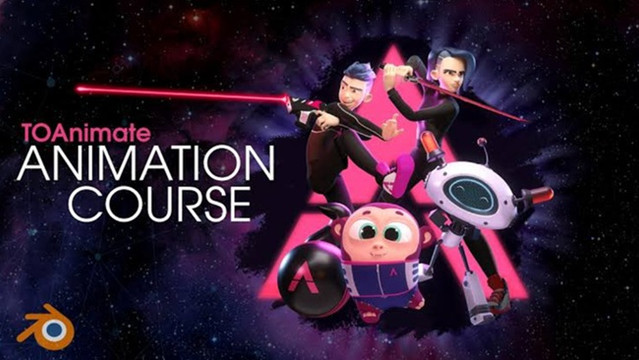
TOAnimate – Blender Basics + Full Animation Course


Info

Title: TOAnimate – Blender Basics + Full Animation Course

Info:

What’s included?
40+ comprehensive video lessons

Exclusive feature-quality rig (Max)
TOAnimate camera rig
A ton of rigged props
Blender Hotkeys for Animators (printable download)
PDF handbooks for each lesson
Animation picker & pre-made character templates

The Ultimate Blender Animation Course
Master Blender.
Animate like a pro.
Bring your ideas to life.

Download

此隐藏内容仅限VIP查看升级VIP

Post Cover

Duration 22h 53m Project Files Included MP4


Info

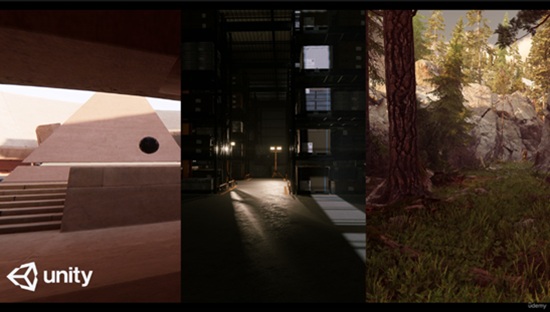
Title: Udemy – Master Lighting in Unity

Info:

What you’ll learn
Understand the Fundamentals of Unity’s Lighting System
Apply Lighting Techniques to Enhance Visual Quality
Optimize Lighting for Performance in Real-Time Engines
Design and Implement Advanced Lighting Scenarios
Understand both render system HDRP and URP

Lighting is one of the most beautiful fields in Computer Graphics. Defining the correct lighting setup in your 2.5 or 3D environment helps shape the mood, define form, guide the player’s eye, and transform a simple scene into a truly pleasant experience. In this course, you will learn how lighting in Unity works by exploring the tools available in both major render pipelines—HDRP and URP—using a combination of artistic principles and technical skills.

Whether you are a beginner or an experienced Unity user, this course will give you a deep understanding of Direct Lighting, Indirect Lighting, and Global Illumination techniques; the differences between baked and real‑time GI; Ray Tracing lighting; exposure; and post‑processing effects. You will learn not only what these tools can do to support your artistic direction, but also how to use them to create beautiful, physically accurate, and production‑ready results.

Throughout the lessons, I use simple scenes that are ideal for teaching each lighting technique, allowing you to understand the concepts in the simplest way possible. In addition, you will take everything you learn and put it into practice in a more complex exterior and interior environment that you can download for free from the Unity Asset Store.

This course was created using Unity version 6000.0.46f1, although the version may change in future course updates.

Download

此隐藏内容仅限VIP查看升级VIP

Post Cover

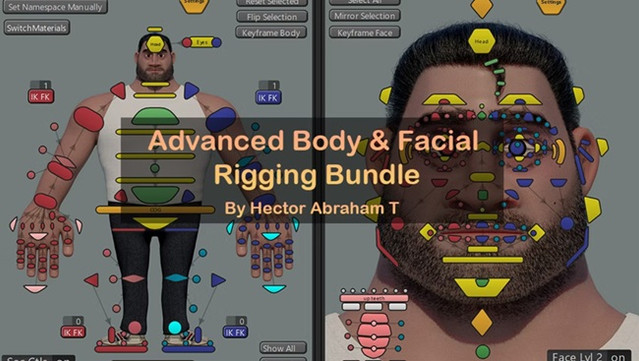
HatRigs – Advanced Body and Facial rigging workshops


Info

Title: HatRigs – Advanced Body and Facial rigging workshops

Info:

14 weeks of intensive workshops to learn how to create complete character rigs for animated films.

About the event

Dive into the world of body and facial rigging, where you’ll explore both the artistic and technical aspects needed to create high-quality deformations for animated films. In this advanced course, you’ll learn the skills necessary to craft appealing, expressive rigs that meet the demanding standards of animated films.

Instructor

Hector Abraham Torres

Is a Character Rigger at Walt Disney Animation Studios with over 10 years of experience in the industry, he also worked at Sony Pictures Imageworks and other big animation studios.

Hector also an international speaker and instructor which contributions have made him a respected figure in the animation community.

Projects worked:

Tiana

Moana 2

Spider-Man Across the Spiderverse

Monsters At Work

Paw Patrol the Movie

SpongeBob in the Run

Max Stel Turbo

Download

此隐藏内容仅限VIP查看升级VIP

Post Cover

Duration 3h 15m Project Files Included MP4


Info

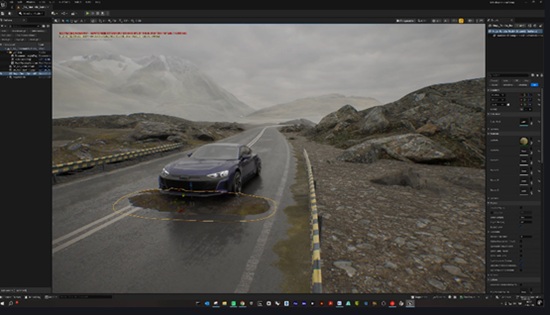
Title: Udemy – Unreal Engine 5 | No-Rig Cinematic Car Animation

Info:

What you’ll learn
Create cinematic vehicle animations in Unreal Engine 5 without using a skeletal rig.
Animate vehicles along custom spline paths with adjustable speed and realistic movement.
Configure wheels, steering, suspension, vibration, and ground alignment for different vehicles.
Create cinematic driving effects including drift, tire smoke, exhaust flames, and brake glow.
Control headlights, brake lights, reverse lights, and turn signals directly from the Details panel.
Animate vehicle settings with Sequencer and produce high-quality cinematic renders.

This course contains the use of artificial intelligence.

AI-generated voice narration is used throughout this course. All technical instruction, demonstrations, project workflows, and educational content were created, reviewed, and verified by the instructor.

Create professional cinematic car animations in Unreal Engine 5 without skeletal rigging, complex vehicle setups, or Blueprint programming.

In this course, you will learn how to use the ready-to-use BP_VehicleAnimator system to animate different vehicle models directly through the Details panel. You will import and prepare a vehicle, assign its wheels, create custom spline paths, control speed, steering, suspension, vibration, and ground alignment, and produce realistic vehicle movement on different road surfaces.

You will also explore cinematic driving features such as drift control, tire smoke, exhaust flames, brake glow, headlights, brake lights, reverse lights, and turn signals. These settings can be adjusted without opening complex Blueprint graphs, making the workflow accessible to both beginners and experienced Unreal Engine artists.

The course explains how to animate vehicle parameters with Sequencer, create cinematic camera shots, record driving animations, and prepare the final scene for high-quality rendering. You will also learn how to diagnose common setup problems and adapt the system to different vehicle models.

The BP_VehicleAnimator system and the course project files are included with the training at no additional cost. You can migrate the system into your own Unreal Engine projects and customize it for automotive visualization, commercials, short films, social media content, virtual production, and other cinematic projects.

No skeletal rigging, vehicle physics setup, coding, or advanced Blueprint knowledge is required. By the end of the course, you will have a practical and reusable workflow for creating convincing cinematic vehicle animations in Unreal Engine 5.

Who this course is for:
Unreal Engine artists who want to create cinematic vehicle animations without rigging.
3D artists, visualization specialists, filmmakers, and automotive content creators.
Beginners who want a ready-to-use and customizable vehicle animation workflow.
Experienced Unreal Engine users who want to speed up vehicle animation and cinematic production.


Download

此隐藏内容仅限VIP查看升级VIP