
归档

All posts for the month 2026 年 6 月

Post Cover

Duration 2h 10m  MP4


Info

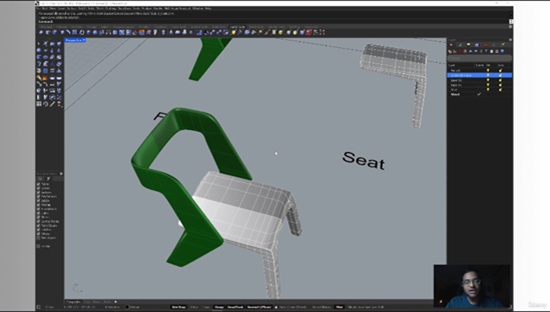
Title: Rhino 3D SubD – Product Design

Info:

What you’ll learn
Understanding SubD Modeling including Basic principles of subdivision surfaces
Interface and Tools like SubD-specific toolbars and commands, Navigation in SubD modeling mode, Customizing interface for SubD workflow
Creating SubD primitives Converting between SubD and other geometry types
Managing subdivision levels Creating and controlling edge creases
Advanced Modeling Techniques such as Face extrusion techniques, Edge loop management, Bridge surface creation, Pattern development
Organic Modeling with Practical examples
Workflow Management
Surface analysis, Model optimization, Error checking, Preparation for manufacturing
complex Modeling
Integration Techniques like Combining SubD with NURBS, Hybrid modeling approaches
Concept development
Practical examples in multiple disciplines and Real-world case studies
Problem solving with multiple issues and preparing the surface
Output and Documentation

Description: Master SubD modeling in Rhino 3D to create innovative, ergonomic, and visually striking product designs. This course is built specifically for industrial designers, product developers, and 3D artists who want to harness SubD’s flexibility to sculpt fluid, organic forms with precision.

Why SubD? Traditional NURBS workflows often struggle with highly organic shapes. SubD bridges that gap, letting you sculpt freeform geometry while maintaining control over detail and manufacturability. It’s the perfect tool for consumer electronics, footwear, furniture, packaging, and lifestyle products where aesthetics and usability must align.

Practical Approach: This course takes you beyond theory into the practical application of SubD modeling for product design. Instead of abstract geometry, you’ll learn through intuitive, step‑by‑step examples that mirror real industry workflows. Whether you’re designing consumer electronics, footwear, furniture, or packaging, you’ll see exactly how SubD adapts to the challenges of modern product development.

Outcomes: By the end of this course, you’ll be able to adapt SubD techniques directly into your product design workflow, confidently moving from concept sketches to fabrication‑ready models. You’ll gain the ability to explore bold, organic forms while ensuring they remain practical for prototyping and production.

Elevate your Rhino 3D skills and unlock new creative possibilities in product design with SubD.

Who this course is for:
This course is for anyone interested in Rhino Sub-D organic modeling
Designers working on prototypes who need smooth, manufacturable surfaces
Digital Artists : Character modelers who want to create organic forms, Artists transitioning from other 3D software like Maya or Blender, Concept artists working on visualization projects
Students & Educators : Design students learning professional 3D modeling tools , Architecture students exploring form-finding techniques, Educational institutions teaching advanced modeling techniques
Manufacturing Professionals : Engineers who need to create complex surfaces for manufacturing, Tooling designers working on molds and casts, Professionals in rapid prototyping and 3D printing
Architects & Interior Designers : Professionals designing organic architectural elements , Those working on unique facades or sculptural building components, Interior designers creating custom furniture or fixtures

Download

此隐藏内容仅限VIP查看升级VIP

Post Cover

Duration 3h 42m MP4


Info

Title: Udemy – 3 Methods for Creating Game Assets in Blender 5

Info:

What you’ll learn
3 ways to create game ready models
Step by step process of creating each model
Sculpt high quality models
Retopology
UV unwrapping
Bake textures from high poly meshes
Properly set up PBR materials
Create LOD’s for your assets
Export assets to game engines

In this course, I’ll show you 3 methods for creating game assets in Blender. Not every model needs the attention to detail like a character model would need. I’ve worked on many projects and over the years have found several ways to create assets using different methods. If you are someone who is developing games with a small team or the honorable solo dev, it’s nice to have a few tools in your bag to get the job done how you see fit. I’ll explain each method in detail and the purpose behind each one.

By the end of the course you’ll learn:

High-poly to low-poly workflow

Low-poly to high-poly workflow

Smart materials

Sculpting

Retopology

Baking textures

LODs

UV Unwrapping

Exporting to game engines

Extra lecture (3D Coat workflow)

And more

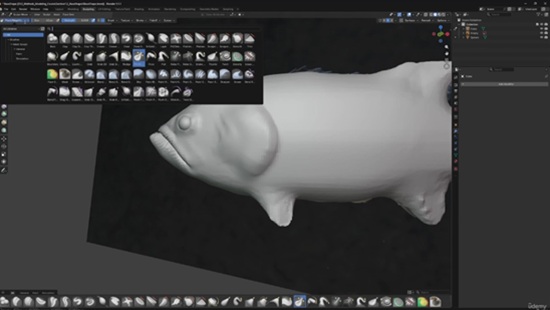
We will be modeling and sculpting a fish to learn the first method. For the second method, we will be creating a base mesh of a barrel and sculpting details afterwards. In the final method we will take on a medieval door without sculpting any details and relying on the PBR materials.

We will be creating 3 models during this course, and I hope to see you in class!

Who this course is for:
Intermediate Blender users that want to create assets for their game. This course is not recommended to brand new users of Blender. I do explain the processes behind what I’m doing, but if you just learning the interface this course may not match your needs.

Download

此隐藏内容仅限VIP查看升级VIP

Post Cover

Duration 7h Project Files Included MP4


Info

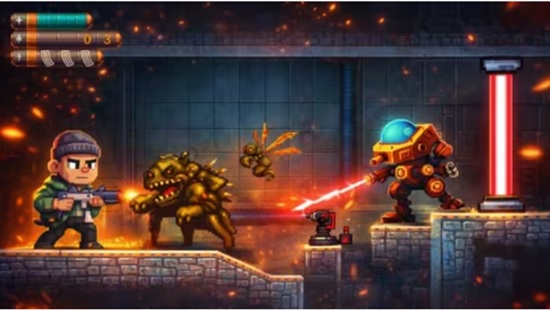
Title: Udemy – Unreal Engine 5: Build a 2D Side Scroller Shooter Game

Info:

Learn Unreal Engine 5 Blueprints, PaperZD animations, enemy AI, weapons, traps, UI systems, pickups, and level design

What you’ll learn
Create a complete 2D side-scrolling shooter game from scratch
Use Unreal Engine 5 Blueprints without writing code
Create TileSets and TileMaps using Paper2D
Configure Unreal Engine for professional 2D development
Create smooth player movement, jumping, crouching, and rotation
Implement weapon shooting and projectile systems
Create reload mechanics and animation notifies
Build ammo counters and HUD interfaces
Design game levels using Paper2D assets
Add sound effects and game feedback
Create health and damage systems
Build enemy AI that follows and attacks the player
Create flying enemies
Design environmental hazards and traps
Create collectible pickup systems
Implement double jump mechanics
Create projectile-based enemy attacks
Build win screens and animated UI
Learn practical Blueprint development workflows
Finish with a complete playable game project

Requirements
A computer capable of running Unreal Engine 5
Desire to learn game development
Unreal Engine 5 (free download)

Description
Welcome to the complete Unreal Engine 5 2D Side Scroller Shooter course!

In this project-based course, you will learn how to create a professional 2D action shooter game from scratch using Unreal Engine 5, Blueprints, Paper2D, and PaperZD.

Instead of learning isolated concepts, you will build an entire playable game step-by-step while learning real game development workflows used by indie developers.

Throughout the course, we will create a complete character controller featuring movement, jumping, crouching, shooting, reloading, animations, health systems, UI, enemy AI, pickups, traps, level design, and much more.

We will also create multiple enemy types including mechanical enemies, flying enemies, alien creatures, and a boss-like worm enemy capable of attacking the player with projectiles.

By the end of the course, you will have developed a complete side-scrolling shooter game that you can expand into your own commercial project.

What makes this course different is the practical approach. Every lesson focuses on building a real game feature that contributes directly to the final project.

Whether you are a complete beginner or an Unreal Engine user looking to learn 2D game development, this course will provide the skills and confidence needed to create your own games.

Join now and start building your own 2D shooter game today!

Who this course is for
Complete beginners interested in game development
Unreal Engine users who want to learn 2D game creation
Artists who want to turn their artwork into playable games
Indie developers building 2D action games
Students wanting practical Blueprint experience
Anyone interested in creating side-scrolling shooter games

Download

此隐藏内容仅限VIP查看升级VIP

Post Cover

Duration 6h 30m Project Files Included MP4


Info

Title: FXPHD – SIL104 – Production Features and Workflows in Silhouette

Info:

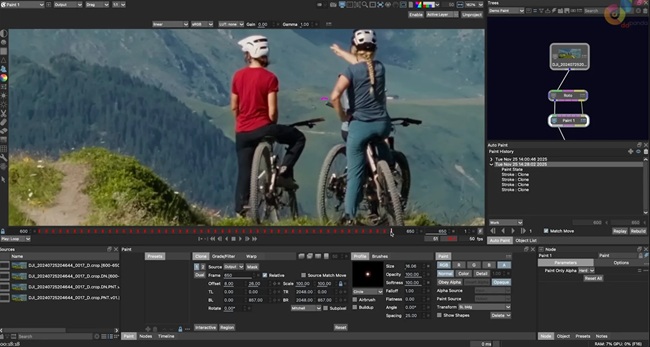
This course is designed for artists who already have some experience with Silhouette and want to build on their existing roto and paint skills. SIL104 focuses on updated production workflows, introducing new Machine Learning tools, 3D workflows, and expanded paint and tracking features, with practical examples drawn from real-world shot work.

Featuring Silhouette software v2025.5, SIL104 consists of 12 classes, 10 16-bit EXR shots, and over 6 hours of instruction and builds on previous courses SIL101 – Introduction to Silhouette and Roto, SIL102 – Introduction to Silhouette and Paint Part 1 and SIL103 – Introduction to Silhouette and Paint Part 2.

SIL104 starts with two classes covering recent paint and roto updates since the previous fxphd Silhouette series, then transitions into new features and workflows. Silhouette is evolving into a robust, multi-faceted, cross-disciplinary application that includes not only roto and paint features but also compositing, updated 2D tracking options, 3D tracking capabilities with integration, and several new Machine Learning nodes. In this course, the ML nodes covered are: Denoise ML, Face ML, Mask ML, Matte Assist ML, Matte Refine ML, and Motion Blur ML.

After the refresher classes, there are two ML roto classes that cover three separate shots, taking one through the myriad options for automatic matte creation and edge treatment. These new tools provide fast previs mattes, comp assist, tracking assist, as well as final composite quality results.

Next up is a four-part Beauty Work shot that encompasses Mocha Powermesh tracking, shape-based warping with Silhouette’s Morph node, Inpatient, Face ML and the newly reimagined Cryptomatte. Following is a two-part tricky plate reconstruction shot with an oversized clean plate and lots of real-time problem-solving.

The course wraps up with two classes and three shots incorporating the new SynthEyes camera solver in the 3D Scene node. Two separate paint workflows are explored, along with how to use 3D data for rotoscoping.

Whether it has been a year or a couple of months since you last worked in Silhouette, this course will bring you right up to speed with the latest. Thanks go to Damien Vergez of Fast Fokus, Ben Brownlee of Boris FX and ActionVFX for providing the footage.

Katie Morris is a Visual Effects Digital Artist with credits on over 87 feature films. She brings deep expertise as a 2D and 3D post-production digital paint artist, paint compositor, and rotoscoper, using a wide range of techniques and software packages to reconstruct background plates and complex sequences. Katie is also a beta tester for Silhouette FX, giving her early, practical insight into new features long before they reach production.

Download

此隐藏内容仅限VIP查看升级VIP

Post Cover

Maxon Cinema 4D 2026.3.1 Win


Info

Title: Maxon Cinema 4D 2026.3.1 Win

Info:

What is Cinema 4D?
Cinema 4D is a professional 3D animation, modeling, simulation and rendering software solution. Fast, powerful, flexible, and stable, this powerful toolset makes 3D workflows more accessible and efficient for design, motion graphics, VFX, AR/MR/VR, game development, and all types of visualization.

Bug Fixes
Exchange
Fixed morph tag issues when scrolling timeline and toggling geometry
Fixed Sketchup file import not working on macOS
Hair
Fixed crash when rendering hair in viewport
Modeling
Fixed symmetry selection loss after undo in polygon mode
Fixed symmetry plane freeze after undo
Fixed ‘Select All’ in Phong Break Selection tool not selecting edges
Neutron
Fixed broken Trim Spline modifier causing spline disappearance
Other
Fixed file size increase when re-saving older scenes
Fixed crash when using Polygon Pen on UVs
Fixed a crash during GlTF export
Python
Fixed c4d.gui.GeDialog.GetString and .GetFilename return blank string for c4d.gui.GeDialog.AddCustomGui with type c4d.CUSTOMGUI_FILENAME
Fixed an issue where UV tags where not correctly initialized
Simulation
Fixed crash when caching to a full disk
Fixed particles not rendering in PV when using Pulse Mode
Fixed crash when caching/loading cloth to Alembic
Fixed cached particles not updating in viewport when played in same Simulation Scene
UV Tools
Fixed UVs being editable despite ‘Lock UVW’ option enabled
Fixed ‘Select UV Boundaries’ missing edges on editable Platonic objects
Fixed ‘Max UV’ resize command flipping UV polygons
Fixed UV Editor opacity default incorrectly set to 100% after overinstalling over older version
Fixed rendering issue with instances having UV tags assigned
Fixed a crash regarding UV tag handling
Viewport
Fixed shader cache recalculation on reboot on Windows

Download

此隐藏内容仅限VIP查看升级VIP

Post Cover

LightWave 3D 2026 Mac


Info

Title: LightWave 3D 2026 Mac

Info:

LightWave 3D is versatile enough to make the transition to and from all kinds of projects. Proven for years in television, film, and games, LightWave 3D is also being used to create graphics for print, web, industrial design, architecture, medical imaging, and anywhere else a 3D package is needed.

此隐藏内容仅限VIP查看升级VIP

Post Cover

3ds Max – Cityscape Pro 2.1.7 Win and Foliage Tint Master


Info

Title: 3ds Max – Cityscape Pro 2.1.7 Win and Foliage Tint Master

Info:

Transform your 2D site plan into a clean 3D geometry with few clicks.
Cityscape Pro is a complete solution for modeling urban areas. A non-destructive, parametric workflow helps you easily incorporate revisions.

Pavement materials
Create parametric roads and pavement materials with few clicks, Instantly get access to a material library with over 70 presets.

Curbed areas
Bring your 2d architectural site plan to life, create a clean, detailed geometry that can be used as a solid base for your scene.

Terrain, Water & Snow
Quickly add terrain features, lakes, and snow geometry – Pick a spline area, specify the preset and Generate, done!

Supergrass
Create a hyper-realistic grass geometry with Supergrass, It’s very easy to use and uses less memory than scattered geometry.

****************************************************************************************************************************

Foliage Tint Master tackles a recurring archviz pain: vegetation that’s too green, too saturated, or the wrong season.

Instead of editing Color Correction nodes on every leaf material one by one, you grade your whole selection from five live sliders — live under Corona’s interactive render, 100% non-destructive, with an independent tint per selection.

此隐藏内容仅限VIP查看升级VIP

Post Cover

Arnold 5.9.3 for 3ds Max 2025-2027 Win


Info

Title: Arnold 5.9.3 for 3ds Max 2025-2027 Win

Info:

Autodesk Arnold software is an advanced Monte Carlo ray tracing renderer that helps you deliver beautiful and predictable results.
Enhancements
Gaussian Splats: Arnold now supports rendering 3D Gaussian Splatting (3DGS) scenes. MAXtoA adds a simple, file-based Gaussian Splats object that allows you to render splats. Note that this Gaussian Splat object does not have a viewport representation in this MAXtoA version. The Render Setup has a new global option for the Min Pixel Width of gaussian splats. You can override the Min Pixel Width on a per-object basis with the Arnold Properties Modifier.

此隐藏内容仅限VIP查看升级VIP