
归档

All posts for the month 2026 年 6 月

Post Cover

Duration 6h 4m MP4


Info

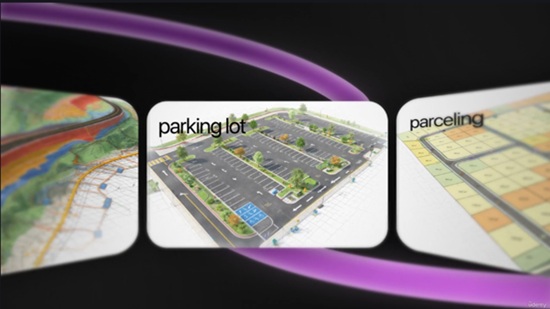
Title: Udemy – Autocad Civil3d Full Course 2026

Info:

What you’ll learn
Create and manage Civil 3D surfaces, contours, breaklines, and terrain models using practical workflows
Design alignments, profiles, corridors, and road layouts using AutoCAD Civil 3D tools
Generate quantity reports, cross sections, volume calculations, and engineering documentation efficiently
Work on real project based Civil 3D workflows used in infrastructure and road design projects

Master AutoCAD Civil 3D through practical real world infrastructure and road design workflows used in the engineering industry.

This course is designed for civil engineering students, site engineers, draftsmen, contractors, and professionals who want to learn Civil 3D from beginner to advanced level using project based practical training.

Fundamentals Track

• Civil 3D Introduction
• User Interface & Templates
• Default Settings, Import & Export
• Essential Civil 3D Tools

Points Management

• CAD vs COGO Points
• Point Creation & Point Groups
• Tables, Reports & Label Customization

Surface Modeling

• Surface Creation & Surface Editing
• Breaklines, Boundaries & Masks
• Contours, Labels & Catchments
• Volume Calculations & Surface Analysis
• Image Draping Techniques

Alignments & Sites

• Alignment Creation & Labeling
• Alignment Reports
• Sites & Feature Lines

Grading & Profiles

• Grading Basics
• Volume Surfaces
• Profile Views & Design Integration

Corridors & Sections

• Corridor Creation Workflow
• Custom Subassemblies
• Corridor Surfaces & Slope Patterns
• Sample Lines & Section Views
• Section Customization Techniques

Reports & Quantities

• Compute Material Reports
• QTO Manager
• Mass Haul Diagrams

Why This Course Stands Out

• Complete Civil 3D Practical Workflow Training
• Real Project Based Learning Approach
• Step by Step Industry Oriented Training
• Suitable for Students & Working Professionals
• Covers Road Design, Surface Modeling & Corridor Workflow
• Training by Official Autocad Civil3d Co-author Mentor

Whether you are starting Civil 3D for the first time or improving your infrastructure design skills, this course will help you build confidence using Autodesk Civil 3D efficiently in real engineering projects.

Who this course is for:
Civil engineering students, site engineers, draftsmen, infrastructure professionals, contractors, and beginners who want to learn AutoCAD Civil 3D through practical project based training

此隐藏内容仅限VIP查看升级VIP

Post Cover

Maxon ZBrush 2026.2.1 Win


Info

Title: Maxon ZBrush 2026.2.1 Win

Info:

ZBrush is a digital sculpting, modeling, and painting software used to create highly detailed 3D models. It offers fluid, intuitive features that allow you to model 3D shapes just like sculpting with real clay. Loved by 3D artists and industries worldwide, the intuitive brush system adapts to your style, letting you create with precision and control.

Updated

Added:
• ZModeler bevel allows new modes to select inner and/or outer edges to bevel.
• GoZ for Autodesk Max and Maya 2027 versions.
• ZBrush Plugins and Documentation installed automatically now as part of Maxon App and standalone installation processes. Maxon App update is required.

Fixed:
• Live Boolean rendering issues.
• Curve Brush issues not working properly with geometry.
• ZModeler not saving presets properly.
• ZModeler presets glitchy after loading presets.
• ZModeler defaulting to Extrude instead of QMesh when polygon face is selected.
• When Retopo brush is active, the zoom button in the toolbar rotates instead of zooms.
• Applying Dynamic Subdivision causes crash.
• Lightbox file search not working.
• Lightbox not loading brushes properly.
• Smooth brushes not loading properly if loaded more than once per ZBrush session.
• Loading errors with VRML, STL, and OBJ Extended.
• 3D Print Hub showing all 0’s after updating size ratio.
• 3D Print Hub 3MF error on export.
• Subtool Master opens 3MF export when creating a new subtool.
• Wrong stroke size settings for 2.5D brushes for tool.
• Custom Python scripts may break references to custom UI elements.
• Windows ARM: Decimation Master gets stuck while preprocessing all subtools.
• Mac: Bevel Pro error on auto apply.
• Mac: Older Intel-based machines crash on startup.
• Mac: Substance Painter not triggering auto bake if all options are turned on.

此隐藏内容仅限VIP查看升级VIP

Post Cover

Duration 2h 16m MP4


Info

Title: Udemy – Photon Fusion 2 Host Mode Multiplayer in Unity for Beginners

Info:

What you’ll learn
Understand the fundamentals of Photon Fusion 2 and Host Mode networking
Set up Photon Fusion 2 in a Unity project from scratch
Create and spawn networked players using a Capsule character
Synchronize player movement and rotation across multiple clients
Handle player input using Fusion 2 networking architecture
Spawn bullets over the network and synchronize them for all players
Learn how NetworkRunner, NetworkObject, and NetworkTransform work
Test and debug a basic multiplayer game with multiple players

Are you a Unity developer who wants to learn multiplayer game development but doesn’t know where to start? This beginner-friendly course will teach you the fundamentals of creating online multiplayer games using Photon Fusion 2 Host Mode in Unity.

In this course, we focus on the core concepts of multiplayer networking without overwhelming you with complex systems. You’ll learn how to set up Photon Fusion 2 from scratch and build a simple multiplayer project where players are represented by capsules that move and synchronize across the network in real time.

Starting with the basics, you’ll understand how Photon Fusion 2 works, how Host Mode differs from other networking architectures, and how to create your first networked multiplayer scene. You’ll then learn how to spawn players, collect player input, and synchronize movement between multiple connected clients.

To further strengthen your understanding of multiplayer game development, you’ll implement a networked shooting system where bullets are spawned and synchronized for all players in the session. Through practical examples, you’ll gain hands-on experience with the most commonly used Fusion 2 components such as NetworkRunner, NetworkObject, and NetworkTransform.

What You’ll Learn

: Photon Fusion 2 Fundamentals

: Host Mode Multiplayer Architecture

: Setting Up Photon Fusion 2 in Unity

: Network Runner Configuration

: Player Spawning and Despawning

: Network Player Movement Synchronization

: Input Collection and Processing

: Bullet Spawning and Synchronization

: Network Object and Network Transform

: Multiplayer Testing and Debugging

Why Take This Course?

This course is designed specifically for Unity developers who are new to multiplayer networking. Instead of covering dozens of advanced topics, we focus on the essential concepts you need to understand before building larger multiplayer games.

By the end of this course, you will have built a working multiplayer prototype featuring networked players and synchronized bullets while gaining a solid foundation in Photon Fusion 2 Host Mode networking.

Whether you’re interested in creating multiplayer action games, co-op experiences, or online VR projects, this course will help you take your first step into modern Unity multiplayer development.

Who this course is for:
Unity developers who want to learn multiplayer game development
Beginners interested in Photon Fusion 2 Host mode networking
Developers looking to understand Host Mode architecture
Students who want to build their first online multiplayer game

此隐藏内容仅限VIP查看升级VIP

Post Cover

FStorm 1.6 & 2.0M for 3DS Max Win


Info

Title: FStorm 1.6 & 2.0M for 3DS Max Win

Info:

FStormRender has being developed by PinkSoft LTD since 2015 and becomes the most popular GPU render with architectural 3d artists due to its speed, quality and simplicity.

FStormRender doesn’t use any existing solutions implemented in other render engines and uses only inhouse technologies giving outstanding, unique and photorealistic result.

FStormRender gets constantly improved by implementing new features and optimizing existing ones to keep GPU rendering leadership. (short reviews: 1.3.6 1.3.3 1.2.5)

FStormRender available only for 3ds max. 3ds max plugin is deeply integrated to 3ds max environment and supports all necessary features. Build-in scene converter easily and carefully converts any scene from Corona, VRay and Octane renders.

此隐藏内容仅限VIP查看升级VIP

Post Cover

Duration 10h Project Files Included MP4


Info

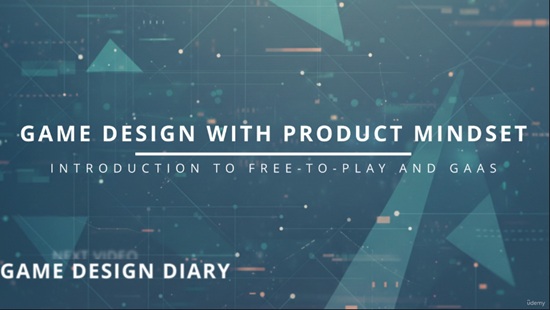
Title: Udemy – Game Design w Product Mindset: Introduction to F2P and GAAS

Info:

What you’ll learn
Explain the difference between various games industry business models: premium, free-to-play, etc.
Explain the difference between different types of games designers
Identify fundamental blocks of a free-to-play live service non-gameplay game’s design
Be able to present game design solutions clearly in various forms
Complete a design spreadsheet for a set of fundamental non-gameplay systems for a free-to-play live service game

Free-to-play games have become one of the most successful business models in the games industry. Yet despite their popularity, many aspiring designers, indie developers, and even experienced game professionals struggle to understand what makes these games engaging, commercially sustainable, and capable of retaining players for years.

This course is a practical introduction to the principles behind designing and operating successful Games-as-a-Service. Drawing on real industry practices, it explores the systems, frameworks, and ways of thinking used by game teams to create experiences that players enjoy while supporting long-term business goals.

Throughout the course, we’ll examine the building blocks of modern free-to-play games, including player motivation, engagement loops, progression systems, virtual economies, premium currencies, monetisation strategies, retention mechanics, Live Ops, events, and key performance metrics. We’ll discuss not only what these systems are, but also why they work, what trade-offs they involve, and how they influence player behaviour.

This course is designed for aspiring game designers, indie developers considering an F2P model, product managers, analysts, and anyone curious about how today’s top-grossing live-service games are designed, launched, and grown over time. No prior experience with free-to-play design is required, although a general familiarity with games will help you get the most out of the material.

By the end of the course, you’ll have a solid understanding of the language, concepts, and decision-making frameworks commonly used across modern game teams. More importantly, you’ll gain the confidence to critically evaluate existing games, identify opportunities for improvement, and apply proven design principles to your own projects.

Who this course is for:
Beginner game designers and product managers
Experienced premium games and gameplay game designers thinking about switching into free-to-play non-gameplay area
Anyone else interested to learn more about how free-to-play live service games work

此隐藏内容仅限VIP查看升级VIP

Post Cover

Duration 5h 50m Project Files Included MP4


Info

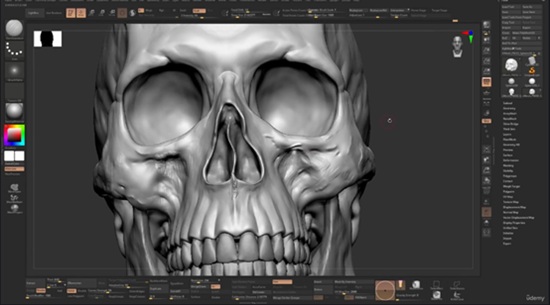
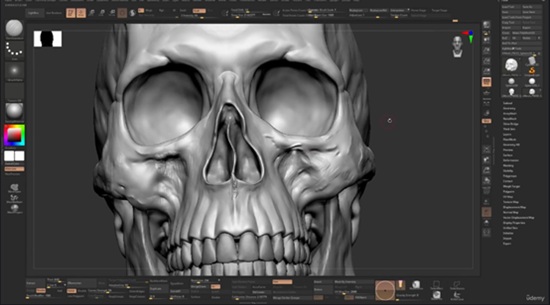
Title: Udemy – Mastering skull sculpting in Zbrush

Info:

What you’ll learn
Core knowledge of human skull and it’s proportions
Understanding how to sculpt a fully realistic human skull from a simple sphere
How to detail and damage the bone
You get a set of custom brush pack to speed up your workflow

The skull is the foundation of every believable human head.

In this course, you’ll learn how to sculpt a realistic human skull from scratch in ZBrush while developing a deep understanding of the anatomical structures that define the human face.

Rather than simply copying shapes, you’ll learn the purpose, placement, and relationships of the major bony landmarks that influence facial forms. Understanding these structures will allow you to sculpt heads more accurately, improve your likeness skills, and create stronger character designs from imagination.

Throughout the course, we will break down the skull into simple, understandable forms and progressively build a complete sculpture while discussing proportions, anatomical landmarks, planes, and practical sculpting techniques used by professional character artists.

By the end of this course, you will be able to:

Sculpt a complete human skull in ZBrush from scratch

Understand the major anatomical landmarks of the skull

Improve head construction and facial accuracy

Create stronger character sculpts based on real anatomy

Recognize the underlying structures that influence facial forms

Apply anatomical knowledge to portraits, creatures, and character design

This course is ideal for character artists, digital sculptors, students, and anyone looking to build a solid anatomical foundation for professional-quality character work.

Whether your goal is game art, film characters, collectibles, or personal artwork, mastering the skull will dramatically improve your understanding of the human head and elevate the quality of your sculpture

You will get the custom brush set that I use in the course along with the custom menu and hotkeys
You will also get the final result of my sculpted skull as a zbrush file

Who this course is for:
Intermediate to advanced 3D artists who want to know how to create a well detailed skull from a simple sphere

此隐藏内容仅限VIP查看升级VIP

Post Cover

Unreal Engine Bundle 8 June 2026

Info:

Includes:

Advanced Modular Blacksmith System v1.0 UE5.7.rar
Body Part Health System UE5.6+.rar
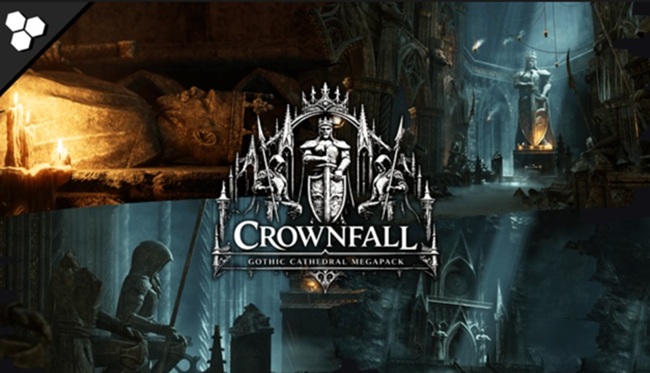
Crownfall Modular Cathedral Megapack (Ruins Gothic Cathedral Modular Dungeon) 5.7.rar
LiveLinkVISCA v1.0.2 UE5.7.rar
LLM EasyShell(Lite) v1.0.0 UE5.7.rar
Loading Screen System 0.2.1 UE5.7.rar
Monsters Underwater Pack UE4.18+.rar
PT-Kit Camera Burn-In v1.0 UE5.7.rar
Thornblade Sword Fantasy Game Ready Weapon 5.7.rar
TII3StepsSCIFIAudio 5.7.rar
UMG File Manager Kit v1.4 UE5.7.rar
Universal Stat Effect Framework v1.0 UE5.7.rar
WhiteBoxx Character Lighting 5.7.rar
HLMovementSystemv11ue57.zip
modernbundleinfimagamesblenderfbx.zip
Turquoise Sofa – Asset Pack 5.7.zip

此隐藏内容仅限VIP查看升级VIP

Post Cover

Zbrush – RadialZ 1.4.4 Win

info:

Sculpt without interruption. Every brush, one gesture away. No palettes. No hunting.

RadialZ puts your entire brush library one hotkey away, floating over ZBrush exactly where you need it, gone the moment you don’t.
A radial menu at your cursor, an editor to fill it, child brushes nested in a slot, an auto-scanning library, and a plugin that wires it all directly into ZBrush. It keeps you focused on the work, not just faster.


此隐藏内容仅限VIP查看升级VIP