归档

All posts for the month 2026 年 7 月

Post Cover

Duration 6h 5m Project Files Included MP4


Info

Title: The Gnomon Workshop – Snow Simulation Workflows in Houdini

Info:

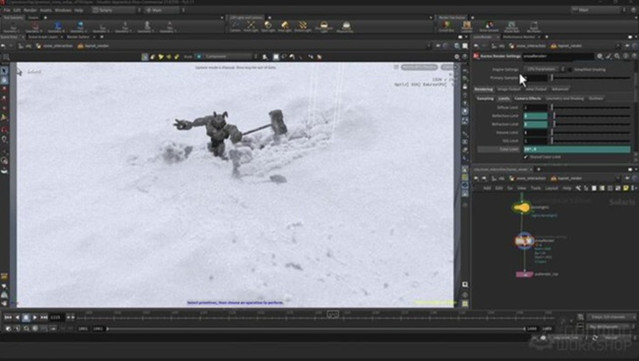
Learn how to use Vellum in Houdini to simulate professional-quality snow interactions. This 6-hour workshop is created for intermediate-level artists looking to expand their FX skills. Diego de Mendizabal, a Lead/Senior FX TD at Sony Pictures Imageworks, demonstrates how to use Vellum to simulate snow and shares Pyro and POP tips and tricks for generating secondaries, and briefly touches on Solaris, Karma, and Houdini’s own compositing tools for shading and rendering snow.

Artists will learn tips and techniques to art-direct snow simulations using constraints and attributes.
By completing the workshop, artists will develop a solid grasp of how to use Vellum and its tools to create snow/mud/sand simulations with an iterative, art-directable approach. Diego also talks through typical problems that artists may encounter, how to troubleshoot and solve them, and ways to optimize the setup for minimal data and simulation time footprints.

In the second half of the workshop, Diego teaches how to set up and add secondary elements to the main simulation to enhance its appearance and gain more control over it. He then covers how to shade and render these elements in Houdini’s lighting toolkit, Solaris, as well as how to set up Karma renders and use its live viewport rendering capabilities.

To make this workshop easily accessible to artists, everything is built in Houdini, including all assets used (minus the featured free-to-use .hdr light probes), so there will be no need to use other content creation packages or download separate models and files. Project files for this workshop are provided by Diego as an additional learning resource.

Download

此隐藏内容仅限VIP查看升级VIP

Post Cover

Duration 3h 31m Project Files Included MP4


Info

Title: Udemy – Deepmotion Ai: 3D Motion Capture for Everyone.

Info:

What you’ll learn
Creating 3D and 2D Character Animations.
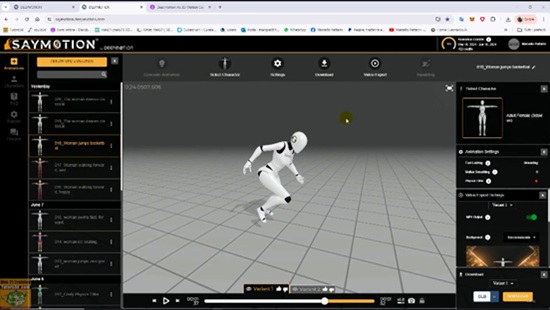
Creating AI Animations Using Text Prompts.
Creating AI Animations Using Motion Capture Video.
Creating Animated Avatars in Multiple Variations.
Integrating Animated 3D Characters into 3D Programs.

Deepmotion Ai: 3D Motion Capture for Everyone.

Topics: In this course, we will study the new frontiers of artificial intelligence (AI) used in the artistic field, relating to generative animation through prompts and video motion capture, in all forms of 3D and 2D representation.

In the past, generating character animation required expensive motion capture tools and great artistic skills to set up the correct character rig and then generate poses and the related animation keys to generate animated videos or video game characters with realistic movements.

Today, thanks to AI, this has become simpler and more accessible to everyone, eliminating expensive motion capture equipment that is out of reach for many and thus eliminating the tedious task of manually animating characters with time-consuming traditional techniques that require extraordinary talent to achieve convincing results.

In the course, you will learn how artificial intelligence can do this for us; in just a few minutes, you can create animations that were previously only a dream for many of us.

No special artistic skills are needed to achieve decent results; furthermore, everyone now owns a smartphone, which is very useful for training AI to generate motion data.

The course consists of two programs, and I’ll show you, in both free versions, how to generate both 3D and 2D animations, as well as how to generate characters pre-set for animation, including body and facial rigs.

We can then have a wide range of personalized avatars at our disposal, from clothing to ethnicity and facial aesthetics, to populate our content.

I’ll show you how to import animated characters into 3ds Max and Marmoset Toolbag; the same procedures can be used for the most popular 3D programs on the market.

Note: The exercise files are attached to the lessons:

003_Preset Characters

030_Forward Somersault

035_Motion Capture BVH

037_New Inpainting

Who this course is for:
Creation of 3D and 2D Character animations in the Gaming, Architecture and Artistic fields for everyone.

Download

此隐藏内容仅限VIP查看升级VIP

Post Cover

Duration 19h 51m  MP4


Info

Title: Udemy – Learn Python by Making 6 Games [2D & 3D]

Info:

What you’ll learn
Write clean, professional, and structured Python code from scratch.
Master Object-Oriented Programming (OOP), data structures, and state management.
Build complete 2D and 3D game engines, handle physics, and design custom UI.
Use professional developer workflows, including level editors and skeleton animations.
Leverage modern AI tools to write code faster, debug efficiently, and optimize your workflow.
Gain the problem-solving confidence needed to transition into AI, data science, or database management.

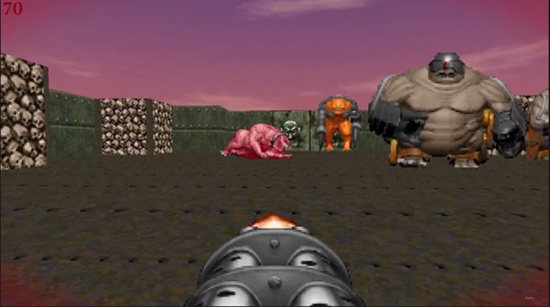
Stop learning Python from boring textbooks. Learn it by shooting demons in the face!

Python is the worlds most popular programming language. It is a major tool for AI and data science, it runs the databases of basically every large project and it can be used for app development, games, robotics, home automation and loads more. Python is basically everywhere and mastering it is a good path to interesting jobs and a high income. However, learning it by making small graphs or basic apps is boring; instead we will make cool games to master Python.

What We Are Building:

We will start with the absolute basics of the language and rapidly scale your skills across six distinct projects:

Google Dinosaur Runner: A clean, simple starter project to master the absolute basics of loops, movement, and collisions.

2D Zelda-Style Adventure: Create a proper level, design complex enemy AI, add fancy animations, and build a workflow using a professional level editor.

Turn-Based Pokémon Battle System: Learn to handle massive amounts of game data and present it cleanly by designing custom user interfaces (UI).

3D Runner Game: Break into the third dimension, learning 3D coordinate spaces and working with full skeleton animations.

Doom-Style Retro FPS: Build a highly satisfying first-person shooter featuring multiple weapons, advanced pathfinding, and intense gameplay.

Minecraft Clone (With AI): Recreate the ultimate sandbox block-builder, and learn how to use modern AI tools to speed up your coding workflow exponentially.

Why Game Development is the Secret to Mastering Python

Many people think game development is just a hobby. They are wrong.

If you can build a game with hundreds of moving parts, complex animations, real-time physics, complex user interfaces, and state management, you can code anything. The architectural patterns, object-oriented programming (OOP) principles, and problem-solving skills you learn here will allow you to easily pivot into databases, AI engineering, or backend web development.

Who Is This Course For?

Complete Beginners: We start from the absolute ground up. If you have a vaguely functioning computer, you can take this course.

Self-Taught Programmers: Stuck in “tutorial hell”? These complex projects will teach you how to write structured, clean, and professional code.

Intermediate Python Developers: Already know the basics? You can skip the introduction section and jump straight into building the games!

Enroll today, stop staring at boring terminals, and let’s start building!

Who this course is for:
Complete Beginners: Individuals who want to learn the world’s most popular programming language but find traditional, spreadsheet-based courses incredibly boring.
Aspiring Indie Game Developers: People who want a practical, project-based introduction to creating both 2D and 3D games from scratch.
Self-Taught Programmers Stuck in “Tutorial Hell”: Developers who know basic syntax but want to learn how to structure large-scale applications with tons of moving parts.
Intermediate Pythonistas: Programmers who already know the fundamentals and want to jump straight into advanced logic, UI creation, game engines, and modern AI development workflows.

Download

此隐藏内容仅限VIP查看升级VIP

Post Cover

Duration 3h 42m Project Files Included MP4


Info

Title: LinkedIn – Learning Revit 2027

Info:

BIM (building information modeling) is a baseline skill for architecture, engineering, and construction roles.This course provides a clear, practical starting point to using Revit, the industry standard tool for BIM. Learn how to navigate the Revit 2027 interface, build a unified 3D model, and produce professional documentation. Find out how to create walls, doors, windows, ceilings, floors, and roofs, then work across multiple views to refine and communicate your design. Discover how to annotate models with dimensions, tags, and schedules, collaborate by linking files, and generate sheets and renderings for delivery. The course is structured as a step-by-step walkthrough, starting with setup and navigation, then moving into modeling, documentation, collaboration, and output. By the end of this course, you will be able to build, document, and share a complete architectural model using Revit 2027 and collaborate more effectively with project teams.

Skills covered
3D Modeling, Architectural Design, Revit, Autodesk Software

Download

此隐藏内容仅限VIP查看升级VIP

Post Cover

Duration 10h Project Files Included MP4


Info

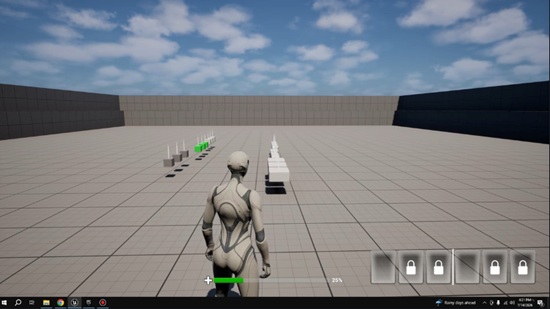
Title: Udemy – Unreal Engine 5 Multiplayer Battle Royale Hotbar

Info:

What you’ll learn
Create a Multiplayer game
Learn to program using blueprints 100%
Learn how to create complex Multiplayer Game
Those who already have experience in game development will further enhance their development skills

This course is a Multiplayer Game / Multiplayer Battle Royale Hotbar

Unreal Engine 5 Multiplayer Battle Royale Hotbar

Daily update fo full course

Unreal Engine 5 Blueprints Battle Royale Hotbar

About Blueprint

All content in this set of courses is implemented using blueprints. You’ll see a set of blueprint projects with a clear structure and clean nodes, and it’s time to really understand the greatness of blueprints.

Full Course List

Section1

Create pickup

Create Hotbar Component

Create ItemBasae

Create ItemActor

Create HUD Hotbar

Create HUD Player

Create Drag Drop item

Create Stack Item

Create DataTable

Create Use Item

A simple game that everyone can understand, it can be played in multiplayer.

You can add many levels with your imagination, In the future I will also add a timer start.

About the Content

This course is a complete set of tutorials for Battle Royale Hotbar game type Multiplayer of game. The features are so huge that they were not shown in the promo video to show all the features. For example, the bullets fired all have a downward effect and reduce the flight speed based on the distance.

The course is now fully completed, and you can view the course outline to learn all the contents of this set of courses.

Who this course is for:
People who want to learn game development
People with no or some programming experience

Download

此隐藏内容仅限VIP查看升级VIP

Post Cover

Duration 13h Project Files Included MP4


Info

Title: Udemy – Blender to Unreal Engine 5: Stylized Greek Environment

Info:

What you’ll learn
Plan a stylized environment with references, human scale, blockouts, silhouette checks, and camera composition
Build a reusable modular Greek island architecture kit with buildings, roofs, stairs, doors, windows, and props
Create consistent UVs and seamless materials with controlled texel density, grain direction, and tile variation
Set clean origins, pivots, names, scales, normals, and attachment points so assets snap together correctly
Export a clean GLB asset library and preserve separate meshes and useful pivots in Unreal Engine 5
Assemble a layered village with a clear focal point, readable skyline, rock foundation, and supporting foliage
Improve simple materials with sky, sun, fog, exposure, ambient occlusion, tangents, and colour grading
Present the finished environment with a cinematic 16:9 camera, simple animation, and final video render

Have you ever spent hours modelling a building, only to discover that its pivots are useless, the UVs stretch, the pieces refuse to snap, or the Unreal Engine import turns the whole thing into a clean-up project? The missing skill is not another random modelling trick. It is learning how to design the kit, the hand-off, and the final environment as one connected production system.

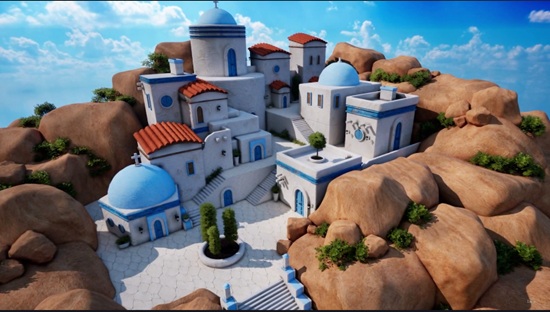
In this course, you will create a bright, stylized Mediterranean village from the ground up. You will begin with reference planning, human scale, blockouts, and silhouette. Then you will build a reusable family of white-plaster buildings, blue domes and trims, terracotta roofs, stairs, walls, doors, windows, lanterns, pots, rocks, and architectural details in Blender.

Once the kit is ready, you will clean it for export, transfer it through GLB, validate it inside Unreal Engine 5, and rebuild the village from separate, editable building blocks. The final stages cover ambient occlusion, tangents, skybox and sun setup, fog, exposure, rock foundations, custom shrubs, colour grading, CineCamera framing, camera animation, and final video output.

The result is more than a single finished scene. You will leave with a repeatable modular environment-art workflow you can apply to future game worlds, stylized architecture, portfolio pieces, and real-time projects.

What You Will Build

Your finished project is a compact Greek-island-inspired village with a clear blue-domed church landmark, stepped white architecture, terracotta roof accents, exterior stairways, courtyards, warm rounded rocks, green foliage, a bright clouded sky, and a cinematic 16:9 presentation.

A complete reusable modular architecture kit in Blender

A clean, tested GLB asset library with practical pivots and separate meshes

A layered Unreal Engine 5 village assembled from editable building blocks

A real-time lighting and material-readability setup for clean stylized surfaces

A polished hero image and an optional short CineCamera animation

The Complete Blender-to-Unreal Engine 5 Workflow

Resource Pack and Project Setup: Organise the supplied materials, references, reusable assets, Geometry Nodes tools, scale guide, skybox, and sun resources, then choose the Asset Browser, Append, or copy-and-paste workflow that fits your project.

Modular Building Foundations and Roof Systems: Create scalable building bodies, floor rings, rounded roof forms, procedural terracotta tiles, lattice-deformed roof variants, and clean preview materials.

Doors, Windows, and Architectural Props: Build reusable door and window families, shutters, supports, crosses, pillars, pots, a chimney, a lantern, and other details while keeping UV direction and material separation under control.

Stairs, Walls, Rocks, and Kit Variations: Generate modular stairs, create platforms and curved walls, build seamless corners, sculpt and optimise rocks, and produce additional variations without rebuilding the asset family.

Export, Import, Sky, and Lighting Setup: Clean names, transforms, normals, origins, and Collections, export through GLB, preserve pivots, fix imported materials, and establish the custom skybox, sun, Skylight, fog, and manual exposure.

Village Assembly and Material Readability: Use the kit as actual building blocks, create stepped massing and focal hierarchy, refine architectural detail, and strengthen contact and form with ambient occlusion and tangent corrections.

Rock Foundations and Foliage: Build the rocky perimeter through overlap and clustering, then repurpose vegetation into interior and exterior shrubs that support the camera and silhouette.

Final Colour and Cinematic Presentation: Complete colour grading, cloud-shadow variation, CineCamera framing, a simple two-keyframe move, and the final real-time render.

What You Will Learn

Plan a stylized environment with references, human scale, blockouts, silhouette checks, and camera composition

Build compatible modular architecture with Bevel, Weighted Normal, Solidify, Mirror, Boolean, Array, Lattice, Decimate, curves, and Geometry Nodes

Reuse modifier stacks, roof systems, doors, windows, props, materials, rocks, and vegetation to create variations faster

Create clean UVs with Smart UV Project, manual seams, Follow Active Quads, Minimum Stretch, texel-density control, and roof-tile randomisation

Set useful origins, pivots, names, dimensions, normals, and attachment points so every asset behaves like a practical building block

Export through glTF 2.0 and GLB with UVs, normals, tangents, modifiers, and reusable settings

Import into Unreal Engine 5 while preserving pivots, keeping meshes separate, and correcting common normal-map and tangent problems

Assemble a layered village with a clear church focal point, stepped roof heights, controlled negative space, and a strong thumbnail silhouette

Use ambient occlusion, sky, sun, Skylight, fog, exposure, post-process controls, and colour grading to make simple materials feel rich

Create believable rock foundations and custom shrub clusters from reusable vegetation

Frame, animate, and render a polished real-time environment presentation

Six Reasons This Workflow Is Different

Complete Resource Pack: Follow the course with prepared materials, references, example assets, Geometry Nodes setups, vegetation, a 4K skybox, sun plane resources, and finished project files.

Build Modular Environments Faster: Use shared primitives, reusable modifier stacks, asset repurposing, arrays, Geometry Nodes, and lattice cages instead of modelling every structure independently.

Simple Materials, Strong Results: Learn how controlled UVs, bevel highlights, ambient occlusion, contact shadows, lighting, fog, and colour grading can make a restrained material set feel polished.

A Complete Blender-to-Unreal Workflow: Follow one connected route from initial reference and modelling through GLB export, Unreal Engine import, assembly, foliage, lighting, and final presentation.

Build Assets That Snap Together: Treat scale, origins, pivots, names, dimensions, and attachment points as part of the creative workflow so the kit is enjoyable to use.

Create Custom Foliage in Unreal Engine 5: Repurpose existing vegetation into shrubs and bushes, then vary rotation, scale, height, overlap, and placement to avoid obvious repetition.

What Is Included

60 structured lessons covering the full Blender-to-Unreal Engine 5 production pipeline

A main Blender resource-pack file with organised materials, example assets, and Geometry Nodes setups

Reference sheets for visual direction, props, prefabs, buildings, and the final environment

Prepared PBR materials for Blender, Eevee, Cycles, and GLB export

A human scale reference for checking architecture, stairs, platforms, and props

An adjustable Geometry Nodes stairs setup and a Blender-focused hedge setup

Vegetation resources for custom Unreal Engine foliage variations

A finished Blender-side reference scene

A 4K skybox plus sun plane and sun texture resources

Checkpoint questions, mini assignments, transfer tests, and a structured final environment project

A Project-Based Course That Makes You Use the Workflow

Watching a clean demo is easy. Building a kit that still works after UVs, export, import, lighting, and final composition is where the learning becomes real.

Throughout the course, focused checkpoints and mini assignments ask you to test the parts that usually cause trouble: human scale, modular fit, texel density, wood-grain direction, pivots, normals, GLB settings, tangent quality, ambient occlusion, rock overlap, foliage placement, and camera readability. The final project brings those decisions together in a smaller original Greek-island-inspired scene.

Who This Course Is For

Blender Artists Ready to Build Beyond Isolated Props: You have modelled individual objects and now want a structured route to a complete environment.

Stylized Environment Artists and Worldbuilders: You want strong shapes, clean colour separation, reusable architecture, and a polished real-time presentation.

Unreal Engine Learners Who Need a Better Blender Bridge: You want to understand why pivots, normals, tangents, UVs, material settings, and mesh separation matter in the hand-off.

Indie Game Developers and Technical Artists: You need practical, editable building blocks that reduce repeated work and make iteration inside Unreal Engine faster.

Portfolio Builders: You want a single project that demonstrates modelling, UVs, modular design, engine assembly, lighting, foliage, composition, and camera presentation.

Pipeline Nerds: You prefer a kit with useful pivots, predictable names, clean Collections, and sensible attachment points over a beautiful folder full of future problems.

Why This Course Stands Out

This is not a “make one building, duplicate it six times, and hope the rocks distract everyone” course.

The final image is important, but the system beneath it is the real value. You will learn why a roof should be easy to reshape, how one door or window can become several useful variants, how a good origin saves time every time a mesh is placed, and why a modular Unreal Engine scene gives you far more creative control than one imported monolithic environment.

You will see the entire production route, including the awkward parts that are often skipped: normal-map mistakes, tangent fixes, pivot preservation, inconsistent UV scale, over-dark ambient occlusion, floating rocks, cloned foliage, and camera angles that looked better in your head.

The aim is simple: finish a strong environment, understand why the pipeline works, and leave with a method you can use again.

I’ll explain the production decisions as we go, show you where common problems appear, and keep the workflow practical enough to reuse in your own projects.

By the End of the Course

You will have a complete stylized Greek island environment presented in Unreal Engine 5

You will have a reusable modular asset workflow rather than a one-off scene recipe

You will understand how to move Blender assets into Unreal Engine with cleaner pivots, UVs, normals, tangents, materials, and naming

You will be able to approach future environment projects with a clearer plan for scale, modularity, composition, lighting, foliage, and final presentation

Who this course is for:
Blender artists ready to go beyond isolated props who want a clear system for turning individual objects into a complete, readable environment
Stylized environment artists and worldbuilders who want strong shapes, clean colour separation, reusable architecture, and a polished real-time presentation
Unreal Engine learners who want to understand why pivots, normals, tangents, UVs, material settings, and mesh separation matter in the Blender hand-off
Indie game developers and technical artists who need practical, editable modular building blocks that reduce repeated work and speed up iteration in Unreal Engine
Portfolio builders who want one project covering modelling, UVs, modular design, engine assembly, lighting, foliage, composition, and camera presentation
Pipeline nerds and kitbash tinkerers who prefer a kit with useful pivots, predictable names, clean Collections, and sensible attachment points


Download

此隐藏内容仅限VIP查看升级VIP

Post Cover

Duration 3h 18m MP4


Info

Title: Udemy – Blender Fantasy Character Course: Model, Rig & Render

Info:

What you’ll learn
Plan and design a stylized fantasy character
Model clean stylized characters in Blender
Create expressive facial animations using shape keys
Build procedural stylized materials
Create appealing cartoon-style surfaces
Rig a simple character for posing
Pose characters naturally for presentation
Improve the visual appeal of your character artwork
Develop a complete stylized character workflow
Design your own original fantasy character

Bring an original fantasy character to life in Blender.

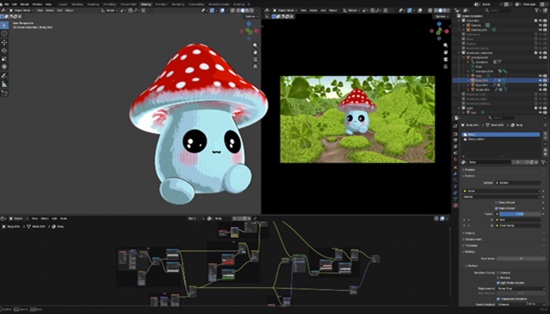
Stylized characters are one of the most enjoyable and rewarding things you can create in 3D. In this project-based course, you’ll design, model, rig, and pose a charming fantasy mushroom character while learning practical Blender workflows used for stylized character creation.

Rather than learning disconnected tools, you’ll complete a full character project from concept to final render. Along the way, you’ll discover techniques that can be applied to countless future characters of your own.

You’ll begin by exploring the character concept and understanding the design decisions behind appealing stylized characters. Then you’ll model the mushroom character from scratch, learning how to build clean forms that are both expressive and easy to work with.

Next, you’ll add personality using shape keys to create facial expressions before creating fully procedural stylized materials that give the character its unique appearance without relying on external textures.

Once your character looks the way you want, you’ll build a simple rig that allows you to pose your creation with ease. You’ll then explore presentation techniques, artistic style, and posing to create final renders that showcase your character beautifully.

Finally, you’ll apply everything you’ve learned by designing your own original fantasy character, giving you the opportunity to develop your creativity while reinforcing the techniques covered throughout the course.

Whether you’re looking to improve your Blender skills, build your character art portfolio, or simply create fun stylized characters, this course will give you a complete workflow from concept to final presentation.

After taking this course, you will be able to:

Model stylized fantasy characters confidently

Create expressive character faces using shape keys

Build procedural materials without external textures

Rig simple characters for posing and presentation

Produce polished character renders for your portfolio

Apply the same workflow to create your own original stylized characters

Continue exploring advanced character creation in Blender

Who this course is for:
Blender users looking for a fun character project
Beginner and intermediate 3D artists
Character artists interested in stylized design
Digital artists building a Blender portfolio
Anyone who enjoys creating fantasy characters

Download

此隐藏内容仅限VIP查看升级VIP

Post Cover

SideFX Houdini 22.0.368 Win


Info

Title: SideFX Houdini 22.0.368 Win

Info:

Houdini 22 delivers powerful workflow improvements across every stage of production. From a refined interface and production-ready Gaussian Splats to faster character, modeling, look development, VFX, and world-building tools.

This release streamlines production with faster workflows, greater procedural flexibility, and powerful new tools that help artists create higher-quality work across film, games, motion graphics and more.
Houdini’s UI refresh delivers a more modern, intuitive, and customizable experience designed to improve usability across the application. The new design makes it easier to learn, navigate, and tailor the interface to individual preferences, helping artists work more efficiently while focusing on their creative work.

Themes
The new theme editor enables easy interface customization with adjustable colors, reusable presets, and a global contrast slider.

Prefs UI
The redesigned preferences feature a cleaner layout, improved organization, easier navigation, and searchable settings for a smoother user experience.

Tool Tips
Enhanced tooltips provide visual context and guidance, helping users understand features faster while offering quick access to detailed help.

Colors & Ramps
Houdini’s revamped color picker and ramp catalog provide advanced color controls, shareable palettes, visual ramp browsing, and adaptive sampling tools.
Download

此隐藏内容仅限VIP查看升级VIP

Post Cover

Chaos Vantage 3.3.1 Win


Info

Title: Chaos Vantage 3.3.1 Win

Info:

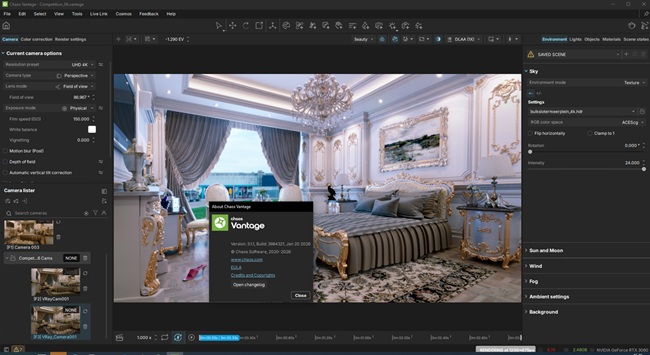
Transform your 3D scenes with Chaos Vantage, the real-time GPU-accelerated renderer up to 10x faster. Compatible with V-Ray and Corona, it uses pure raytracing for high-quality animations and photorealistic stills. Ideal for architectural visualization, product design, and interactive scene exploration, Vantage delivers speed, efficiency, and stunning visuals

Download

此隐藏内容仅限VIP查看升级VIP

Post Cover

Chaos V-Ray 7 update 4 for Maya 2024 – 2027 Win


Info

Title: Chaos V-Ray 7 update 4 for Maya 2024 – 2027 Win

Info:

New Features
V-Ray

Rendering speed improvements up to 13% on Windows and 6% on Linux
Added Parallax Texture node
Added Veras for render and viewport AI visualization
Added Out-of-Frustum Displacement control for memory optimizations
Added an option for Light Cache denoising to the VRayDenoiser render element
Added Simple Caustics to VRayMtl for VRaySunLight
Added support for MayaUSD 0.36.0 for Maya 2027, 2026, 2025
Added support for MayaUSD 0.35.0 for Maya 2026 and 2025
Added HIP support for AMD GPUs

Download