归档

All posts for the month 2026 年 7 月

Post Cover

Duration 15h 20m Project Files Included MP4


Info

Title: Udemy – Making of Eurocopter 725 3ds max Advanced Modeling

Info:

What you’ll learn
Analyze the Modeling phases.
Analyze the Mapping phases.
Analyze the Rendering Phases.
Analyze the Animation Phases.
Materials Analysis.
Analysis of the new Vray RTX rendering.

Note: This course uses a speaker with AI-generated voice.

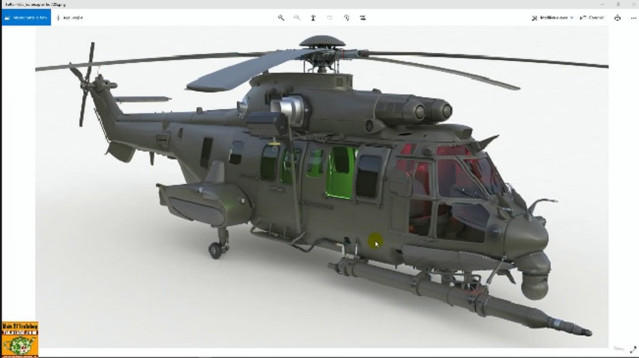
Making of Eurocopter 725 3ds max Advanced Modeling.

Topics: In this course we will study the Modeling, Mapping, Rendering and Animation procedures of the Eurocopter 725 3d model made in 3ds max.

This course is suitable for those who need to learn modeling, mapping render and animation tricks and procedures, referring to a very complex project.

Being a Making of you will have the opportunity to observe the author illustrate the most important phases of the project through video lessons and retrace the phases of the project.

The course illustrates the project settings in 15 hours, then moves on to the research of the reference contents, the various modeling phases, the creation of the mapping coordinates and its management through new modifiers and scripts for the management of UV groups, to the lighting settings, render settings, camera settings material management, object relationship analysis, animation modifiers, object animation and auxiliary element management, animation editing and frame management.

Note: being a Making of the course exercise files are not contained, for users who need to study the high-value 3D model, it will be possible to purchase it separately on other markeplace, in the lesson “089_Risorse Model 3D” the information is indicated.

Who this course is for:
3D Artist, Designer, Students, Teachers.

Download

此隐藏内容仅限VIP查看升级VIP

Post Cover

Duration 68h 13m Project Files Included MP4


Info

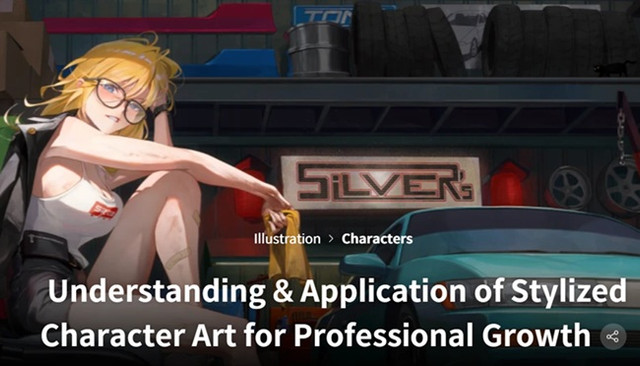
Title: Coloso – Understanding & Application of Stylized Character Art for Professional Growth

Info:

“I’ll show you how to master character stylization, so you can quickly start monetizing your work!”

Dive deep into the techniques that helped KO_MA transition from an art lover to a successful freelance artist. Having paved his own path, KO_MA now shares every detail with artists aspiring to improve, to share their works, and establish their place in the art world.

In this class, KO_MA guides you through turning characters into fully realized visual stories. From character illustration to a completed illustration featuring both character and background, KO_MA teaches you how to draw viewers into the heart of your work.

This class is a game-changer for artists ready to turn their hobby into a paying career, whether as a full-time or a part-time freelancer. By mastering essential skills like character design, dynamic compositions, and storytelling, you’ll gain the tools to create work that meet the industry standards. Who knows? This might just be the start of an exciting new chapter of your life.

Download

此隐藏内容仅限VIP查看升级VIP

Post Cover

Duration 16h 1m Project Files Included MP4


Info

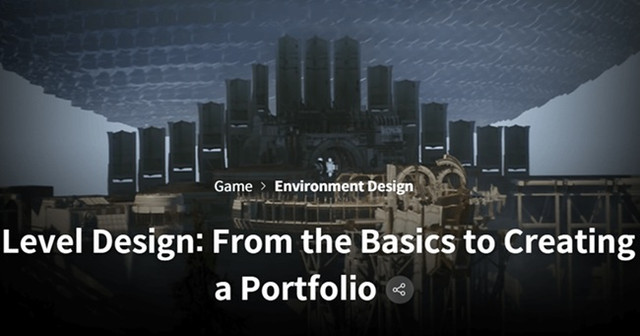
Title: Coloso – Level Design From the Basics to Creating a Portfolio

Info:

Audio: Korean
Subtitles: English

Level design is the essence of game development that needs to be implemented better to provide direct experience to players!

Are you looking for a level design course to create a portfolio that gives you a competitive edge in practice, rather than a portfolio that is similar to others?

In this class, anyone without basic knowledge of 3D engines or level design can quickly and easily complete a portfolio in the form of a sample game utilizing the new features of Unreal Engine 5.

This class guarantees not only the portfolio of Bisk, a level designer with 17 years of experience who has already been accepted to numerous large game companies in the domestic level design field, but also an interview! You can only find it at Coloso.

Download

此隐藏内容仅限VIP查看升级VIP

Post Cover

Duration 6h 37m Project Files Included MP4


Info

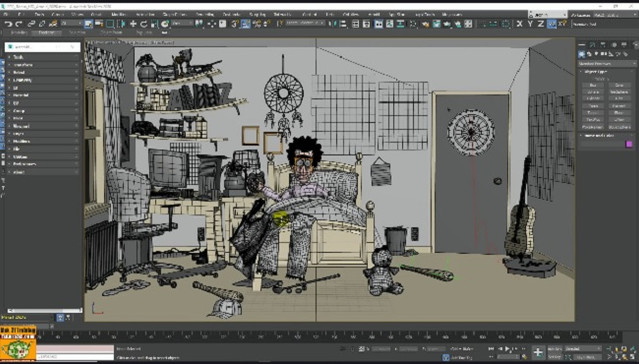
Title: Udemy – The 3ds max Assembly Tool.

Info:

What you’ll learn
Management: Transformations, Viewport, Modifiers, Mesh Packer, Convert Textures, Grid Pack, Batch Export, Array.
Management: Selections, Pivot, Layer, Preferences, Scatter, Optimizer, Object Renamer, Dummy Placer, Batch Renamer.
Management: Geometries, Groups, Files, Selector, Collider, Replacer, Collector, Alphabet Renamer.
Management: Id, UV Coordinates, Utility, Painter, Mass FX, 043_Object Class, Randomizer, Batch Import

Note: This course uses a speaker with AI-generated voice.

3ds max Assembly Tool

Topics: In this course, we’ll explore how to be faster and more productive in 3ds Max using the Assembly Tool, a free tool with countless options.

In the course, we’ll analyze in detail the tool’s installation steps, its interface, and the countless tabs dedicated to the following topics. This tool is incredibly useful and a must-have in your 3ds Max toolkit.

Transform: A set of intelligent transformation and alignment tools for managing the simplest or most complex 3ds Max scenes.

Select: Advanced scene selection for quick management of all elements.

Geometry: A set of extremely useful tools for managing 3D models for use in games or design.

ID: How to manage material and object IDs in one go without going crazy.

Materials: The simplest and most effective material management in a single interface.

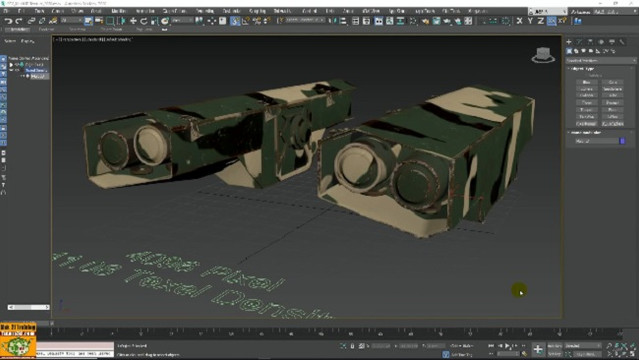
UV: How to quickly set Mapping and Unwrap coordinates… and a dive into Texel density.

Group: Simplified group management and new management tools.

Pivot: How to set single and multiple pivots for many objects in a single click.

Viewport: The most important functions at your fingertips for quickly and clearly modifying the viewport.

Layer: Efficient layer management in professional studios.

Modifiers: All the most important modeling modifiers in a single interface.

File: File management without running up and down menus.

Utilities: Useful 3ds Max tools you never knew you had.

Preferences: Preferences and previews.

Compatible exercise files for 3ds Max 2020 and later are available with the lessons.

Note: The exercise files are attached to lesson 2, “002_Assembly Tool Interface”.

Additional lessons, Tools section

Selector: Manage scene objects by name.

Scatter: Intelligent random distribution.

Painter: Simple and intuitive object painting tools… it’s about time…

Mesh Packer: For packing meshes using the Unwrap philosophy.

Collider: Useful object collision management.

Mass FX: Rigid body dynamics.

And other tools, discover them in the course.

Who this course is for:
3D Artist, 3D Modelers, Students, Teachers, Designers

Download

此隐藏内容仅限VIP查看升级VIP

Post Cover

Duration 2h 16m MP4


Info

Title: Udemy – 3ds max Texel Density from Theory to Practice

Info:

What you’ll learn
Management of Texel Density in 3ds max.
Multiple UDIM management in 3ds max and Substance Painter.
Practical Exercises Unwrap and Texel Density.
PBR materials in Vray and UDIM
Using Free Texel Density Scripts

Note: This course uses a speaker with AI-generated voice.

3ds max Texel Density from Theory to Practice.

Topics: The course illustrates the theory and practice of Texel Density in 3ds Max, using multiple free and paid scripts for a more comprehensive overview of the topic.

We will study how to install resources and integrate them into the 3ds Max interface, comparing three different methods of acquiring Texel Density data.

The course illustrates the clearest possible theory related to the concept of Texel Density, which is not always easy to grasp at first. We will study the important relationship between Unwrap, Texture resolutions used by materials, and the relationship with Texel Density; why it is set up a certain way, and what its relationship is to the world of design, gaming, or the world of more common 3D assets.

We’ll analyze the 3ds Max UDIM workflow in Unwrap related to Texel Density, then move on to Substance Painter and back to 3ds Max. We’ll also analyze the PBR Material settings for V-Ray and UIDM.

We’ll also study the mathematical formulas for optimally calculating Texel Density for a typical 3D object.

By the end of the course, you’ll have a comprehensive overview of the concept of Texel Density and the tools available in 3ds Max for managing it.

Compatible exercise files for 3ds Max 2020 and later are available with the lessons.

Note: The exercise files are attached to lesson 2, “003_Installing Advanced UV Normalizer.”

Who this course is for:
3D Artist, 3D Modelers, Students, Teachers, Designers

Download

此隐藏内容仅限VIP查看升级VIP

Post Cover

Duration 12h 33m Project Files Included MP4


Info

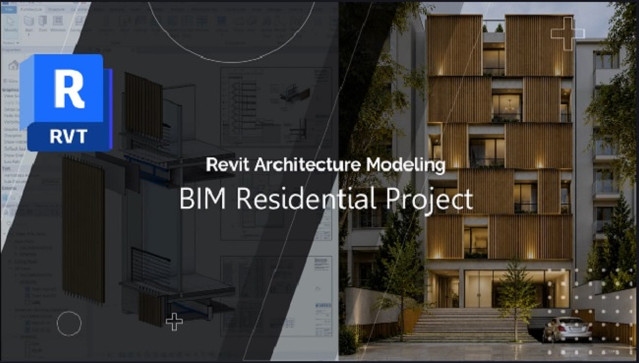
Title: Udemy – Revit Architecture Modeling: BIM Residential Project Expert

Info:

What you’ll learn
Model a complete multi-story residential building in Autodesk Revit 2027 using a professional BIM workflow
Develop architectural elements to LOD 400, including walls, floors, ceilings, openings, stairs, railings, and facade component
Coordinate an architectural model with a linked structural Revit model using Copy/Monitor and BIM coordination techniques
Create accurate wall build-ups, finishing layers, waterproofing systems, and construction-ready architectural details
Design and document a parametric wooden louver facade using nested families, shared parameters, and quantity takeoff workflows
Build a real-world residential project from site development and excavation through final construction documentation
Generate professional BIM deliverables including plans, sections, callouts, schedules, legends, room data, and sheet sets
Organize projects using Browser Organization, View Templates, Filters, and BIM documentation standards
Extract material quantities and cost-related information directly from the BIM model using Revit schedules
Create parametric facade components using nested families, shared parameters, and BIM-driven quantity extraction techniques
Develop construction-ready wall assemblies including finishes, waterproofing layers, facade systems, and architectural detailing to LOD 400 standards
Understand how Revit tools are applied in real projects and gain the confidence to execute architectural BIM projects independently

The main purpose of this course is not to teach isolated Revit commands. Instead, you will learn how to apply Revit tools within a real BIM workflow and develop a residential project from concept to construction documentation.

Are you comfortable using Revit tools but unsure how to develop a real architectural project?

Do you want to learn professional BIM workflows, LOD 400 modeling standards, and construction detailing techniques?

Would you like to transform a BIM model into quantity takeoffs, shop drawings, and professional construction documentation?

This course was created to answer these questions.

Throughout this training, we will develop a complete residential building project using Autodesk Revit and a practical BIM workflow. Starting from project setup, structural model coordination, site preparation, and architectural modeling, we will progressively develop the project to a high level of detail and documentation.

You will learn how to create construction-ready wall assemblies, floor systems, ceilings, stairs, railings, architectural openings, and parametric facade components. We will also explore BIM documentation workflows, quantity takeoffs, room data management, view templates, schedules, legends, callouts, and professional sheet production.

Rather than focusing on theory, every lesson is built around practical project development. Along the way, I will share real-world BIM techniques, architectural detailing strategies, productivity tips, and professional workflows that are commonly used in actual projects but rarely covered in beginner-level Revit courses.

Course Headlines:

Complete Residential BIM Project Development

Architectural Modeling Based on Real Project Workflow

LOD 400 Architectural Development & Construction Detailing

Site Modeling, Excavation & Project Setup

Advanced Wall, Floor, Ceiling & Stair Modeling

Parametric Facade Design with Nested Families

Shared Parameters & BIM Data Management

Material Takeoff & Quantity Estimation

Professional Construction Documentation

Sections, Callouts, Legends & Shop Drawings

View Templates, Browser Organization & BIM Standards

Real-World BIM Modeling Techniques & Best Practices

If you already know the basics of Revit and want to gain practical experience developing a complete BIM project, this course is designed for you. By the end of the training, you will not only have a fully developed residential project, but more importantly, you will understand the workflow, decision-making process, and professional standards required to deliver real architectural BIM projects with confidence.

I look forward to seeing you inside the course.

Who this course is for:
Revit users who understand the software basics but want to learn how professional BIM projects are developed in practice
Architecture students seeking real-world BIM project experience beyond theoretical exercises
BIM modelers who want to improve their architectural modeling and documentation workflows
Architects looking to develop construction-ready BIM models and professional documentation sets
Freelancers who want to gain practical experience working on residential BIM projects
Revit users interested in LOD 400 architectural development and real project workflows
Professionals who want to strengthen their BIM documentation, quantity takeoff, and project coordination skills
Anyone who wants to bridge the gap between learning Revit tools and applying them confidently in real-world projects


Download

此隐藏内容仅限VIP查看升级VIP

Post Cover

Chaos V-Ray 7 update 4 (Build 7.40.00) Cinema 4D 2024- 2026 Win


Info

Title: Chaos V-Ray 7 update 4 (Build 7.40.00) Cinema 4D 2024- 2026 Win

Info:

0. Remove any previous crack
1. Install V-Ray and make sure it’s loading properly by default!
2. Copy cgauth.dll to the V-Ray bin dir ( C:\Program Files\Maxon Cinema 4D 2026\plugins\V-Ray\res\libs\win64 )
3. Enjoy!

Chaos has released V-Ray 7 for Cinema 4D, the next major version of the production renderer.

The update adds support for rendering 3D Gaussian Splats, native OpenPBR support, and improvements to V-Ray GPU, the V-Ray Frame Buffer and Chaos Scatter.

Cinema 4D becomes the third DCC application to get an integration for V-Ray 7, following last year’s releases of V-Ray 7 for 3ds Max and V-Ray 7 for SketchUp.

Native support for rendering 3DGS scan data
New features in V-Ray 7 for Cinema 4D include support for 3D Gaussian Splats (3DGS).

A new technique for creating and rendering 3D scenes, 3D Gaussian Splatting generates high-quality reconstructions of real-world objects or scenes from source photos or video.

Download

Post Cover

Chaos V-Ray 7 update 4 (Build 7.40.00) Blender 5.2 Win


Info

Title: Chaos V-Ray 7 update 4 (Build 7.40.00) Blender 5.2 Win

Info:

0. Remove any previous crack​
1. Install V-Ray and make sure it’s loading properly by default!
2. Copy cgauth.dll to the V-Ray bin dir ( %AppData%\Blender Foundation\Blender\5.2\scripts\addons\vray_blender\bin\VRayZmqServer\appsdk\bin )
3. Enjoy!

A new edition of V-Ray integrated directly inside Blender
Released earlier this year, V-Ray 7 for Blender makes it possible for Blender users to render with V-Ray from the current version of the open-source 3D software.

Unlike the legacy plugin, which exported scenes to V-Ray Standalone, it integrates V-Ray directly inside Blender, with V-Ray available for interactive rendering in the 3D viewport.

It supports Blender’s hair system, and has “initial support” for rendering materials and nodes from Cycles, Blender’s principal built-in production renderer.

Users can also create, edit and manage V-Ray materials, textures and geometries inside Blender via the V-Ray Node Editor, using a workflow similar to Blender’s native node editors.

Download

Post Cover

Unreal Engine Bundle 4 July 2026


Info

Title: Unreal Engine Bundle 4 July 2026

Info:

Includes:

Classic Vehicle Set – V.02 Mercury.rar
Drapery Set.rar
Footsteps Sounds with Blueprint Setup.rar
Furniture Pack 5.4.rar
Furniture Pack by ZhenyaChistovsky 5.8.rar
Game Ready Sounds 5.4.rar
IE Ultimate Modular Kit – Extraction Shooter Pistol – 9TD.rar
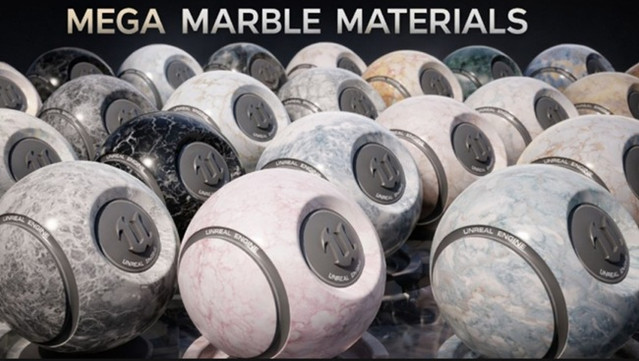
Mega Marble Material 4K 5.4+.rar
Portal VDB Pack Volume 3 (5.3+).rar
Rapid Fire Military Collection – Modular Army Characters UE5.0+.rar
Stylized Marketplace Props.rar
Tomb Set.rar
TRASH VOL.3 – Natural Ground Scatter Debris.rar
UMG Cinematics v1.2.2 UE5.7.rar
Urns and Pots.rar
Vehicles VOL.16 – Sail Boats (Low Poly).rar
Hermes Integration v1.0.0 UE5.8.zip
LanguageStatusBar v1.0.0 UE5.7-5.8.zip
Loading Screen With Load Percentage v1.25 UE5.7.zip

Download

此隐藏内容仅限VIP查看升级VIP

Post Cover

Duration 12h 35m Project Files Included MP4


Info

Title: Udemy – Unreal Engine 5 Material Masterclass for Beginners

Info:

What you’ll learn
Learn the Unreal Engine 5 Material Editor from beginner level.
Understand PBR workflow: Base Color, Roughness, Metallic, Normal maps.
Create Master Materials and Material Instances for faster workflow.
Material Functions, Landscape Material, Material Blending
Runtime virtual Texture, Single water material, Layered Material, Mesh Paint

Welcome to Unreal Engine 5 Materials Masterclass, a complete step-by-step course designed to help you understand and create professional materials inside Unreal Engine.

If you have ever opened the Unreal Engine Material Editor and felt confused by the nodes, parameters, texture maps, and material settings, this course will guide you from the basics to advanced production workflows.

We will start with the fundamentals of PBR materials and learn how Base Color, Metallic, Roughness, Specular, Normal Maps, and Ambient Occlusion work. Then we will build reusable Master Materials, Material Instances, Material Functions, and advanced blending systems that can be used in real projects.

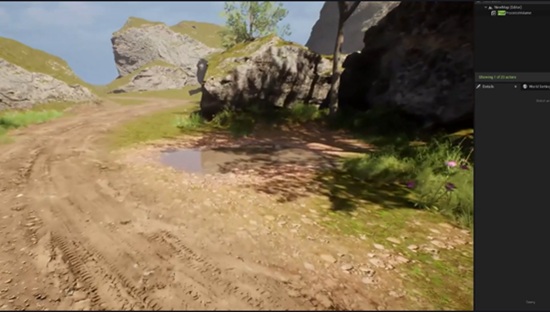
You will also learn how to create practical environment materials such as ground, grass, rock, sand, snow, puddles, water, glass, ice, frozen lake, iceberg materials, and landscape materials. We will also cover advanced Unreal Engine workflows such as Runtime Virtual Textures, World Aligned Materials, Vertex Painting, Height-Based Blending, Material Layers, Auto Landscape Materials, Procedural Grass, and Substrate Materials.

This course is not just about connecting nodes. You will understand why each node is used, how material systems are built, and how to create reusable workflows for games, architectural visualization, cinematics, and virtual production.

I am Tamil Selvam, an Epic Games Unreal Authorized Instructor, Director of Yellow Tree Academy, with 14+ years of Unreal Engine experience and more than 20 years of teaching experience. I created this course to help beginners and artists build strong Unreal Engine material skills with practical examples.

By the end of this course, you will be able to create your own production-ready materials and build a reusable material library for your future Unreal Engine projects.

Who this course is for:
Beginners who want to learn Unreal Engine 5 materials from scratch
Game design, animation, VFX and 3D students who want better material skills.
Environment artists who want to create realistic and reusable UE5 materials.
Unreal Engine learners who want to build portfolio-ready material projects.

Download

此隐藏内容仅限VIP查看升级VIP